
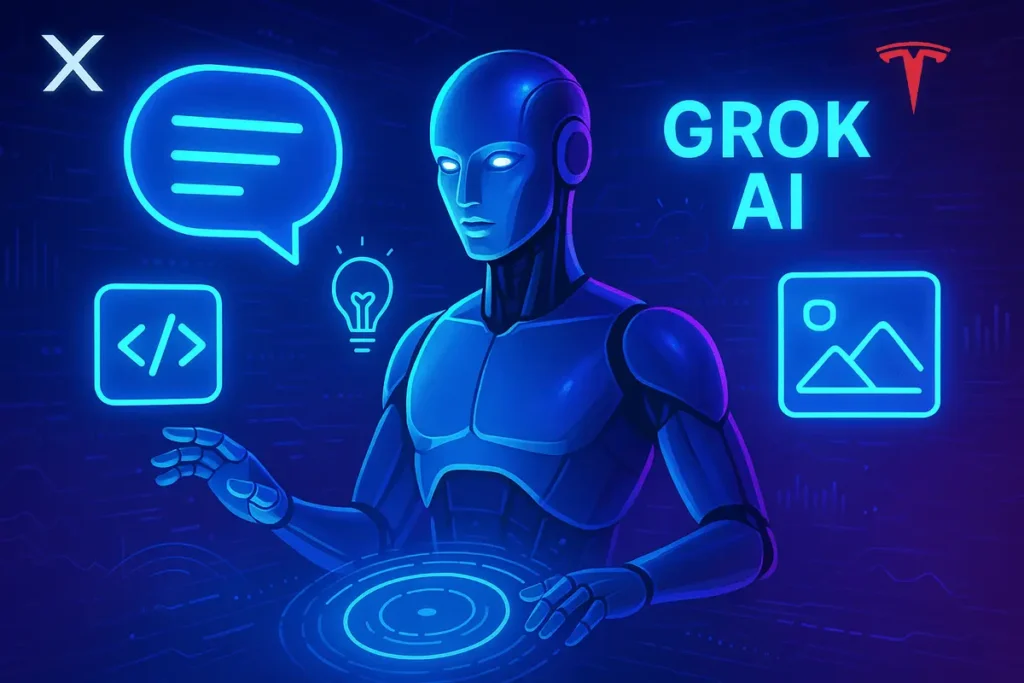
Grok AI is a conversational artificial intelligence assistant developed by xAI.
It can answer questions, search the web, analyze information, help with writing and coding, generate images and videos, and support more complex tasks using AI tools.
Unlike a traditional chatbot that relies only on information learned during training, Grok can use real-time web search and public posts on X to help answer questions about current events.
Its available capabilities depend on the model, platform, subscription, and tools enabled for your account
In 2026, Grok has expanded beyond ordinary AI chat. Its ecosystem includes advanced language models, voice interaction, Grok Imagine for visual creation, Grok Build for coding, and Grok Bot for persistent AI-assisted workflows.
What Is Grok AI?
Grok AI is an AI assistant designed to understand natural-language requests and generate responses, explanations, ideas, and other useful outputs.
Users can access it through Grok’s website and supported mobile apps, as well as through X.
The assistant can help with everyday questions and more involved tasks, such as researching a topic, understanding code, summarizing information, brainstorming content, and analyzing supported files.
Grok’s defining characteristics include:
- Real-time information: It can search the web and public X posts when appropriate.
- Conversational assistance: It can answer questions, explain concepts, and help with writing.
- Reasoning and coding: Available models support different levels of reasoning and technical work.
- Multimodal capabilities: Supported features include image understanding, voice interaction, and image or video generation.
- Connected tools: Depending on the product, Grok can interact with supported tools and services to help complete tasks.
Grok is not one single model with identical capabilities everywhere.
It is an ecosystem of models and products, and the experience you receive depends on which part of that ecosystem you use.
How Did Grok AI Evolve?
Grok has developed from a conversational AI assistant into a broader ecosystem of models and tools.
Rather than treating every release as an entirely new product, it helps to understand the major developments in terms of what users can do with them.
| Development | What it introduced or emphasized |
|---|---|
| Early Grok models | Conversational AI and access to information associated with X |
| Grok 4.5 | Coding, agentic tasks, and knowledge work |
| Grok 4.6 | Longer-running tasks and more ambitious interactive and visual work |
| Grok 4.7 | Coding, knowledge work, configurable reasoning, and extended task execution |
| Grok Imagine updates | Image generation, image editing, and video creation |
| Grok Voice updates | More capable speech-based interactions |
| Grok Build and Grok Bot | Coding workflows and AI teammates that can work across tools |
The current developer documentation identifies Grok 4.7 as a flagship model for coding and general-purpose work. Its listed context window is 500,000 tokens, and it supports configurable reasoning effort.
These developments illustrate an important change, grok is no longer just a place to ask questions. Its wider ecosystem supports creative production, software development, and workflows involving external tools.
What Are the Main Features of Grok AI?
Grok’s capabilities are spread across conversational AI, search, multimodal interaction, and task-oriented products.
1. AI Chat and Reasoning
Grok can answer questions, explain difficult subjects, help with writing, and work through problems in a conversational format.
For example, you could ask it to explain a technical concept, compare two products, outline an article, or help debug a piece of code.
Available models differ in reasoning capability and task suitability. Some are designed for quick responses, while others support more involved reasoning and longer tasks.
2. Real-Time Web and X Search
One of Grok’s defining capabilities is its ability to search the web and public posts on X when answering a question.
This is useful when researching:
- Recent product announcements
- Current events
- Industry developments
- Public discussions and reactions
- Changes to software and AI tools
However, access to recent information does not guarantee accuracy. Search results may be incomplete, and public posts can contain misleading claims. Verify important information against primary sources.
3. Image Understanding and File Analysis
Grok supports image inputs and file analysis through supported interfaces. Depending on the product, users can upload documents, spreadsheets, code, audio, images, and other supported files.
Practical examples include summarizing a report, extracting information from a spreadsheet, explaining a screenshot, or reviewing a code snippet.
The types and sizes of supported files may vary by interface and plan.
4. Grok Imagine for Image and Video Creation
Grok Imagine is the visual creation component of the Grok ecosystem. It supports image generation and editing, as well as video-generation workflows.
In August 2026, xAI introduced Grok Imagine Image 2.0, emphasizing instruction following, image editing, typography, and more controlled visual changes. The company also introduced Grok Imagine Video 1.5 with reference inputs, supporting text, image, and voice references for video generation.
For creators, these tools can support concept development, social media visuals, promotional content, storyboards, and short video experiments. Results still require review, especially when visual details or accurate text matter.
5. Voice Interaction
Grok also supports voice-based interaction, allowing users to speak rather than type.
Grok Voice can be useful when multitasking, practising conversational scenarios, or asking questions while away from a keyboard. Capabilities depend on the voice model and product being used.
In October 2026, xAI announced Grok Voice 3.0. The developer ecosystem also includes speech-to-text and text-to-speech capabilities for applications that need audio processing.
6. Grok Build for Coding
Grok Build is a coding environment that helps users create and modify software through AI-assisted workflows.
xAI describes Build Mode as a way to create websites, applications, games, and interactive dashboards from natural-language instructions.
The service can produce working versions of projects and support further iteration.
For example, a developer could describe a dashboard, review the generated implementation, test it, and request changes. The AI can accelerate development, but the resulting code still needs testing and security review.
7. Grok Bot for AI-Assisted Work
Grok Bot is a separate product from the regular Grok chat interface. I
t is designed around persistent AI teammates that can work with supported tools and applications, execute tasks, and request approval when needed.
This is particularly relevant to businesses and technical teams that want to delegate multi-step workflows rather than receive only a conversational answer.
Grok Bot should not be confused with Grok Companions, which focuses on character-based interaction.
How Can You Use Grok AI?
The best way to use Grok depends on your goal.
A clear prompt that explains the task, context, and desired output generally gives the assistant more useful direction.
Here are a few examples.
1. For research
Useful for creators, students, and professionals.
“Research the latest developments in AI image-generation tools. Prioritize official announcements, include publication dates, and separate confirmed features from speculation.”
2. For content creation
Useful for bloggers and marketers.
“Create a detailed article outline about this AI tool for beginners. Identify search intent, organize the headings logically, and flag any claims that need official-source verification.”
3. For coding
Useful for developers and people learning to code.
“Review this code for bugs, explain the problems in plain English, and propose a minimal fix. Identify any assumptions and suggest tests before changing production code.”
For more complex tasks, include the relevant files, explain any constraints, specify what a successful result looks like, and ask Grok to verify its output before presenting it.
Is Grok AI Free?
Yes. Grok offers free access, while paid subscriptions provide higher usage limits and additional access to supported features.
The amount of access depends on the plan and the product being used.
Paid plans may draw from a shared weekly usage allowance across supported Grok products, rather than providing unlimited use of every feature.
The following table describes the general distinction:
| Access option | General purpose |
|---|---|
| Free Grok | Try the assistant and use supported features within free limits |
| Paid Grok subscriptions | Higher usage allowances and access to plan-specific features |
| xAI API | Integrate Grok models into applications and automated workflows |
Exact prices and plan benefits can change. Check the official xAI pricing page before subscribing.
Grok subscription versus API pricing
A consumer subscription and API access are different.
A subscription provides access through supported consumer-facing products.
API usage is billed separately according to the model, input and output tokens, and applicable rates.
For example, the current developer documentation lists Grok 4.7 API pricing at $2 per million input tokens and $6 per million output tokens for standard shorter-context requests. Different rates apply to longer-context requests and other processing options.
These figures are API rates, not monthly subscription prices.
What Are the Benefits of Grok AI?
Grok’s main benefit is that it combines several AI capabilities within a connected ecosystem.
- Current-information research: Search the web and public X posts when supported.
- Flexible assistance: Use conversational AI for explanations, brainstorming, and writing.
- Creative production: Generate and edit images or create videos with Grok Imagine.
- Technical work: Use supported models and tools for coding and debugging.
- Audio interaction: Speak to Grok or build applications using voice APIs.
- Task execution: Use products such as Grok Build and Grok Bot for workflows that extend beyond a single response.
The value depends on the task.
Someone who needs occasional answers may use only the basic chat experience, while a creator or developer may benefit from combining several tools.
What Are the Limitations of Grok AI?
Grok can be useful, but its capabilities do not remove the need for human judgment.
1. Incorrect or misleading answers
Grok can make factual errors, misunderstand context, or produce plausible-sounding but unsupported statements. Check important claims against reliable sources.
2. Search results are not always reliable
Access to real-time information does not guarantee that every source is credible or that the assistant interprets it correctly. Prefer official documentation and primary sources for technical or time-sensitive details.
3. Features and limits vary
The available models, tools, subscription limits, and interface options may differ between web, mobile, API, and other integrations.
4. Generated content needs review
AI-generated code can contain bugs or security weaknesses. Images and videos can contain visual inconsistencies, and generated text may need editorial correction.
5. Privacy requires attention
X’s official documentation states that public X data and Grok interactions, inputs, and results may be used to train or fine-tune models, depending on applicable settings. Users can review the relevant data-sharing and personalization controls in their privacy settings.
Avoid submitting passwords, confidential business documents, sensitive personal information, or other data you would not want processed by the service.
Grok AI vs. ChatGPT: What Is the Difference?
Grok and ChatGPT are both general-purpose AI assistants, but their ecosystems and product features differ.
| Comparison | Grok AI | ChatGPT |
|---|---|---|
| Developer | xAI | OpenAI |
| General chat | Yes | Yes |
| Web research | Supported through available search tools | Supported through available search tools |
| Social-platform context | Can search public posts on X | Depends on available tools and integrations |
| Image generation | Grok Imagine | Image-generation tools available in ChatGPT |
| Coding | Grok models and coding products | Coding models and supported coding tools |
| Voice | Supported | Supported |
| Developer API | xAI API | OpenAI API |
| Pricing | Free access and paid options; API billed separately | Free access and paid plans; API billed separately |
Neither assistant is universally better for every task. The right choice depends on the specific model, the tools available, the quality of the result, the price, and the workflow you want to complete.
For a meaningful comparison, test both on the same representative tasks rather than relying only on marketing descriptions or isolated benchmark results.
Is Grok AI Safe and Secure to Use?
Grok AI includes privacy settings and safety measures, but users should understand how their information is handled before sharing sensitive data. Security depends on the product, the account settings, and how the service is used.
Here are a few precautions to follow when using Grok:
- Review data-sharing settings: Check Grok’s privacy controls to understand whether your conversations and other inputs may be used to improve its AI models.
- Protect sensitive information: Avoid sharing passwords, financial details, confidential business documents, or private information unnecessarily.
- Verify AI-generated responses: Grok can produce inaccurate or misleading information, so independently verify important claims.
- Check connected tools: Review the permissions granted to connected applications and services, particularly when using AI-powered workflows.
- Use caution with generated code: Test AI-generated code and review it for security vulnerabilities before deploying it.
- Understand account security: Use a strong, unique password and enable available account-protection features.
Grok’s official privacy and data controls documentation explains how users can manage relevant data-sharing preferences.
These settings are important, but they should not be interpreted as a guarantee that every interaction is private or excluded from processing.
My Experience Using Grok AI as a Content Creator
As a content creator, I’d use Grok AI mainly for research, content ideas, and creating visual assets.
When planning an article, I can ask it to explore current discussions on X, identify questions people are asking, and suggest angles worth investigating.
I can then use Grok to develop an outline, refine headlines, or generate a featured-image concept with Grok Imagine.
What I find particularly useful about this workflow is the ability to move from research to brainstorming and visual creation within the same ecosystem.
However, I wouldn’t publish its output without checking the facts, reviewing the sources, and adding my own perspective. For me, Grok works best as a creative assistant, not a replacement for original thinking or editorial judgment.
Final Thoughts
Grok AI is a conversational assistant and broader AI ecosystem developed by xAI.
It brings together general-purpose chat, web and X search, file analysis, voice interaction, image and video generation, and products for coding and more involved workflows.
Its development in 2026 shows how AI assistants are expanding from answering questions toward helping users create content, build software, and carry out tasks with tools. The practical value depends on choosing the appropriate feature, understanding the available access limits, and checking the results.
For everyday users, Grok can be a starting point for research and creative work.
For developers, the xAI API provides a way to integrate supported models into applications. In both cases, verifying important information and understanding privacy settings remain essential.
Frequently Asked Questions
1. What is Grok AI used for?
Grok can help with research, writing, coding, file analysis, brainstorming, voice interaction, and visual creation. Additional products extend its capabilities to coding workflows and AI-assisted task execution.
2. Who created Grok AI?
Grok was developed by xAI. It is available through Grok’s website and supported mobile applications, as well as through X.
3. Can Grok AI search the internet?
Yes. Grok can use real-time web search and public X posts when appropriate and supported by the current interface.
4. Is Grok AI free to use?
Yes. Grok offers free access with limits. Paid subscriptions provide additional access and usage allowances, while API usage is billed separately.
5. What is the latest Grok model?
As of October 20, 2026, the current official developer documentation identifies Grok 4.7 as a flagship model for coding and general-purpose work. Model availability may differ across products and integrations.
6. Is Grok AI safe to use?
It can be used responsibly, but users should verify important information and avoid sharing sensitive data unnecessarily. Review the applicable privacy settings and remember that AI-generated answers may be incorrect.
Also Read –
What Is X Subscription? Everything You Need to Know in (2026)
What is SuperGrok? Everything You Need to Know (2026)
Grok Student Discount and Regional Offers: Availability Updates
Pingback: Grok Real-Time Search Suggestions | SpaceXSI Updated