
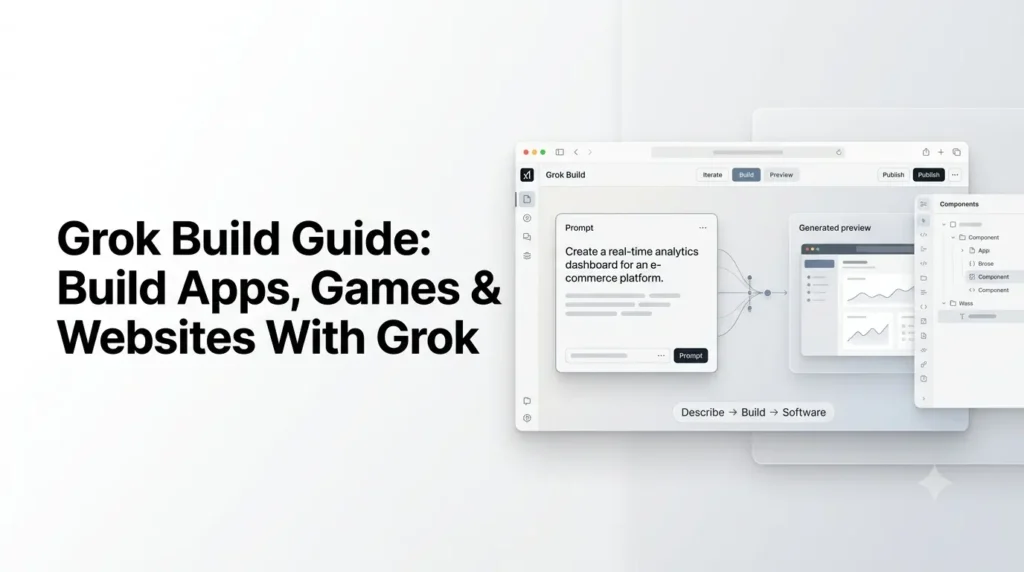
Grok has moved beyond being a chatbot that answers questions or generates code snippets. With Grok Build, you can describe an app, website, game, dashboard, or interactive tool and have Grok turn the idea into a working project. The consumer-facing Build experience runs inside Grok on the web and mobile, while Grok Build also refers to xAI’s terminal-based coding agent for developers.
xAI has expanded the browser and mobile Build experience to every Grok plan and added capabilities such as publishing, remixing, custom domains, GitHub export, secrets, connectors, and access to xAI models from apps created with Build.
This article explains Grok Build Guide, what you can create with it, how to use it effectively, how the browser/mobile experience differs from the developer CLI, and where its current limitations matter.
Quick Summary
- Grok Build lets you create apps, websites, games, dashboards, and interactive tools using natural-language prompts.
- You can build, test, refine, publish, and export projects to GitHub without starting from scratch.
- The guide covers Grok Build prompts, AI integrations, publishing, custom domains, connectors, secrets, and the developer CLI.
- It also explains Grok Build vs. Grok API, current model options, pricing, use cases, and limitations.
- Best results come from starting small, giving clear requirements, testing each feature, and iterating with focused prompts.
What Is Grok Build?
Grok Build is xAI’s AI-powered building environment that lets you create functional software from natural-language instructions. Instead of writing every component manually, you describe what you want, and Grok generates and modifies the underlying project as you iterate.
There are currently two related experiences that should not be confused:
| Grok Build experience | What it does | Best for |
|---|---|---|
| Build in Grok | Creates websites, apps, games and dashboards directly in the Grok conversation | Beginners, creators, marketers and rapid prototyping |
| Grok Build coding agent | A terminal-based coding agent that works with local repositories, files, commands and developer tools | Developers and software teams |
The consumer Build experience was introduced as Build Mode in July 2026 for SuperGrok Heavy subscribers. On August 19, xAI announced that Grok Build was available on every plan across web and mobile.
The developer version has a separate history. xAI introduced its terminal coding agent in May 2026, open-sourced the project in July, and continues to maintain it as an extensible coding-agent environment.
What Can You Build With Grok?
Grok Build is designed for projects that can be described clearly in natural language.
xAI’s examples include:
- Websites
- Web applications
- Games
- Interactive dashboards
- Simulations
- Productivity tools
- Educational applications
- Business utilities
- Interactive experiences
For example, instead of writing code for a game yourself, you could tell Grok:
Build a browser-based 2D space game where the player controls a spaceship, avoids asteroids, collects energy cells, and gets a score multiplier for consecutive pickups.
Grok can turn that description into a working project and then continue modifying it through subsequent instructions.
The important difference is that Grok Build is iterative. You do not need to describe the entire final product perfectly in your first prompt.
You can start with:
Build a simple habit tracker.
Then continue:
Add a weekly calendar.
Then:
Add streak tracking and a progress chart.
And finally:
Make the interface look like a polished SaaS dashboard and improve the mobile layout.
That conversational development cycle is one of the main reasons Build is useful for non-developers.
How Does Grok Build Work?
At a high level, the workflow looks like this:
Idea → Natural-language prompt → Generated project → Live preview → Feedback → Code changes → Publish/export
Grok handles much of the implementation between those stages.
Instead of thinking in terms of individual files, you can think in terms of outcomes.
For example:
Traditional workflow
- Create project.
- Choose framework.
- Install dependencies.
- Create components.
- Write CSS.
- Implement state management.
- Add functionality.
- Test.
- Fix bugs.
- Deploy.
Grok Build workflow
- Describe the product.
- Review the generated version.
- Tell Grok what needs to change.
- Test the result.
- Publish or export it.
That does not eliminate software engineering. It changes where the human spends time: more specification, review and testing, and less manual boilerplate.
How to Use Grok Build?
1. Start With a Specific Idea
Open Grok on the web or mobile and describe what you want to create.
A weak prompt would be:
Make me a website.
A better prompt would be:
Build a responsive landing page for an AI image prompt generator. Include a hero section, prompt input, generated prompt preview, three feature cards, pricing section and FAQ. Use a clean SaaS design with a white background and restrained blue accents.
The second prompt gives Grok enough information to make meaningful design and functionality decisions.
2. Describe the User Experience
Do not focus only on technology.
Explain what the user should be able to do.
For example:
Users should enter a topic, select an art style, choose an aspect ratio, and generate three prompts. Each prompt should have a copy button.
This is more useful than simply saying:
Build an AI prompt generator.
3. Build the First Version
Let Grok create the initial implementation.
At this stage, focus on whether the concept works rather than trying to perfect every detail.
Check:
- Does the main workflow work?
- Are the important screens present?
- Is navigation logical?
- Does the interface behave correctly?
- Does it work on mobile?
- Are there obvious errors?
4. Iterate With Focused Prompts
Once the first version exists, make changes incrementally.
For example:
The dashboard feels too crowded. Increase spacing, simplify the sidebar and make the primary action more visually prominent.
Then:
Add a search field to the project list. It should filter projects as the user types.
Then:
Add empty, loading and error states to the project list.
Focused requests usually make it easier to understand what changed and identify problems.
How to Write Better Grok Build Prompts?
The quality of your initial specification has a major effect on the generated project.
A useful prompt can contain five components:
1. Product
What are you building?
Build a personal finance dashboard.
2. Audience
Who will use it?
It is designed for individual users who want to track monthly spending.
3. Functionality
What should users be able to do?
Users can add transactions, categorize expenses, set budgets and view monthly summaries.
4. Interface
How should it look?
Use a clean desktop-first SaaS interface with responsive mobile layouts, cards, charts and a simple navigation sidebar.
5. Constraints
What should it avoid or prioritize?
Keep the interface lightweight. Do not add unnecessary animations. Make buttons and forms accessible.
Put together, that becomes a much stronger Build prompt than a one-line request.
A Reusable Grok Build Prompt Template
You can use this structure for almost any project:
Build a [TYPE OF PRODUCT] for [TARGET USER].

Main goal:
[Explain what the product should help users accomplish.]

Core features:
- [Feature 1]
- [Feature 2]
- [Feature 3]
- [Feature 4]

User workflow:
1. [Step 1]
2. [Step 2]
3. [Step 3]

Design:
- [Visual style]
- [Layout]
- [Colors]
- [Typography]
- [Responsive requirements]

Important requirements:
- [Requirement 1]
- [Requirement 2]
- [Requirement 3]

Start with a functional version that I can test, then we will iterate on it.
This format gives Grok both the product requirements and the implementation direction.
What Makes Grok Build Different From Asking Grok to Write Code?
This distinction is important.
If you ask a normal Grok chat:
Write HTML and JavaScript for a calculator.
You may receive code in the conversation.
With Build, the goal is different. Grok is working toward a working project, allowing you to interact with the result and continue changing it.
The distinction is roughly:
Chat-based coding
“Here is some code.”
Build
“Here is a working project. Tell me what to change.”
That makes Build more suitable for rapid prototyping and iterative product development.
Can Grok Build Publish Your App?
Yes.
xAI says Build-created projects can be published to their own grok.me links. You can also choose whether the published app is accessible to anyone with the link.
xAI has also added:
- Publishing
- Shareable links
- Remixing
- Custom domains
- GitHub export
The Remix feature allows other people to fork a published app and create their own version.
Custom domains are particularly useful if you want to turn a prototype into something that feels more like a standalone web product.
Can You Export a Grok Build Project?
Yes.
Grok Build supports exporting the project to GitHub, allowing you to continue development in a conventional development environment or continue working through Grok’s developer tooling.
This creates an important workflow:
Prototype in Grok → Validate the idea → Export to GitHub → Continue development → Deploy independently
For developers, that makes Build more useful than a disposable AI-generated prototype.
Can Grok Build Apps Use AI?
Yes.
xAI says Build-created applications can be given access to xAI APIs for chat, image and voice capabilities.
The notable part is that you do not necessarily have to manually create, paste and rotate an xAI API key for this built-in access. Access is configured per application and can be revoked.
That makes it possible to create applications such as:
- AI chat interfaces
- AI-powered study tools
- Image-generation applications
- Voice-enabled experiences
- AI customer-support prototypes
- AI content tools
- Interactive assistants
For example, you could ask Grok to build:
Create a study assistant where students enter a topic, receive an explanation, generate a quiz and ask follow-up questions.
The application can then use Grok’s capabilities as part of the experience.
What Are Secrets and Connectors in Grok Build?
As projects become more sophisticated, they often need external services.
For example, an application might need:
- A database
- A third-party API
- Analytics
- Business data
- A payment service
- A CRM
- An internal data source
Grok Build now supports Secrets for keeping API keys outside application code and Connectors for pulling relevant data into applications. xAI specifically describes connectors as a way to turn connected business data into live, filterable dashboards.
This is a significant step beyond simple frontend prototyping.
It means Build can move from:
"Make a mock dashboard"
Toward:
"Make a dashboard that works with real data."
However, real-world production systems still require careful authentication, authorization, data validation, security and testing.
Grok Build for Developers: The Terminal Coding Agent
The browser/mobile Build experience is not the only Grok Build product.
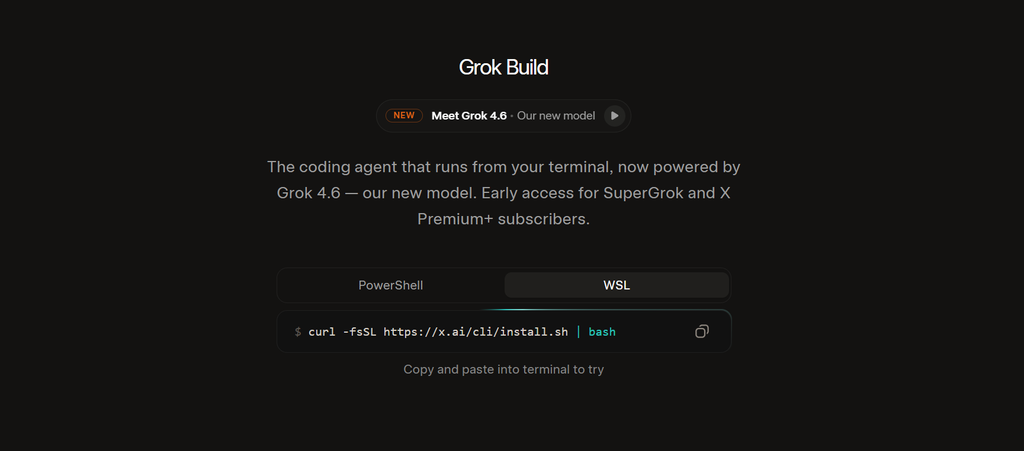
For developers, xAI provides a separate terminal-based coding agent.
The official documentation describes Grok Build as a coding agent that can run through an interactive terminal UI, operate headlessly in scripts or bots, and work through the Agent Client Protocol.
The basic workflow is:
cd your-project
grok
Grok can then work with the project rather than merely generating isolated snippets.
The CLI can also run headlessly, for example:
grok -p "Explain this codebase"according to xAI’s documentation.
What Can the CLI Do?
The developer-oriented Build environment supports workflows involving:
- Repository analysis
- Code editing
- Command execution
- Planning
- Skills
- Plugins
- Hooks
- MCP servers
- Subagents
- Background workflows
The CLI also includes commands for managing models, MCP servers and plugins.
What Is Plan Mode?
Plan Mode is particularly useful for larger software changes.
Instead of immediately allowing the agent to modify a project, Grok first explores the codebase and creates a proposed plan.
You can then:
- Approve the plan
- Request changes
- Comment on individual steps
- Exit planning mode
Only after approval does the agent proceed with the planned edits.
This is a better workflow for tasks such as:
Migrate the application’s authentication system from sessions to JWT with token rotation.
It is less necessary for:
Rename this variable.
A useful rule is:
Small, obvious change → normal mode
Large or architectural change → Plan Mode
What Model Powers Grok Build?
This depends on which Grok Build experience you mean.
The current xAI documentation identifies Grok 4.6 as the frontier model for coding and agentic tasks, and says Grok 4.6 powers the Build path. Grok 4.6 has a 500,000-token context window and supports text and image input, reasoning, function calling and other tools.
xAI also provides grok-build-0.1, a coding-focused model available through the API. It has a 256,000-token context window and is priced separately from Grok 4.6.
That distinction matters because Grok Build is the agent/harness and workflow, while models such as Grok 4.6 and grok-build-0.1 are model components.
Grok 4.6 vs Grok Build 0.1
| Characteristic | Grok 4.6 | Grok Build 0.1 |
|---|---|---|
| Primary positioning | Frontier model for coding, agentic tasks and knowledge work | Coding-focused model |
| Context window | 500K tokens | 256K tokens |
| Input price | $2 / 1M tokens* | $1 / 1M tokens* |
| Output price | $6 / 1M tokens* | $2 / 1M tokens* |
| Reasoning | Configurable | Supported |
| Function calling | Yes | Yes |
| Best suited to | Broad advanced workloads | Agentic software engineering and coding workflows |
Base pricing for requests below the long-context threshold; xAI lists separate pricing for long-context requests.
Model availability and pricing can change, so developers should check the current xAI documentation before designing around a particular model.
Can Grok Build Generate Images?
The broader xAI platform supports image generation and editing through Grok Imagine.
The current image-generation tool uses grok-imagine-image-2.0, and xAI says the model can generate and edit images as part of conversational or agentic workflows.
The xAI API also supports image generation directly, which means developers can incorporate image generation into applications rather than treating it only as a standalone chatbot capability.
This opens up interesting Build projects such as:
- AI thumbnail generators
- Product mockup tools
- Character generators
- Marketing creative tools
- Image editing interfaces
- Interactive design applications
Can Grok Build Games?
Yes.
Games are one of the clearest demonstrations of the Build concept because the user can describe mechanics and immediately interact with the result.
xAI’s own examples include a 3D driving game and an isometric city-building simulation.
You could start with:
Build a simple browser game where I control a spaceship using the keyboard.
Then progressively add:
Add enemies that spawn every 20 seconds.
Then:
Add three weapon types and a health bar.
Then:
Add a high-score system and a game-over screen.
This incremental approach is generally more practical than trying to specify an entire game in one enormous prompt.
What Are the Best Use Cases for Grok Build?
Rapid Prototyping
If you have a product idea but want to test the concept before investing heavily in development, Build can produce an initial working version quickly.
Landing Pages
Marketers can create and iterate on:
- Product landing pages
- Campaign pages
- Interactive demos
- Lead-generation interfaces
Internal Tools
Small teams can prototype:
- Dashboards
- Calculators
- Reporting interfaces
- Workflow utilities
- Data viewers
Educational Projects
Teachers, students and creators can experiment with:
- Quizzes
- Simulations
- Flashcard apps
- Interactive explanations
- Learning games
Game Prototypes
Build is particularly useful for testing gameplay concepts before committing to a larger development project.
AI-Powered Applications
Because xAI allows Build applications to access its models, you can experiment with applications that incorporate AI directly into the user experience.
Grok Build vs Traditional Coding
| Area | Grok Build | Traditional development |
|---|---|---|
| Initial setup | Very fast | Usually slower |
| Coding required | Can be minimal | Required |
| Prototyping | Excellent | Good |
| Fine-grained control | More limited initially | Excellent |
| Code ownership | Can export to GitHub | Full control |
| Large production systems | Requires careful engineering | Better suited |
| Learning curve | Lower | Higher |
| Iteration | Conversational | Code-driven |
| Testing responsibility | Still required | Still required |
The biggest misconception is that AI-assisted building removes the need for engineering.
It does not.
It moves more of the work toward specification, review, testing, architecture and validation.
What Are the Limitations of Grok Build?
Grok Build can accelerate development, but generated software still needs human oversight.
1. Generated Code Can Be Wrong
An application may look correct while containing:
- Logic bugs
- Security weaknesses
- Incorrect assumptions
- Broken edge cases
- Poor error handling
Always test important functionality.
2. Complex Requirements Need Better Specifications
If your requirements are vague, Grok has to make decisions for you.
That can produce a project that technically works but does not match what you actually wanted.
3. Production Security Still Matters
If an application handles:
- User accounts
- Payments
- Personal information
- Business data
- API credentials
you need proper security review.
AI-generated code should not automatically be treated as production-ready.
4. Third-Party Services Add Complexity
Once you introduce APIs, databases, authentication or external connectors, the project becomes more than a simple prototype.
Those integrations need independent testing and monitoring.
5. Costs Depend on the Architecture
The consumer Build experience and xAI API usage are not the same pricing model.
If you build an application that repeatedly calls AI models, image generation, video generation or other services, usage costs can accumulate.
The xAI API provides per-request cost information, which developers can use to track actual spending.
How to Get Better Results From Grok Build?
Start Small
Do not begin with:
Build the next Shopify.
Start with:
Build a simple product catalog with product cards, search and category filtering.
Then expand it.
Give Grok Acceptance Criteria
Instead of:
Make the dashboard better.
Try:
The dashboard should display four KPI cards, a seven-day activity chart, a searchable table and a mobile navigation menu.
Now there is something concrete to evaluate.
Separate Features From Design
First make the functionality work.
Then improve:
- Typography
- Spacing
- Colors
- Components
- Animations
- Responsive behavior
This makes debugging easier.
Ask Grok to Test Its Work
After implementing a feature, ask:
Test the main user workflow, identify anything that is broken, and fix the issues you find.
For developer workflows, testing and review should remain part of the process rather than assuming generated code is correct.
Use Plan Mode for Major Changes
For architectural changes, migrations and large refactors, Plan Mode provides an approval step before edits begin.
Keep Prompts Specific
A good Build prompt answers:
What? Who? Why? How should it work? What should it look like? What constraints matter?
That is usually more effective than simply asking Grok to “make it professional.”
Is Grok Build Free?
The answer depends on which Grok Build experience you mean.
For the consumer Build experience, xAI announced on August 19, 2026 that Grok Build was available on every Grok plan on web and mobile.
The developer/API side is usage-based. For example, xAI currently lists Grok 4.6 at $2 per million input tokens and $6 per million output tokens for requests below its long-context threshold, while grok-build-0.1 is listed at $1 per million input tokens and $2 per million output tokens.
Those API prices are separate from consumer Grok subscriptions.
Grok Build vs Grok API
These are also easy to confuse.
Grok Build is the development environment/agent.
Grok API is the programmatic interface developers use to integrate xAI models into their own applications.
The API currently provides access to capabilities spanning code, text, voice, image and video.
A developer might therefore use:
Grok Build → create the application
and then:
xAI API → integrate Grok capabilities into the application's architecture
That distinction becomes increasingly important once a prototype moves toward independent production infrastructure.
The Future of Building With Grok
The direction of Grok Build is broader than simple AI code generation.
xAI has already added:
- Publishing
- Remixing
- Custom domains
- GitHub export
- Secrets
- Connectors
- AI model access inside built applications
Meanwhile, the developer-oriented Build environment is evolving toward an extensible coding-agent platform with skills, plugins, MCP servers, workflows and subagents.
That suggests two parallel paths:
For non-developers: describe an idea and turn it into an interactive product.
For developers: use Grok as an agent that works directly inside a real software-development workflow.
The important shift is that Grok is no longer limited to producing an answer in a chat window. Increasingly, it can participate in the process of creating and modifying the thing the user asked for.
Conclusion
Grok Build changes the way you can work with Grok. Instead of stopping at an explanation or a block of generated code, you can describe an idea, get a working project, interact with it and continue refining it through conversation.
For beginners and creators, the biggest advantage is the lower barrier between an idea and a usable prototype. For developers, the terminal-based Grok Build agent goes further by working with repositories, tools, plans and developer workflows.
The best approach is not to ask Grok to build everything in one enormous prompt. Start with a clearly defined core product, build a functional first version, test it, and then iterate feature by feature.
As of September 2026, Grok Build has evolved from an early-beta coding experiment into a broader creation platform with publishing, remixing, GitHub export, custom domains, connectors and AI-powered application capabilities.
Frequently Asked Questions
1. What is Grok Build?
Grok Build is xAI’s AI-powered building environment. The consumer version lets users create websites, apps, games and dashboards from natural-language instructions, while the developer version is a terminal-based coding agent for working with software projects.
2. Can Grok Build create a website?
Yes. You can describe the website, its pages, functionality and design, and Grok can create a working version that you can iteratively modify.
3. Can I publish a Grok Build app?
Yes. xAI says Build projects can be published to shareable grok.me URLs, and it also supports custom domains.
4. Can I export a Grok Build project?
Yes. Grok Build supports exporting projects to GitHub so development can continue outside the initial Build environment.
5. Is Grok Build the same as the Grok API?
No. Grok Build is a development/building environment and coding agent, while the xAI API provides programmatic access to Grok and other xAI capabilities.
6. Is Grok Build suitable for production applications?
It can be useful for building and accelerating production projects, but generated applications still require appropriate engineering, testing, security review and operational controls. Build should not be treated as a replacement for production-quality software engineering.
Also Read –
Grok 4.6 AI Guide: Everything About Its Features, Pricing, Benchmarks and Availability
How to Use Grok AI for Creative Writing (2026 Guide)
Grok Batch API: Asynchronous AI Processing at Scale
The Grok AI Image Generator Playbook: Mastering Grok Imagine