
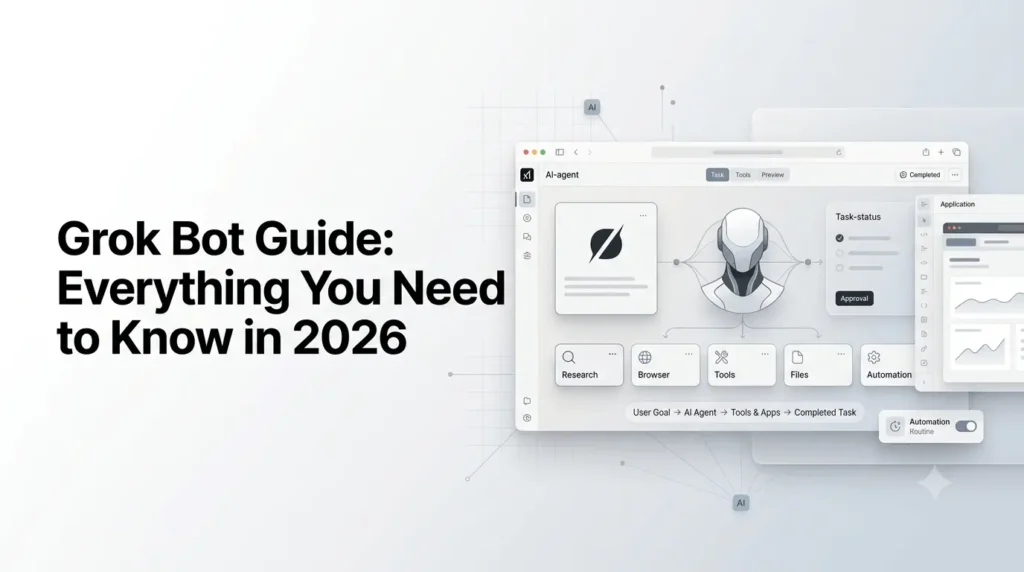
If you are looking for a Grok Bot guide, the first thing to understand is that Grok Bot is not simply another chatbot. It is xAI’s newer AI-agent product designed to handle real work across apps and websites, rather than only generating answers inside a conversation.
Launched in beta on August 11, 2026, Grok Bot can operate a persistent cloud computer, use browsers and connected tools, maintain working context, collaborate with other Bots, and run recurring workflows. xAI had expanded access beyond the initial launch group to SuperGrok, Cursor Pro, and Cursor Teams plans.
This guide explains what Grok Bot is, how it works, how to create and train Bots, what skills and routines do, which platforms support it, how pricing and usage work, and what you should know about security before giving an AI agent access to your tools.
Quick Summary
- Grok Bot is xAI’s AI-agent platform for handling multi-step tasks.
- It can work with websites, apps, files, tools, and automated workflows.
- Learn how to create and customize Bots, Skills, and Routines.
- Explore pricing, supported platforms, use cases, security, and limitations.
- Get practical tips for using Grok Bot safely and effectively in 2026.
What is Grok Bot?
Grok Bot is xAI’s AI-agent system that lets you delegate multi-step tasks to persistent AI teammates. Unlike a conventional chatbot that primarily responds to prompts, a Bot can operate a cloud computer, interact with websites and applications, use connected tools, work with files, and continue working until it reaches a defined result or requires your approval.
A useful way to think about the difference is:
| Traditional AI chatbot | Grok Bot |
|---|---|
| Answers a prompt | Takes ownership of a task |
| Primarily works inside chat | Works across apps and websites |
| Usually waits for each instruction | Can continue working independently |
| Produces drafts and recommendations | Can perform actions in connected tools |
| Conversation-focused | Role and workflow-focused |
| One assistant per conversation | Multiple specialized Bots can collaborate |
| Manual repetition | Skills and routines can automate recurring work |
Each Bot has a name, role, conversation, working context, and memory. You can create separate Bots for different jobs rather than asking one general-purpose assistant to handle everything.
How Does Grok Bot Work?
Grok Bot combines an AI model with a persistent cloud-computing environment.
Each user’s Bots share a cloud computer associated with that account. The environment includes a browser, filesystem, and terminal, allowing Bots to work with websites and applications in ways that ordinary chat-based AI cannot. Bots can also use connectors and Model Context Protocol (MCP) tools where available.
The basic workflow looks like this:
You give a task → Grok Bot plans and performs the work → it uses tools/apps → you review progress → it asks for approval when required → it returns the result.
For example, instead of asking:
“Research these 20 companies and write a report.”
You could give a Bot a broader assignment:
“Research these 20 companies, collect current information from their websites, organize the findings in a spreadsheet, identify the five strongest prospects, and prepare a summary. Do not contact anyone or change any CRM records without my approval.”
That distinction is important. The Bot is being given an outcome and boundaries, not simply a question.
What Can Grok Bot Do?
Grok Bot is designed for workflows that require multiple steps and potentially multiple applications.
Official documentation highlights use cases across research, operations, sales, marketing, documents, browsing, and automation.
a) Research and information gathering
A research Bot can:
- Browse websites
- Collect information from approved sources
- Compare information
- Organize findings
- Create source-linked reports
- Monitor information over time
- Pass research to another Bot
For example:
“Review the latest product announcements from these companies and create a source-linked weekly summary. Do not contact any company.”
This is more useful than repeatedly asking a chatbot to perform the same research manually.
b) Marketing workflows
Marketing teams can create specialized Bots for:
- Campaign research
- Content preparation
- Competitor monitoring
- Lead research
- Social media workflows
- Performance reporting
- Content review
xAI’s own examples include Bots for sales outbound, paid media, account health, and product performance.
c) Sales and lead generation
A sales Bot can potentially research accounts, identify contacts, score prospects, prepare outreach drafts, and leave the final communication for human approval.
For example:
“Research the 10 accounts in this spreadsheet, identify relevant decision-makers, summarize buying signals, and draft personalized outreach. Do not send anything.”
This creates a useful human-in-the-loop workflow.
d) Customer support
Bots can be assigned roles such as:
- Support queue researcher
- Ticket classifier
- Knowledge-base researcher
- Escalation analyst
- Customer account reviewer
The important distinction is that the Bot can work inside the actual systems rather than simply suggesting what a support employee should do.
e) Software development
Because Grok Bot has access to a computer environment, browser, filesystem, and terminal, development workflows can involve tasks such as:
- Investigating bugs
- Reviewing repositories
- Running commands
- Reproducing problems
- Preparing changes
- Reviewing results
- Producing reports
However, production changes should remain behind explicit approval boundaries.
What Is a Grok Bot?
A Bot is a persistent AI teammate with a defined role.
Instead of creating one Bot called “General Assistant,” xAI recommends giving Bots distinct responsibilities, tools, sources, working styles, approval boundaries, and schedules.
For example:
| Bot | Main responsibility |
|---|---|
| Research Bot | Research topics and collect sources |
| SEO Bot | Analyze content and prepare SEO recommendations |
| Content Bot | Draft and update articles |
| Analytics Bot | Review performance data |
| Lead Research Bot | Research prospects |
| Support Bot | Analyze customer issues |
| Bug Bot | Reproduce and investigate software problems |
This approach makes the Bot’s persistent context more useful because it knows what job it owns.
How to Create Your First Grok Bot?
Grok Bot requires an eligible plan and the Grok Bot application. Official documentation currently lists SuperGrok Plus, SuperGrok Heavy, Cursor Pro+, Cursor Ultra, and Cursor Teams Standard or Premium among eligible plans.
Step 1: Install Grok Bot
The desktop application currently supports:
- macOS on Apple silicon and Intel
- Windows on x64 and Arm64
Grok Bot is also available on iPhone with iOS 18 or later. Linux desktop, Android, and iPad are not supported at the initial launch.
Step 2: Sign in
Grok Bot uses a Cursor account for authentication.
After launching the application:
- Select Get started.
- Complete authentication in the browser.
- Return to Grok Bot.
- Wait for the cloud computer setup if you are a new user.
Step 3: Create a Bot
Give the Bot a specific job instead of a vague instruction.
A weak description would be:
“Help me with marketing.”
A stronger one would be:
“Own weekly competitor research for our AI software site. Monitor the approved competitor websites, identify meaningful product updates, provide source links, summarize why each change matters, and never publish or contact anyone.”
The second description establishes:
- Responsibility
- Sources
- Output
- Frequency
- Boundaries
Step 4: Give It a Safe First Task
Start with a task that can be reviewed easily.
For example:
“Review these five competitor websites and create a comparison table. Include the source URL for every important claim. Do not modify any external system.”
Once the Bot performs reliably, you can gradually expand its permissions and workflow.
How to Write Better Grok Bot Instructions?
The best Grok Bot prompts describe outcomes rather than individual clicks.
Instead of:
“Open this website, click this button, search for this, then click…”
Try:
“Review this week’s campaign performance, identify unusual changes, compare them with last week’s results, and prepare a source-linked summary. Do not modify the campaign.”
Include five things whenever possible:
- Goal — What should the Bot accomplish?
- Sources — Where should it get information?
- Output — What should the finished result look like?
- Boundaries — What must it not do?
- Approval point — Which actions require your permission?
This makes autonomous work considerably easier to control.
What Are Grok Bot Skills?
A skill describes how a Bot should perform a particular task.
Skills are useful when you repeatedly perform a workflow and want the Bot to follow a consistent process.
For example, an SEO Bot could have a skill called:
"Analyze a new article."
The skill might instruct it to:
- Check the target keyword.
- Review the search intent.
- Analyze competing results.
- Identify missing topics.
- Check title and headings.
- Review internal-link opportunities.
- Produce recommendations.
- Never publish changes without approval.
Once the process is reliable, it can become part of a larger automated workflow.
What Are Grok Bot Routines?
A routine assigns a workflow to a Bot and tells it when to run.
A skill explains how to perform a task. A routine determines when that task should happen.
For example:
Skill: Weekly SEO analysis
Routine: Run every Monday at 9:00 AM
The Bot could then prepare the report automatically.
According to xAI’s documentation, a Bot can own up to 50 routines, while the interface retains the 20 most recent run records for each routine.
A safer automation pattern
For important workflows, use:
Collect → Analyze → Draft → Review → Approve → Execute
Rather than:
Collect → Automatically execute everything
xAI specifically recommends keeping consequential actions such as sending messages, purchases, deleting data, publishing content, permission changes, and production changes behind approval.
Can Multiple Grok Bots Work Together?
Yes.
One of Grok Bot’s more interesting capabilities is that multiple Bots can collaborate.
For example, a content workflow could use:
Research Bot → SEO Bot → Writing Bot → Editor Bot
The research Bot collects information, the SEO Bot analyzes the topic, the writing Bot prepares the article, and the editor reviews it.
Bots can communicate through group conversations and shared context. xAI describes workflows where Bots can pass work between one another and operate in parallel.
The key is not to create dozens of Bots simply because you can. Start with one Bot that owns an end-to-end outcome, then introduce specialist Bots where there is a clear reason.
Grok Bot Connectors and MCP
Grok Bot can work with external services through connectors and MCP.
The broader Grok ecosystem supports connectors for services including GitHub, Canva, Gamma, Linear, Notion, Vercel and other applications. Custom MCP connectors can also expose an internal API, database, or SaaS application to Grok.
MCP, or Model Context Protocol, provides a standardized way for AI systems to interact with external tools and data.
This matters because an AI agent becomes substantially more useful when it can access the systems where the work actually happens.
For example:
Without connectors:
“Tell me what changed in our project.”
With appropriate access:
“Review the project activity, identify changes since yesterday, summarize the important items, and link to the relevant records.”
The second workflow turns the AI from an answer generator into an operational assistant.
Grok Bot and the X Integration
Grok Bot received a significant X integration update on August 29, 2026.
According to xAI, users can connect their X account to Grok Bot and ask a Bot to:
- Search X posts
- Read the timeline
- Check mentions
- Identify what is happening on X
- Pull trends
- Manage bookmarks
xAI also introduced an X plugin for these capabilities.
This could be particularly useful for marketers, researchers, journalists, and social-media teams that need to monitor live conversations.
For example:
“Monitor X for significant discussion around our brand this week, identify recurring complaints and positive themes, and prepare a source-linked report. Do not reply to users.”
That is a much safer starting point than allowing an autonomous agent to post publicly.
Grok Bot vs Grok
Grok and Grok Bot are related but serve different purposes.
xAI describes Grok as its general AI assistant, available on the web, iOS and Android. It supports chat, web and X search, reasoning, image and video generation, voice, file analysis, and other conversational capabilities.
Grok Bot is designed around delegating work to persistent AI teammates.
| Capability | Grok | Grok Bot |
|---|---|---|
| Conversational AI | Yes | Yes |
| General questions | Yes | Yes |
| Web research | Yes | Yes |
| Image/video generation | Yes | Not its primary purpose |
| Persistent AI teammate | No | Yes |
| Cloud computer | No | Yes |
| Browser-based task execution | Limited to assistant workflows | Core capability |
| Skills | General assistant capabilities | Yes |
| Scheduled routines | Not the core product | Yes |
| Multiple specialized Bots | No | Yes |
| External tools/connectors | Yes, through supported Grok connectors | Yes |
| Autonomous multi-step work | Limited | Core purpose |
The simplest distinction is:
“Grok helps you do the work. Grok Bot is designed to take the work away from you.“
Grok Bot vs Traditional AI Agents
Grok Bot sits in a broader shift from conversational AI toward agentic software.
A conventional chatbot generally follows this pattern:
Prompt → Response
An agent can follow:
Goal → Plan → Tools → Actions → Verification → Result
Grok Bot pushes further by giving the agent a persistent computer and a durable role.
That means the agent can interact with systems that may not have a convenient API, while also maintaining working context and reusable workflows.
This is one of the most important ideas to understand when evaluating the product.
How Much Does Grok Bot Cost?
Grok Bot’s pricing is more complicated than a simple standalone monthly chatbot subscription.
As of September 2026, xAI says Grok Bot is included with:
- SuperGrok
- SuperGrok Plus
- SuperGrok Heavy
- Cursor Pro
- Cursor Pro+
- Cursor Ultra
- Cursor Teams plans
The August 26 expansion specifically added access through SuperGrok, Cursor Pro, and Cursor Teams.
Official documentation also notes that eligible plans include weekly Grok Bot usage, while some accounts can purchase additional usage based on model and token costs. If an account has both Cursor and SuperGrok subscriptions, Grok Bot uses whichever provides more usage.
Because plans and usage allowances can change during the beta, it is better to check the current account billing interface rather than rely on an old price screenshot.
Does Grok Bot Have Separate Usage Limits?
Yes.
xAI announced that Grok Bot has its own usage allocation separate from existing Grok and Cursor usage. This means work handed off to a Bot does not simply consume the same usage pool used for ordinary Grok or Cursor activity.
The exact allowance depends on the eligible plan and current billing terms.
For users who perform large automated workloads, usage should therefore be treated as an important consideration rather than assuming unlimited autonomous operation.
What Platforms Support Grok Bot?
As of September 2026, Grok Bot supports:
- macOS — Apple silicon and Intel
- Windows — x64 and Arm64
- iPhone — iOS 18 or later
The iPhone application connects to the same Bots, conversations, routines, connectors, and cloud computer used by the desktop experience. Work can continue in the cloud even when the mobile application is closed.
Linux desktop, Android, and iPad are not supported at the initial launch.
What About Security and Privacy?
This is one of the most important parts of using an AI agent.
Grok Bot can access applications, websites, files, and potentially sensitive business information. Giving it access is fundamentally different from asking a chatbot a question.
a) Use explicit approval boundaries
For sensitive operations, tell the Bot exactly where it must stop.
For example:
“Prepare the campaign changes but do not publish them. Show me the proposed changes and wait for approval.”
This is safer than:
“Optimize the campaign.”
xAI recommends keeping actions such as publishing, purchasing, deleting or overwriting data, changing permissions, sending messages, and production changes behind appropriate approvals.
b) Never send passwords through ordinary chat
For passwords, passkeys, two-factor authentication codes, CAPTCHAs, and payment confirmations, xAI instructs users to take control of the computer and complete the sensitive step themselves.
c) Bots share the same computer
An especially important detail is that your Bots do not each receive an isolated computer.
Bots under the same user account share one cloud computer. Files, browser sessions, and sign-in credentials available on that computer can therefore be accessible across your Bots.
That means creating separate Bots is not a security boundary.
If one Bot has access to a sensitive service, do not assume another Bot cannot reach information stored in the shared environment.
Can You Teach a Grok Bot a Workflow?
Yes.
Grok Bot includes a Teach a task capability when available in the rollout. You can demonstrate a browser workflow, after which the Bot can turn the demonstration into a draft skill that you can review and test. The current documentation says the recording is limited to 10 minutes, and availability may roll out gradually.
This is particularly useful for repetitive workflows.
For example:
- Demonstrate your weekly reporting process.
- Let Grok Bot create a draft skill.
- Review and correct it.
- Test the workflow on real but low-risk data.
- Turn the validated process into a routine.
That is considerably more practical than trying to describe every browser click manually.
Can You Share a Grok Bot?
Yes.
A Bot can be shared through a public link. Another person can preview the Bot and add a copy to their own Grok Bot account.
Importantly, sharing the Bot does not give the recipient access to your computer, logins, or conversation history. However, the shared link exposes the Bot’s configuration, including its identity, description, skills, and routines.
Before sharing, remove:
- API keys
- Internal URLs
- Customer information
- Confidential instructions
- Sensitive workflow details
What Happens When You Delete a Bot?
Deleting a Bot removes its active profile, conversation, and routines.
However, because Bots share the same cloud computer, deleting one does not necessarily remove files or login sessions from that shared computer.
If you may need the Bot later, hiding it is safer than immediately deleting it.
Best Grok Bot Use Cases in 2026
Grok Bot is most useful when a task has four characteristics:
Repeated + multi-step + tool-dependent + reviewable
Some strong examples include:
1. For marketers
- Weekly competitor monitoring
- Campaign reporting
- Lead research
- Social listening
- Content research
- Marketing data reconciliation
2. For SEO professionals
- Competitor content monitoring
- SERP research
- Content-gap research
- Internal-link recommendations
- Search-trend monitoring
- Weekly SEO reporting
3. For developers
- Bug reproduction
- Repository research
- Documentation checks
- Issue triage
- Testing workflows
- Development environment tasks
4. For business teams
- Meeting preparation
- Research reports
- Customer account monitoring
- Operations reporting
- Recurring administrative tasks
- Cross-tool information gathering
The strongest workflows generally have a clear definition of “done.”
How to Get Better Results From Grok Bot?
1. Give the Bot ownership
Instead of:
“Help me with SEO.”
Use:
“Own the weekly SEO opportunity report for this website.”
A defined responsibility gives the Bot a clearer persistent role.
2. Define the output
Tell it exactly what you want back.
For example:
“Return a table with keyword, search intent, competing URL, content gap, recommended action, and source.”
3. Define what it cannot do
This is particularly important for agents.
“You may research and draft. Do not publish, send emails, modify production files, or contact customers.”
4. Ask for evidence
For research workflows, ask for:
- Source links
- Screenshots where useful
- Relevant files
- Action summaries
- Confidence or uncertainty where appropriate
5. Start read-only
Before granting write access, make the first version of the workflow observational.
Read → Analyze → Draft → Review → Execute
This reduces the chance of an autonomous mistake becoming an external action.
6. Turn proven workflows into skills
Don’t automate a workflow immediately.
First:
Run manually → Correct → Repeat → Save as skill → Test → Schedule
xAI’s own guidance recommends testing a real one-time task before turning it into a recurring routine.
What Are Grok Bot’s Limitations?
Grok Bot is powerful, but it is not an autonomous employee you can safely leave unrestricted.
Important limitations include:
- The product is still in beta.
- Supported platforms are currently limited.
- Availability varies by subscription and rollout.
- Usage is subject to plan-specific limits.
- Websites can change and break workflows.
- Some services require repeated authentication.
- Sensitive actions may require your approval.
- Bots share a cloud computer rather than receiving isolated environments.
- AI-generated decisions still require human verification.
- Routines can fail because of authentication, changed websites, unavailable connectors, or usage restrictions.
The last point matters particularly for scheduled automation. A routine that works perfectly today can fail later if a website changes its interface or an authentication session expires.
Is Grok Bot Worth Using in 2026?
Grok Bot is most compelling for people who have repetitive computer-based work that spans multiple applications.
If you only want:
- Answers
- Brainstorming
- Writing
- Summaries
- Image generation
- General research
Standard Grok assistant may be sufficient. Grok itself already supports chat, live web and X search, reasoning, image and video creation, voice, files, and other capabilities.
Grok Bot becomes more interesting when your requirement changes from:
“Tell me how to do this.”
to:
“Do this for me, using these tools, and come back when the work is ready for review.”
That is the core distinction.
Grok Bot and the Future of AI Agents
Grok Bot represents a broader movement in AI from answer generation toward task execution.
The chatbot model is largely:
Human asks → AI answers → Human acts
The agent model is:
Human defines outcome → AI researches → AI uses tools → AI performs work → Human approves important actions
Grok Bot’s persistent computer, routines, skills, connectors, multi-Bot collaboration, and memory all point toward this second model.
The biggest challenge will not simply be making agents smarter. It will be making them reliable enough to operate across changing websites, applications, permissions, data, and business processes without creating unacceptable risk.
That is why approval boundaries and least-privilege access are just as important as the AI model itself.
Conclusion
The most important thing to understand from this Grok Bot guide is that Grok Bot is not simply a new version of the Grok chatbot.
It is an AI-agent workspace built around persistent Bots that can use computers, applications, connectors, files, skills, routines, and other tools to complete multi-step work.
For simple questions and creative tasks, regular Grok remains the more natural choice. For recurring research, marketing operations, software workflows, reporting, and other computer-based processes, Grok Bot offers a fundamentally different approach: delegate the outcome rather than repeatedly ask for instructions.
Because the product is still in beta, the safest strategy is to start small. Give a Bot a clearly defined role, use read-only access first, validate its work, turn reliable processes into skills, schedule them only after testing, and keep consequential actions behind explicit approval.
That approach makes Grok Bot far more useful, and much safer, as AI moves from answering questions to actually doing the work.
Frequently Asked Questions
1. What is Grok Bot?
Grok Bot is xAI’s AI-agent product that lets users delegate real computer-based work to persistent AI teammates. Bots can use a cloud computer, websites, connected tools, files, and reusable workflows rather than simply answering questions in chat.
2. Is Grok Bot the same as Grok?
No. Grok is xAI’s general AI assistant for conversation, research, reasoning, creation, search, voice, and other tasks. Grok Bot is designed specifically around persistent AI agents that can perform multi-step work using a computer and connected tools.
3. Is Grok Bot free?
Grok Bot access depends on eligible subscription plans and account availability. Current eligible plans include several SuperGrok and Cursor tiers, with included weekly usage and additional usage options depending on the account.
4. Can Grok Bot use websites?
Yes. Bots can operate websites through their persistent cloud computer and browser. They can also use supported connectors and MCP tools where available.
5. Can Grok Bot automate tasks?
Yes. Skills describe how a task should be performed, while routines can schedule a Bot to perform a workflow. xAI recommends testing workflows before turning them into recurring routines and keeping consequential actions behind approval.
6. Does Grok Bot work on Android?
Not currently. As of September 2026, the official FAQ lists macOS, Windows, and iPhone support. Android and iPad are not supported at the initial launch.
Also Read –
What is Grok AI? A Complete Overview (2026)
SuperGrok Pricing & Features: A Complete Guide (2026)
Grok 4.6 AI Guide: Everything About Its Features, Pricing, Benchmarks and Availability
Build Anything with Grok: A Complete Grok Build Guide
The Grok AI Image Generator Playbook: Mastering Grok Imagine
SuperGrok vs ChatGPT Plus: How to Pick the Best AI Subscription?