
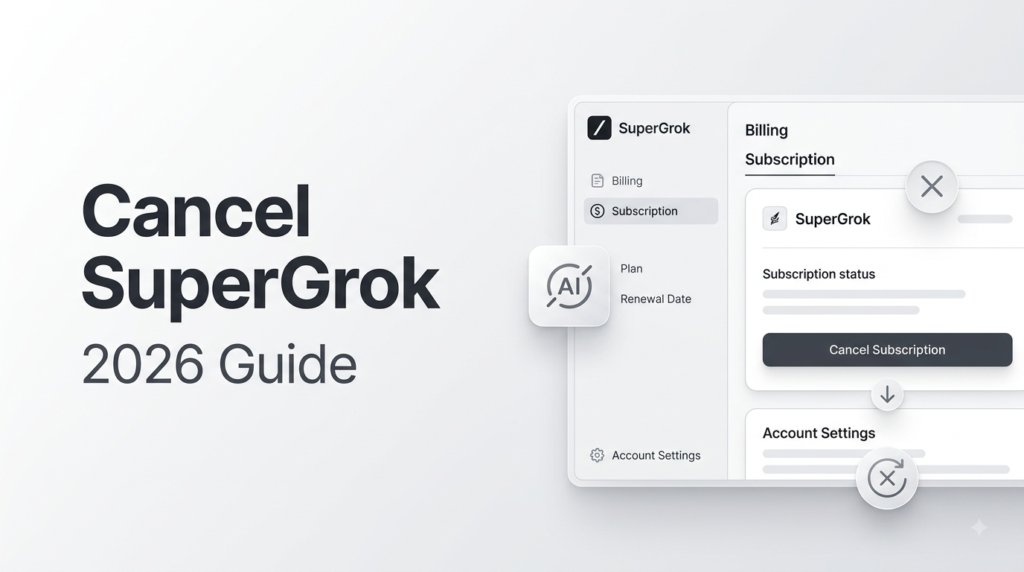
If you no longer want to use SuperGrok, you can cancel your subscription before the next billing cycle. The cancellation process depends on where you purchased your SuperGrok subscription.
In this guide, we explain how to cancel SuperGrok subscription on the Grok website, Apple App Store, and Google Play.
How to Cancel SuperGrok Subscription?
The easiest way to cancel SuperGrok depends on your original payment method.
- Grok website: Cancel through Settings → Billing.
- Apple App Store: Manage and cancel the subscription through Apple.
- Google Play: Manage and cancel the subscription through Google Play.
xAI confirms that SuperGrok subscriptions purchased through the Grok website can be managed from the Billing section of your account.
How to Cancel SuperGrok on the Grok Website?
If you subscribed to SuperGrok directly through Grok.com, follow these steps:
- Go to Grok.com and sign in to your account.
- Open Settings.
- Select Billing.
- Open your subscription management options.
- Choose the option to cancel your subscription.
- Follow the on-screen instructions to confirm the cancellation.
After cancellation, check your billing page to make sure the subscription is no longer set to renew.
How to Cancel SuperGrok on iPhone or iPad?
If you purchased SuperGrok through the Apple App Store, the subscription is managed by Apple rather than directly through the Grok website.
To cancel:
- Open Settings on your iPhone or iPad.
- Tap your Apple Account.
- Select Subscriptions.
- Find Grok or your SuperGrok subscription.
- Tap Cancel Subscription.
- Confirm the cancellation.
xAI’s current FAQ directs users who purchased through Apple’s App Store to manage the subscription through Apple.
How to Cancel SuperGrok on Android?
If you subscribed through Google Play, you need to cancel the subscription through Google Play.
- Open the Google Play Store.
- Tap your profile picture.
- Select Payments & subscriptions.
- Tap Subscriptions.
- Select your Grok subscription.
- Tap Cancel subscription.
- Follow the instructions to confirm.
xAI currently directs Google Play subscribers to Google’s subscription management system for cancellation.
Does Canceling SuperGrok Delete Your Grok Account?
No. Canceling your SuperGrok subscription does not mean you have to delete your Grok account. Cancellation stops the paid subscription from renewing, while your account can remain active.
You can continue using Grok according to the access available on your account after cancellation.
Can You Get a SuperGrok Refund After Canceling?
Canceling SuperGrok and requesting a refund are two different things.
xAI’s current terms state that paid subscriptions can be canceled at any time, but payments already made are generally non-refundable except where required by law.
For subscriptions purchased through the Grok website or Google Play, xAI provides a refund request process. Apple App Store purchases are handled through Apple for refunds.
What Happens After You Cancel SuperGrok?
Canceling your SuperGrok subscription prevents the subscription from automatically renewing. Your access may continue according to the terms of your current billing period.
Before canceling, make sure you check your account’s billing information and cancellation status.
SuperGrok Cancellation: Quick Summary
| Where You Purchased SuperGrok | Where to Cancel |
|---|---|
| Grok website | Grok → Settings → Billing |
| Apple App Store | Apple Subscriptions |
| Google Play | Google Play Subscriptions |
Final Thoughts
If you’re looking for how to cancel SuperGrok subscription, the key is to cancel it through the same platform where you originally subscribed. Website purchases can be managed through Grok Settings → Billing, while Apple and Google Play purchases are managed through their respective subscription settings.
Frequently Asked Questions
1. How do I cancel SuperGrok?
Go to Grok.com → Settings → Billing if you purchased SuperGrok directly from the Grok website. If you subscribed through Apple or Google Play, cancel it through the platform where you purchased it.
2. Can I cancel SuperGrok anytime?
Yes. xAI’s current terms state that you can cancel a paid subscription at any time.
3. Will I get a refund after canceling SuperGrok?
Not necessarily. xAI states that payments already made are generally non-refundable except where required by law. Refund procedures also depend on where you purchased the subscription.
4. Can I use Grok after canceling SuperGrok?
Canceling your paid subscription does not automatically delete your Grok account. Your available access after cancellation depends on your subscription status and billing period.
5. Why can’t I find the cancel option?
If you cannot find the cancellation option on Grok.com, check where you originally purchased the subscription. An Apple or Google Play subscription must be managed through the corresponding app store rather than the Grok website.