
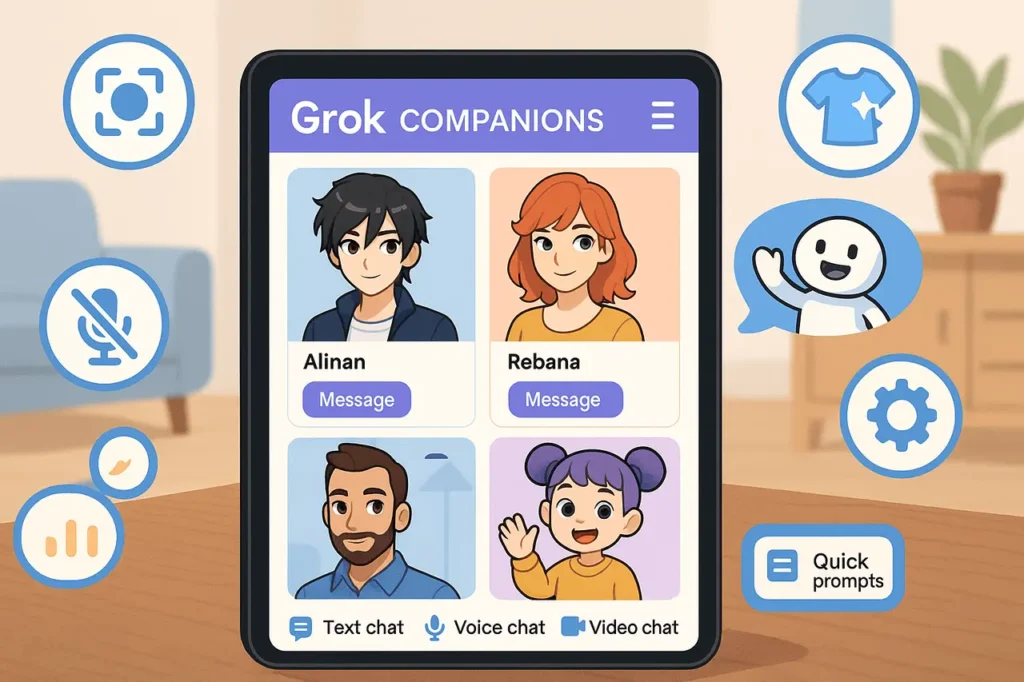
Grok Companions is a character-based AI feature associated with Grok, xAI’s conversational AI assistant.
It allows users to interact with an AI companion through a character-focused experience instead of using only a conventional chatbot interface.
Unlike regular Grok Chat, which is designed for general questions, research, writing, and problem-solving, Grok Companions focuses on conversational interaction with an AI character.
The feature is currently available through the Grok iOS app, according to the official Grok FAQ. It is not available on the web or Android, according to that documentation.
This guide explains what Grok Companions is, how it differs from regular Grok Chat, how to access it, what users should know about availability, and how privacy considerations apply.
What Are Grok Companions?
Grok Companions is a character-oriented conversational experience within the Grok ecosystem. It combines AI-powered conversation with a companion-based interface, offering a different way to interact with Grok AI than its standard assistant interface.
Grok itself is an AI assistant developed by xAI. Its broader capabilities include answering questions, brainstorming, writing, problem-solving, image and video creation through Grok Imagine, voice interaction, and file analysis. Not every Grok feature is part of the Companions experience.
The distinction is important: Grok is the broader AI assistant, while Grok Companions is a specific character-based interaction experience.
Users interested in the feature should check the current Grok iOS app and official documentation because the interface and availability may change.
How Do Grok Companions Work?
At a high level, Grok Companions combines conversational AI with a character-focused user experience.
The general interaction involves three elements:
- AI conversation: The user communicates with the companion through the supported interface.
- Character-based presentation: The experience is organized around an AI character rather than only a standard chat window.
- Grok’s underlying AI capabilities: The broader Grok service processes user input and generates responses.
The precise behavior of an individual companion, including its personality, presentation, and available controls, depends on the experience provided by the current app version.
It is worth distinguishing confirmed product functionality from assumptions.
Features available in regular Grok Chat, such as file uploads or image generation, should not automatically be treated as features of Grok Companions.
What Are the Key Features of Grok Companions?
Grok Companions combines character-based interaction with Grok’s conversational AI. Its main appeal is the way it presents AI conversations through an animated companion experience rather than a conventional chatbot interface.
Key aspects to explore include:
- Character-based interaction: Interact with available AI companions through their character-focused interfaces.
- Conversational responses: Exchange messages and explore different conversational styles.
- Voice interaction: Use voice features where supported by the current companion experience.
- Character presentation: Experience AI through an animated, character-oriented interface.
- Grok integration: Explore how the companion experience fits into the broader Grok ecosystem.
The exact characters, controls, and interaction options may change over time.
Check the current Grok app and official documentation to confirm which features are available to your account.
What Is the Difference Between Grok Companions and Regular Grok Chat?
Both belong to the Grok ecosystem, but they serve different interaction needs.
| Feature | Grok Companions | Regular Grok Chat |
|---|---|---|
| Main purpose | Character-based AI interaction | General-purpose AI assistance |
| Interface | Companion-focused experience | Standard conversational interface |
| Conversation style | Centered on interacting with an AI character | Open-ended assistant conversations |
| General questions | Depends on the companion experience | A core use case |
| Writing and brainstorming | Depends on supported capabilities | Supported Grok use cases |
| Image and video generation | Do not assume these are included in Companions | Available through Grok Imagine, subject to access and limits |
| File analysis | Not established as a Companions-specific capability | Supported in the broader Grok service |
| Platform availability | iOS app, according to the current FAQ | Web, iOS, and Android |
| Best suited for | Users seeking a character-based interaction | Users seeking a general AI assistant |
The key difference is the intended experience, not necessarily a separate underlying AI model.
Grok’s available tools and capabilities depend on the product and interface being used.
Which Characters Are Available in Grok Companions?
The characters available to a user should be checked directly in the current Grok iOS app.
Character names, availability, and individual features can change over time.
Older articles and screenshots may describe characters or interface options that are no longer available, so they should not be treated as definitive documentation of the current lineup.
When evaluating a particular companion, consider:
- Its displayed name and description.
- The conversational experience it offers.
- The interaction controls available in the app.
- Any content restrictions or eligibility requirements.
- Whether the feature is currently accessible to your account.
Avoid assuming that a character’s appearance or conversational personality establishes that it has specific educational, emotional, or therapeutic capabilities.
How to Access Grok Companions?
According to the current official Grok FAQ, Companions are available on iOS only. The FAQ states that they are not available on the web or Android and that there are no plans to bring them to those platforms.
To check whether you can access the feature:
- Install or open the Grok iOS app. Use the official app and sign in to your account.
- Look for Companions. Check the current interface for the companion feature.
- Choose an available companion. Review the characters shown in your app.
- Start interacting. Follow the controls provided by the selected experience.
- Check the official FAQ if the option is missing. Availability and product requirements can change.
If you use Grok on Android or the web, do not assume that following an iOS tutorial will reveal the same feature.
You can still use the broader Grok assistant on supported platforms, but that is not equivalent to having access to Grok Companions.
Official reference: Grok FAQ and app availability
What Can You Use Grok Companions For?
Grok Companions is primarily relevant to users interested in character-based AI conversation.
Potential reasons to explore the feature include:
1. Character-based conversation
The companion interface provides an alternative to a standard chatbot. Users can explore the interaction style offered by the available character.
2. Exploring conversational AI
The feature offers a practical example of how AI assistants can be presented through character-focused interfaces rather than conventional text-based chat.
3. Entertainment and experimentation
Users may enjoy exploring the conversational experience and comparing it with a general-purpose AI assistant.
These are potential uses, not guarantees of specific outcomes.
AI companions should not be treated as substitutes for professional medical, mental-health, educational, or other specialist services.
Is Grok Companions Free?
The exact cost and eligibility requirements should be checked against current official product information.
Grok has free access as well as paid subscription options, but this does not establish that every companion feature is free, available to every account, or unlimited.
Before subscribing, check:
- Whether Companions is included in your current access.
- Whether the feature has separate eligibility requirements.
- Whether any usage limits apply.
- Whether your selected plan changes access to the feature.
The official Grok FAQ explains subscription management and usage allowances.
Consult the current pricing information at xAI before making a purchasing decision.
Are Grok Companions Private?
Privacy is an important consideration when interacting with any AI companion, particularly when conversations involve personal information.
X’s official Chat help documentation explains that users can interact with a Grok Companion in Chat.
It also clarifies that, although messages are end-to-end encrypted in that context, Grok must decrypt a message to read it and generate a response.
This distinction matters: encryption of a conversation does not mean that an AI service can never process the content needed to generate a response.
For safer use:
- Avoid sharing passwords, payment details, or other highly sensitive information.
- Review the privacy policy and data settings for the product you use.
- Understand how conversations and inputs may be processed.
- Check permissions before granting access to device features.
- Verify important information independently rather than relying entirely on an AI-generated response.
Grok’s data controls also include settings related to whether interactions and other inputs may be used for model training and fine-tuning on X.
Checkout the official About Grok documentation for the current controls and instructions.
Privacy details may differ depending on whether you use Grok directly or interact with a companion through X Chat. Check the documentation for the specific interface you use.
Grok Companions vs. Other AI Companions
AI companions are conversational systems designed around ongoing interaction, character identity, or a more personal conversational experience.
Grok Companions belongs to this broader category, but the details of each product vary.
When comparing companion products, consider:
| Comparison factor | What to examine |
|---|---|
| Character design | Whether the product offers animated characters, avatars, or text-only personalities |
| Interaction modes | Which text, voice, or visual interactions are actually supported |
| Personalization | Whether users can change available character or conversation settings |
| Platform access | Whether the service works on iOS, Android, or the web |
| Privacy | How conversations are processed, stored, and used |
| Usage limits | Whether access is free, subscription-based, or subject to usage caps |
| Safety controls | Age requirements, content restrictions, and reporting options |
These factors provide a useful basis for comparison without assuming that all companion applications offer the same functionality.
Is Grok Companions Safe and Secure to Use?
Grok Companions can provide an engaging way to interact with AI, but users should understand the privacy and safety considerations before sharing personal information.
- Protect your personal information – Avoid sharing passwords, financial details, confidential documents, or other sensitive information in conversations with an AI companion.
- Review data-sharing settings – X’s official Grok documentation explains that interactions, inputs, and outputs may be used to improve its AI models, depending on the applicable settings. Users can review and change the relevant controls under Settings and privacy → Privacy & Safety → Data sharing and personalization → Grok & Third-party Collaborators.
- Understand AI limitations – Companion responses may be inaccurate, misleading, or inappropriate. Do not rely on them as a substitute for professional advice or verified information.
- Check age and content requirements – Review the current age restrictions and applicable content policies before allowing children or teenagers to use the feature.
- Be aware of platform differences – Privacy and data handling may depend on whether you use Grok directly or interact with a companion through X Chat. Consult the relevant official documentation rather than assuming every interaction has identical protections.
For further details, read the official About Grok privacy and data controls documentation.
A Content Creator’s Take on Grok Companions
As a content creator, what interests me about Grok Companions is how it makes AI interaction feel more character-driven than a typical chatbot.
Characters such as Ani, Valentine, and Rudi offer different conversational styles, making the experience more engaging to explore.
However, published reviews have also highlighted occasional glitches and awkward responses, so the experience isn’t always seamless. For me, the real question is whether this kind of interaction offers something useful beyond novelty.
If you’re curious about character-based AI, it’s worth exploring, but keep your expectations realistic.
Final Thoughts
Grok Companions offers a character-focused way to interact with Grok, the AI assistant developed by xAI. Its main distinction from regular Grok Chat is the companion-oriented experience rather than the general-purpose assistant interface.
For users interested in trying it, the most important practical detail is platform availability, the current official FAQ lists Companions for iOS only, not the web or Android.
Users should also verify current access requirements and understand how their conversations may be processed.
As with any AI feature, the best approach is to explore its actual capabilities, distinguish confirmed functionality from assumptions, and avoid treating conversational responses as a substitute for professional advice.
Frequently Asked Questions
1. What are Grok Companions?
Grok Companions is a character-based AI interaction experience associated with Grok, xAI’s AI assistant. It differs from regular Grok Chat by centering the interaction around an AI companion.
2. Is Grok Companions available on Android?
The current official Grok FAQ says Companions is available on iOS only and is not available on Android.
3. Can I use Grok Companions on a computer?
The current official FAQ says Companions is not available on the web. You can use the broader Grok assistant on the web, but that does not mean the companion feature is available there.
4. Is Grok Companions the same as Grok Chat?
No. Grok Chat is the general-purpose AI assistant experience. Grok Companions is focused on character-based interaction within the Grok ecosystem.
5. Is Grok Companions free?
Do not assume that all companion functionality is free or unlimited. Check the current official pricing and feature-eligibility information for your account.
6. Are Grok Companions private?
Privacy depends on the interface and its data-handling practices. X’s Chat documentation explains that Grok must decrypt messages to read and respond to them when a companion is used in Chat. Avoid sharing highly sensitive information and review the applicable privacy settings.
7. Can Grok Companions provide professional advice?
AI companions may respond to a range of conversational topics, but their answers can be inaccurate. They should not replace qualified professional advice for medical, mental-health, legal, financial, or other high-stakes decisions.
Also Read –