
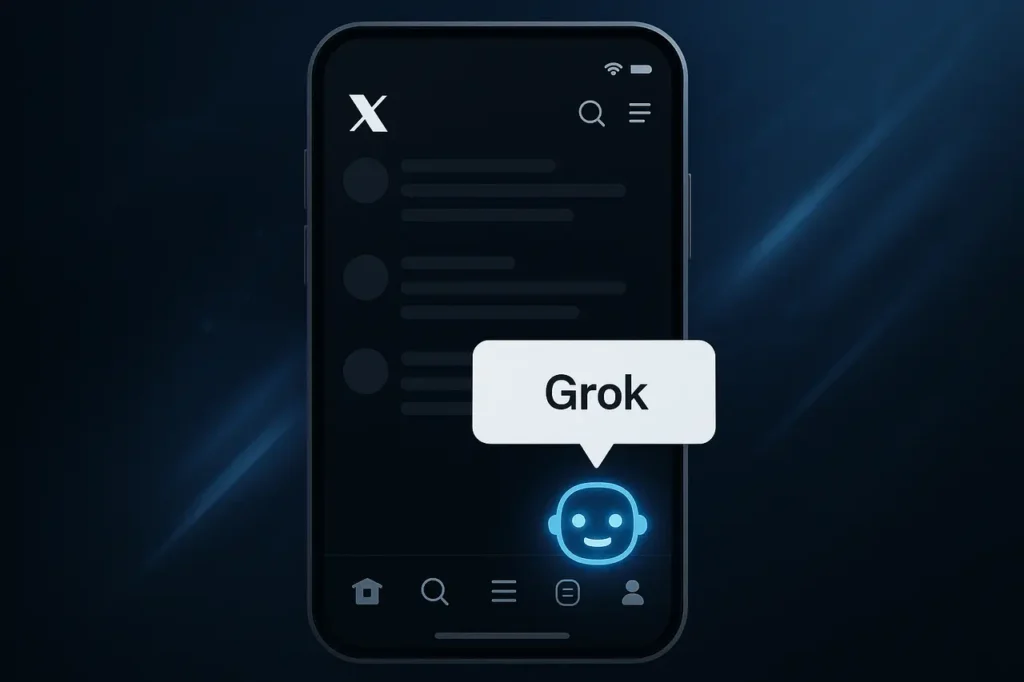
X now displays in app tooltips that direct users to Grok, the built-in assistant. The change is subtle; tappable hints within the app direct users to the Grok icon on the navigation bar. A single tap opens Grok, allowing them to ask questions, create copy, or use image and post enhancement features. The update appears to be rolling out widely and was first flagged by social posts showing the new tooltips in the mobile UI.
Here’s a look at the changes, how to use X Grok suggestion tooltips, why X wants Grok to be more integrated into its product, and what it means for advertisers, creators, and users.
How to use new Shortcuts (Quick Steps).
- Open X in iOS or Android.
- Look for the tooltip (it points to the bottom navigation).
- Click the Grok icon on the navigation bar.
- Start with a suggested prompt or type your request — Grok supports text queries, post enhancements, and some image-generation/assistance features, depending on your account.
What is Grok Ai?
Grok AI is X’s (formerly Twitter’s) built-in artificial intelligence chatbot created by xAI. It’s designed to answer questions, summarise posts, generate content, understand real-time data from the X platform, and assist with writing or idea generation. Unlike traditional AI models, Grok is trained on live X content, allowing it to respond with up-to-date context and a more conversational, sometimes bold tone.
What has changed exactly?
Grok is now available as a suggestion and contextual tooltip inside the X mobile application. These prompts can be displayed near the composer, or as small labels pointing to the Grok icon in the bottom navigation bar. Tap the Grok icon to open the Grok composer/chat. Users can start with a suggested prompt or type in their own query. X’s support documentation confirms that Grok can be accessed via the navigation bar on iOS, Android, and the Web.
Why X is surfacing Grok aggressively?
Three reasons for the move
- Engagement & Retention: Quick access to Grok reduces friction and keeps people in X for help with writing, summarizing content, or exploring it.
- Feature Discovery: Many people still do not notice the embedded features. Tooltips can be a low-cost and high-visibility way to raise awareness.
- Platform Strategy: Grok, a strategic product, is a strategic component of xAI/X. A deeper, native integration will strengthen the product ecosystem and enable tying Grok’s features to monetized tiers. The company has been expanding Grok’s role in X, according to industry coverage.
What it means to everyday users?
- Faster Help: Need to quickly summarize a trending topic, draft a reply, or explain something briefly? These new prompts let you access help without leaving the app.
- Lower Learning Curve: Casual Users who may have ignored Grok previously are more likely than not to try it out when the shortcut is presented in context.
- Inconsistency in Feature Availability: Due to Grok’s rapid evolution, Grok functionality may differ by account type (free or premium), region, or app version. Expect slight UX variations across devices.
Watch out for concerns and tradeoffs.
- Discoverability or Distraction: Critics had previously claimed that integrating a powerful assistant into an app could feel intrusive. Tooltips that are too frequent or poorly timed could be annoying to users.
- Privacy, Data Collection and Use: Grok is only helpful if you can access live content. Users should be aware of how prompts are processed and how the uploaded content is generated. X’s Help pages provide access points, but do not always include the full telemetry and retention details. Users concerned about their privacy should consult X/xAI’s Privacy documentation.
- Monetization Signals: A greater emphasis on Grok in the app could indicate subscription-based features or models. Creators and power users may need to weigh the cost of a paywall against the time saved.
What brands and creators should know?
- Content production is faster: Integrated drafting and image-generation flows reduce the effort required to create posts, captions, and images ready for iteration. This can help speed up the publishing cycle.
- Discovery pathways: If Grok suggestions lead users to “generate”, “enhance”, or “enhance” your post workflows, then creators who optimize prompts, visuals, and workflows could get an indirect boost of engagement.
- Ad Targeting Implications: As users rely more on Grok to compose or refine posts, X may gain more information about the content intention and interests. This could help inform ad targeting and relevance over time.
X Grok suggestion tooltips: Compare this platform to others.
Other platforms also offer plugins and sidebars to help generate and write content. Grok’s deep integration with X’s feed is notable. It gives it access to the platform’s trending information and allows for on-the-spot summaries and context-aware responses. According to industry coverage, Grok’s integration with the app has been expanded iteratively over the last year.
X Grok suggestion tooltips for users
- Tap the tooltip and use the suggested prompts to get a feel for the assistant’s voice and strengths.
- If you have privacy-sensitive questions, don’t paste personal data. Instead, check X’s privacy help pages to see how your inputs will be handled.
- Creators: compare Grok’s Enhance Your Post suggestions with your own drafts. Use the assistant to create multiple versions and then choose the voice that best matches your brand.
Final Thoughts
The tooltips that direct users to Grok as part of X’s broader strategic plan are a small, but significant, nudge. X wants to make AI-assisted content creation more discoverable, to reduce friction in the creation process, and to tie the composition experience closer to the platform. The change is positive for users, quicker help, and easier accessibility, but creators and privacy-conscious users should keep an eye on how features and access develop. Expect more UI and feature experiments in the coming months as X continues to integrate Grok into other parts of its product.
FAQs
1. Is this a worldwide rollout or a beta test?
The change has been visible to many users and widely shared on social media. However, X often A/B tests UI updates so that availability can vary by region, device, and app version. Check for app updates if you don’t see the change right away.
2. Where can I find Grok on the app?
Grok is an icon that appears in the bottom navigation bar of the mobile device. It can also be accessed via the web. This method is documented in X’s Help Center.
3. Are Grok features free?
In the past, advanced models and premium Grok features were tied to subscription levels. There will be some differences in features between the free and paid accounts.
4. Will Grok affect the ranking or recommendation of content?
There is no evidence to suggest that Grok alters rankings. Grok could help users create more engaging posts. These posts may perform better organically. X will announce any changes to the ranking algorithm separately.
5. How should creators prepare themselves?
Try Grok’s post-enhancement features to streamline the workflow, while keeping human reviewers for brand voice, factual accuracy, and compliance. Monitor subscription changes that may affect access to the top-tier models.