
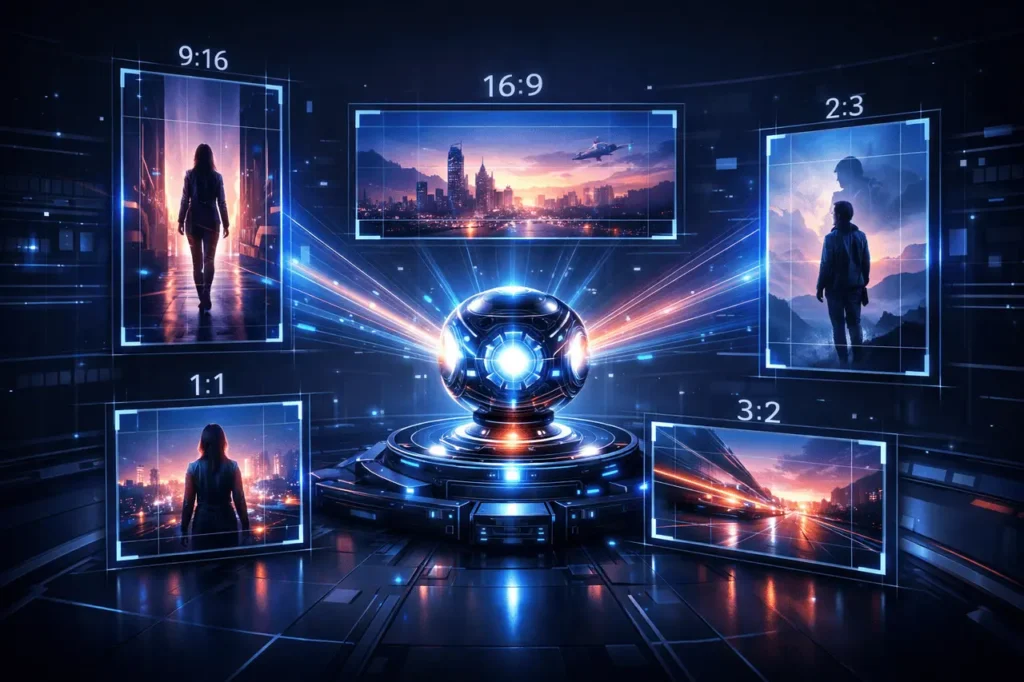
AI-powered video generation is moving rapidly from experimentation to real-world production. One of the biggest barriers to adoption has been rigid formatting, content generated in a single aspect ratio often requires cropping or re-rendering before it can be published across different platforms. With its latest update, Grok Imagine addresses this issue by allowing videos to be generated directly in five commonly used aspect ratios: 2:3, 3:2, 1:1, 9:16, and 16:9.
This seemingly simple addition has practical implications for creators, marketers, and developers who need fast, platform-specific video output without sacrificing visual quality. Below is a detailed breakdown of Grok Imagine video generation and what this update means, how each format is used, and why aspect-ratio control matters in modern AI video workflows.
What is Grok Imagine?
Grok Imagine is the creative media generation component within the Grok ecosystem, designed to transform text prompts into visual outputs such as images and videos. Built to integrate tightly with conversational AI workflows, it enables users to ideate, refine prompts, and generate media in a single environment.
Video generation in Grok Imagine focuses on short-form, visually coherent clips that can be used for social media, marketing creatives, storytelling, and rapid prototyping. The addition of multiple aspect ratios significantly expands its usefulness across channels.
Why Aspect Ratios Matter in AI Video Generation?
Aspect ratio defines the relationship between a video’s width and height. In traditional production, changing aspect ratios after rendering can introduce problems such as:
- Cropped or truncated subjects
- Unbalanced composition
- Reduced resolution or clarity
In AI-generated video, these issues are amplified because the model frames scenes based on the original canvas. Generating content in the correct aspect ratio from the start ensures that subjects, motion, and background elements are composed naturally for the intended platform.
The Five Supported Aspect Ratios Explained
1. 9:16 — Vertical Video (Mobile-First)
The 9:16 format has become the dominant standard for mobile consumption. It fills the entire smartphone screen and is optimized for short-form, immersive viewing.
Best suited for:
- Short-form social videos
- Mobile-first storytelling
- App previews and demos
By generating videos natively in 9:16, Grok Imagine eliminates the need to reframe horizontal content for vertical feeds.
2. 16:9 — Widescreen and Cinematic
16:9 remains the global standard for traditional video platforms and presentations. It offers a wide canvas that works well for landscape scenes, multiple subjects, and cinematic motion.
Best suited for:
- YouTube-style content
- Website hero videos
- Product explainers and demos
This format is especially useful for creators blending AI-generated clips with existing widescreen footage.
3. 1:1 — Square Video
Square videos strike a balance between vertical and horizontal formats. They maintain strong visual presence without favoring one orientation.
Best suited for:
- Social media feeds that support mixed orientations
- Thumbnails and previews
- General-purpose marketing creatives
For AI generation, 1:1 helps keep the subject centered and consistently framed across devices.
4. 3:2 — Balanced Horizontal Format
The 3:2 ratio offers a slightly taller frame than 16:9, providing more vertical breathing room while remaining landscape-oriented.
Best suited for:
- Photography-inspired visuals
- Editorial or blog-embedded videos
- Product showcases
This ratio is useful when vertical detail matters but widescreen presentation is still preferred.
5. 2:3 — Tall Portrait Format
2:3 is a portrait-leaning format often associated with still photography, now increasingly used in vertical-friendly video contexts.
Best suited for:
- Portrait-focused visuals
- Storytelling with a central subject
- Cross-posting between photo and video formats
For AI video, 2:3 offers a structured vertical composition without the extreme height of 9:16.
How Multi-Aspect Ratio Support Improves Workflow?
The ability to choose an aspect ratio at generation time has several workflow advantages:
- Reduced post-processing: No manual cropping or resizing
- Consistent composition: Subjects are framed correctly by the AI model
- Faster publishing: Videos are ready for platform-specific use
- Better creative control: Prompts can be written with framing in mind
For teams producing content at scale, this reduces both production time and quality loss.
Use Cases for Creators and Businesses
1. Content creators can generate platform-specific clips from a single idea without rewriting prompts for different crops.
2. Marketers can tailor visuals for ads, landing pages, and social campaigns with consistent branding.
3. Developers and product teams can prototype video-based UI elements or demos in the exact format required for deployment.
4. Educators and storytellers benefit from choosing formats that match narrative style, whether cinematic or portrait-focused.
Grok Imagine video generation: Prompting Tips for Best Results
When generating videos in Grok Imagine with specific aspect ratios, it helps to:
- Mention camera framing (close-up, wide shot, full-body)
- Specify subject positioning (centered, top-third, foreground)
- Adjust scene descriptions based on vertical or horizontal space
Clear prompts allow the model to make better compositional decisions within the selected ratio.
Broader Impact on AI Video Creation
Multi-aspect ratio support reflects a broader trend in AI tools moving toward production readiness rather than experimentation. As AI-generated video becomes part of real publishing pipelines, features like format control are essential, not optional.
This update positions Grok Imagine as a more flexible option for creators who need output that aligns with real-world distribution requirements.
Final Thoughts
The addition of five native aspect ratios, 2:3, 3:2, 1:1, 9:16, and 16:9, marks a practical and creator-focused evolution in Grok Imagine’s video capabilities. Rather than forcing users to adapt AI output after generation, this update aligns the creation process with real-world publishing needs. For content creators, marketers, and product teams alike, this means faster workflows, cleaner compositions, and fewer compromises between creative intent and technical constraints. As AI video tools continue to mature, features like precise aspect ratio control signal a shift toward production-ready systems designed for how content is actually consumed today.
Frequently Asked Questions
1. Can I change the aspect ratio after generating a video in Grok Imagine?
While videos can be edited externally, generating them directly in the desired ratio produces better composition and visual quality.
2. Which aspect ratio should I choose for mobile audiences?
9:16 is generally the best choice for mobile-first viewing, as it fills the entire screen.
3. Is 1:1 still relevant for video content?
Yes. Square videos remain useful for feeds, previews, and platforms that support mixed orientations.
4. Does aspect ratio affect video quality?
Quality depends on resolution and model output, but correct aspect ratio prevents unwanted cropping and framing issues.
5. Can the same prompt be reused across different aspect ratios?
Yes, though adjusting framing language in the prompt can improve results for each format.
6. Is this feature useful for professional workflows?
Yes. Native multi-aspect generation reduces editing time and makes AI video more practical for commercial use.
Also Read-