
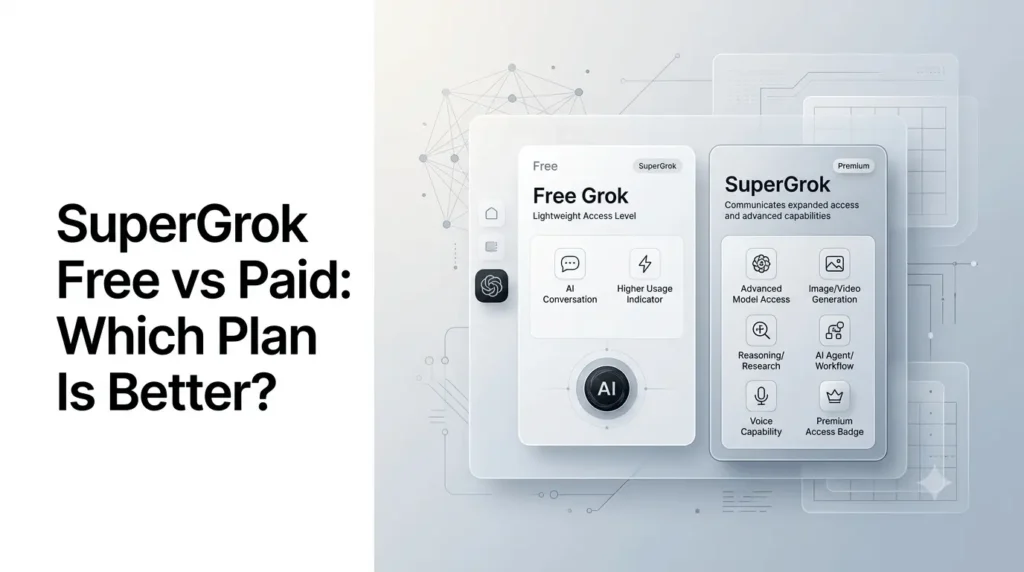
SuperGrok free vs paid comes down to one main difference: how much access you need to Grok’s latest models, advanced capabilities, and higher usage limits.
Grok remains available without a paid subscription, but the free experience is designed around usage limits. Paid access provides higher limits and additional capabilities, with the exact benefits depending on the subscription tier and where you subscribe. X currently describes SuperGrok as its premium Grok subscription, while X Premium+ also includes SuperGrok access.
The comparison has become more important because Grok has expanded significantly beyond basic chatbot conversations. xAI released Grok 4.6 in August 2026, and has introduced capabilities such as Grok Build and Grok Bot alongside image, video, voice, and agent-oriented features.
So, should you stay with free Grok or pay for SuperGrok? For occasional questions, free access may be enough. For frequent research, advanced AI work, image generation, coding, and agentic workflows, a paid plan can make considerably more sense.
Quick Summary
- Free Grok offers basic access for casual AI use without a subscription.
- SuperGrok provides higher usage limits and access to more advanced Grok capabilities.
- Paid plans can offer stronger reasoning, research, image/video, voice, and agent features.
- Grok Build is available across plans, while some advanced agent features depend on the plan.
- SuperGrok Plus and Heavy provide higher-capacity options for intensive users.
- The best choice depends on your usage frequency, feature needs, and budget.
- For occasional use, the free plan may be enough; frequent users can benefit more from SuperGrok.
SuperGrok Free vs Paid: What’s the Difference?
Free Grok is suitable for occasional AI conversations, while paid SuperGrok is aimed at users who need higher usage limits and broader access to advanced Grok capabilities.
The exact limits can change, so xAI’s current plan information should be treated as the authoritative source rather than older articles quoting fixed query counts.
At a high level:
| Feature | Free Grok | Paid SuperGrok |
|---|---|---|
| Basic Grok conversations | Yes | Yes |
| Latest/advanced Grok models | Limited access may apply | Higher access |
| Usage limits | Lower | Higher |
| Advanced reasoning | Limited by availability/limits | Higher access |
| Image generation | Available with limits | Higher access |
| Voice features | Available where supported | Higher access |
| Grok Build | Available on every plan | Available |
| Grok Bot | Not included | Included |
| Heavy/power-user access | Limited | Higher tiers available |
| X Premium benefits | No | Not included with standalone SuperGrok |
| Best for | Casual users | Frequent/power users |
The most important point is that “paid” does not simply mean faster answers. The value comes from higher access levels and additional capabilities that become increasingly useful for demanding workflows.
What Is Free Grok?
Free Grok is the no-cost way to use Grok where free access is offered.
It is useful for everyday tasks such as:
- Asking general questions
- Brainstorming ideas
- Summarizing information
- Writing and rewriting
- Exploring current topics
- Having conversational interactions
- Trying Grok’s AI capabilities before subscribing
The major trade-off is usage.
AI services have to allocate significant computing resources among users. Free access therefore generally comes with lower usage allowances than paid subscriptions.
That does not make free Grok a limited demo in the traditional sense. xAI has continued adding capabilities to the broader Grok ecosystem. In August 2026, for example, xAI said Grok Build became available on every plan, including free access.
That makes the free tier more useful than simply a basic chatbot.
What Is SuperGrok?
SuperGrok is xAI’s premium subscription for Grok on the web and mobile app.
X’s current documentation describes SuperGrok as providing higher limits on the latest Grok models, along with access to Grok Bot and additional capabilities including Imagine for images and videos and voice mode.
SuperGrok is therefore better understood as an access and capability upgrade rather than a completely different version of Grok.
You still use the same broader Grok ecosystem, but paid access gives heavier users more room to use it.
What Has Changed With Grok in 2026?
The free-versus-paid question has become more complicated because Grok itself has expanded rapidly.
In August 2026, xAI introduced Grok 4.6, describing it as a model focused on long-running agents and more ambitious interactive and visual work. xAI says Grok 4.6 can handle multi-step work involving research, information analysis, coding, and building applications.
Other recent developments include:
- Grok Build becoming available on every plan.
- Grok Bot becoming available with SuperGrok and selected other paid plans.
- Grok 4.6 expanding to platforms including Amazon Bedrock, Microsoft Foundry, GitHub Copilot, and Gemini Enterprise Agent Platform.
- New image, video, voice, and agent features appearing throughout the Grok product ecosystem.
This means the difference between free and paid access is increasingly about how much of the ecosystem you can use and how frequently you can use it, rather than simply whether you can access Grok at all.
Free Grok: What Can You Actually Do?
For many users, the free tier covers the majority of basic AI tasks.
Everyday questions
Free Grok can be useful for:
- Explanations
- Research starting points
- Brainstorming
- Writing assistance
- Summaries
- General knowledge
- Planning
- Conversational questions
If you only ask several questions occasionally, hitting the paid-tier limits may not be a major problem.
Writing and content work
You can use free Grok to draft:
- Blog outlines
- Emails
- Social posts
- Product descriptions
- Brainstorming notes
- Short articles
- Marketing ideas
The practical limitation appears when you use AI continuously throughout a workday.
Image and creative work
Grok’s broader ecosystem also includes image and video generation.
However, free access should not be interpreted as unlimited creative generation. Usage limits and feature availability can change, and xAI’s current subscription terms should be checked before relying on a specific quota.
SuperGrok: What Do You Get for Paying?
The primary benefit of SuperGrok is higher access to advanced Grok capabilities.
X specifically describes Premium+ with SuperGrok as offering higher limits on the latest Grok models and access to Grok Bot, along with Imagine, voice mode, and other features.
SuperGrok is therefore more attractive to users who regularly:
- Research complex subjects
- Generate large amounts of content
- Work with advanced reasoning
- Generate images or videos
- Use voice interactions
- Build applications
- Run longer AI-assisted workflows
- Use agentic features
The exact limits can change as xAI adjusts capacity and subscription tiers.
Grok Bot Is a Major Paid-Tier Difference
One of the most significant differences introduced in 2026 is Grok Bot.
xAI describes Grok Bot as an AI teammate capable of operating on its own computer, signing into tools and apps, and working through tasks rather than simply returning a conversational response.
On August 26, 2026, xAI announced that Grok Bot was included with:
- SuperGrok
- SuperGrok Plus
- SuperGrok Heavy
- Cursor Pro
- Cursor Pro+
- Cursor Ultra
- Cursor Teams plans
xAI also says Grok Bot has separate usage from the user’s Grok and Cursor plans.
This is an important distinction for power users.
A chatbot answers your prompt.
An agent can potentially take a task and continue working through multiple steps.
That makes agent access more relevant to developers, marketers, researchers, and professionals than it is to someone who only wants occasional answers.
What About Grok Build?
Grok Build is another reason the free-versus-paid comparison needs to be updated for 2026.
xAI announced in August that Grok Build was available on every plan, including web and mobile.
That means you should not assume that every advanced-looking Grok feature is automatically locked behind SuperGrok.
For users evaluating a subscription, the right question is not:
“Is Grok Build paid?”
Instead, ask:
“What usage limits and capabilities does my current plan provide for the specific features I need?”
That distinction prevents many outdated pricing comparisons from becoming misleading.
Free Grok vs SuperGrok for Students
Students generally have a straightforward decision.
If you primarily use AI for:
- Homework explanations
- Brainstorming
- Summaries
- Occasional research
- Writing assistance
free Grok may be sufficient.
A paid subscription becomes more attractive if you use it for:
- Extensive research
- Coding projects
- Large writing workloads
- Frequent image generation
- Advanced reasoning
- Long-running tasks
- Agentic workflows
There is also an important distinction between a free Grok account and a student discount.
Having student status does not automatically mean you receive permanent free SuperGrok. xAI has run time-limited student promotions in the past, but promotions should be checked individually rather than treated as permanent pricing.
Free Grok vs Paid for Creators
Creators have different requirements from casual users.
If you are generating a few ideas or images each week, free access may be enough.
If Grok is part of a daily production workflow, paid access becomes more compelling.
For example, a creator could use Grok for:
- Topic research
- Content ideation
- Script development
- Image generation
- Social-media copy
- Video concepts
- Research summaries
When all of these tasks are performed regularly, usage limits become more significant than the subscription price itself.
Free Grok vs Paid for Developers
Developers should separate Grok subscriptions from API access.
A Grok subscription is primarily designed for using Grok’s consumer-facing products, while xAI also provides API access for developers.
Grok 4.6, for example, is available through the xAI API at $2 per million input tokens and $6 per million output tokens, according to xAI’s August 2026 announcement.
That is a different pricing model from paying for a consumer subscription.
If you are building an application, automated workflow, or production system, an API plan may be more appropriate than simply purchasing SuperGrok.
Is SuperGrok Worth It?
SuperGrok is most worthwhile for users who regularly hit free-tier limits or need capabilities that are specifically included with paid access.
It may be unnecessary if you only use Grok occasionally.
A useful decision framework is:
Choose Free Grok if:
- You use AI occasionally.
- Your questions are relatively simple.
- You rarely reach usage limits.
- You are testing Grok before subscribing.
- You do not need paid-only capabilities.
Consider SuperGrok if:
- You use Grok every day.
- You frequently reach usage limits.
- You need higher access to advanced models.
- You regularly generate images or videos.
- You want Grok Bot.
- You use Grok for professional work.
- AI is part of your daily research or content workflow.
Consider a higher paid tier if:
- You are a very heavy user.
- You need substantially higher usage.
- You rely on advanced agentic workflows.
- Your work justifies the additional subscription cost.
The important part is to evaluate your actual usage, rather than subscribing simply because the paid plan has more features.
SuperGrok vs X Premium+
SuperGrok and X Premium+ can be confusing because they overlap.
X’s documentation currently says Premium+ includes SuperGrok access, as well as additional X benefits such as no ads on X, higher reply prioritization, X Pro, Radar Search, and Articles.
That creates a simple distinction:
| Plan | Grok access | X benefits | Best suited for |
|---|---|---|---|
| Free Grok | Basic/free access with limits | No paid X benefits | Occasional AI users |
| SuperGrok | Higher Grok access | No full X Premium+ bundle | People focused primarily on Grok |
| X Premium+ | SuperGrok included | Extensive X premium benefits | Users who want Grok + X features |
If you barely use X, standalone SuperGrok can make more sense.
If you already use X heavily and want both X’s premium features and advanced Grok access, Premium+ may offer greater overall value.
Does Paid Grok Mean Unlimited Grok?
No.
This is one of the most common misconceptions.
A paid subscription provides higher access limits, but users should not automatically interpret “paid” as “unlimited.”
X’s current documentation describes SuperGrok access as providing higher limits on the latest Grok models.
Limits can also change as xAI introduces new models and features.
For example, a new model may initially have different availability or usage allowances from an older model.
That is why older articles quoting fixed numbers of messages per day or two-hour periods can quickly become outdated.
What Are the Main Limitations of Free Grok?
The free tier’s biggest limitation is not necessarily the quality of the AI. It is access capacity.
Potential limitations include:
- Lower usage allowances
- Reduced access to advanced models
- Limits on image/video generation
- Reduced access to premium capabilities
- Limited availability of certain features
- Waiting for limits to reset
These restrictions matter differently depending on how you use AI.
Someone who asks five questions a day may never notice.
Someone using Grok continuously for research, coding, and content creation probably will.
What Are the Main Limitations of SuperGrok?
Paying for Grok does not eliminate every limitation.
You should still consider:
- Subscription cost
- Usage limits
- Changing model availability
- Feature-specific restrictions
- Regional availability
- Platform differences
- Changes to pricing or subscription benefits
X explicitly notes that Premium features can vary by platform and location and may change over time.
That is particularly relevant to AI subscriptions because product capabilities are changing rapidly.
Which Grok Plan Should You Choose?
Here’s a practical decision guide:
| User type | Recommended option | Why |
|---|---|---|
| Occasional user | Free Grok | Enough for basic AI tasks |
| Student | Free Grok first | Upgrade only if limits become a problem |
| Casual creator | Free Grok | Suitable for occasional content work |
| Heavy creator | SuperGrok | Higher access and advanced capabilities |
| Researcher | SuperGrok | Better suited to frequent research workflows |
| Developer | SuperGrok or API | Depends on whether you need the consumer product or API |
| X power user | Premium+ | Combines X benefits with SuperGrok |
| AI power user | Higher SuperGrok tier | Better suited to intensive workloads |
This table should be treated as a practical recommendation rather than a permanent plan hierarchy because xAI can change its subscription structure.
How to Decide if You Should Upgrade ?
Instead of asking whether SuperGrok is “better,” ask whether it solves a problem you actually have.
Step 1: Use free Grok normally
Try it with your real tasks rather than artificial benchmarks.
Step 2: Track your limits
If you regularly hit usage restrictions, note how often it happens.
Step 3: Identify the missing capability
Is the problem:
- Model access?
- Usage limits?
- Image generation?
- Video generation?
- Agent access?
- Voice?
- Coding?
- Long-running workflows?
Step 4: Compare the subscription
Look at the current plan rather than an old pricing article.
Step 5: Consider alternatives
If you only need occasional AI assistance, another free AI service may be sufficient.
The best subscription is the one that solves your actual workflow problem at a reasonable cost.
Conclusion
The SuperGrok free vs paid decision is ultimately about usage rather than simply getting a “better chatbot.”
Free Grok is a strong starting point for casual users, students, and anyone who wants to experiment with the platform without paying. The free experience has also become more capable as xAI has expanded Grok Build and other features.
SuperGrok becomes more compelling when Grok is part of your daily workflow. Higher access to advanced models, premium capabilities, and features such as Grok Bot can make the subscription more useful for creators, researchers, developers, and heavy AI users.
For most people, the sensible approach is to start with free Grok, identify where its limits affect your workflow, and upgrade only when the additional access provides enough value to justify the cost.
Because xAI is changing Grok’s models, features, and subscription structure rapidly, always check the current plan details before subscribing rather than relying on an older price or feature list.
Frequently Asked Questions (FAQs)
1. Is SuperGrok free?
SuperGrok itself is a paid subscription. However, Grok also offers free access, and some capabilities are available without paying. X describes SuperGrok as its premium Grok subscription with higher limits and additional features.
2. What is the difference between free Grok and SuperGrok?
The main difference is access. Free Grok has lower usage limits, while SuperGrok provides higher access to the latest models and additional capabilities. The exact limits can change over time.
3. Is SuperGrok worth paying for?
It can be worth paying for if you use Grok frequently, regularly reach free limits, or need premium capabilities such as higher model access and Grok Bot. Occasional users may be better served by free Grok.
4. Does SuperGrok include Grok Bot?
Yes. xAI announced that Grok Bot is included with SuperGrok, SuperGrok Plus, and SuperGrok Heavy, among other eligible plans.
5. Is Grok 4.6 available for free?
xAI announced Grok 4.6 with free access through Grok Build and other supported experiences, but access and usage limits depend on the product and plan. xAI’s announcement explicitly says users can try Grok 4.6 in Grok Build for free.
6. Is SuperGrok the same as X Premium+?
No. SuperGrok is xAI’s premium Grok subscription, while X Premium+ is an X subscription that includes SuperGrok access alongside additional X features.
Also Read –
SuperGrok Pricing & Features: A Complete Guide (2026)
Grok 4.6 AI Guide: Everything About Its Features, Pricing, Benchmarks and Availability
Grok Student Discount and Regional Offers: Availability Updates
SuperGrok vs ChatGPT Plus: How to Pick the Best AI Subscription?