
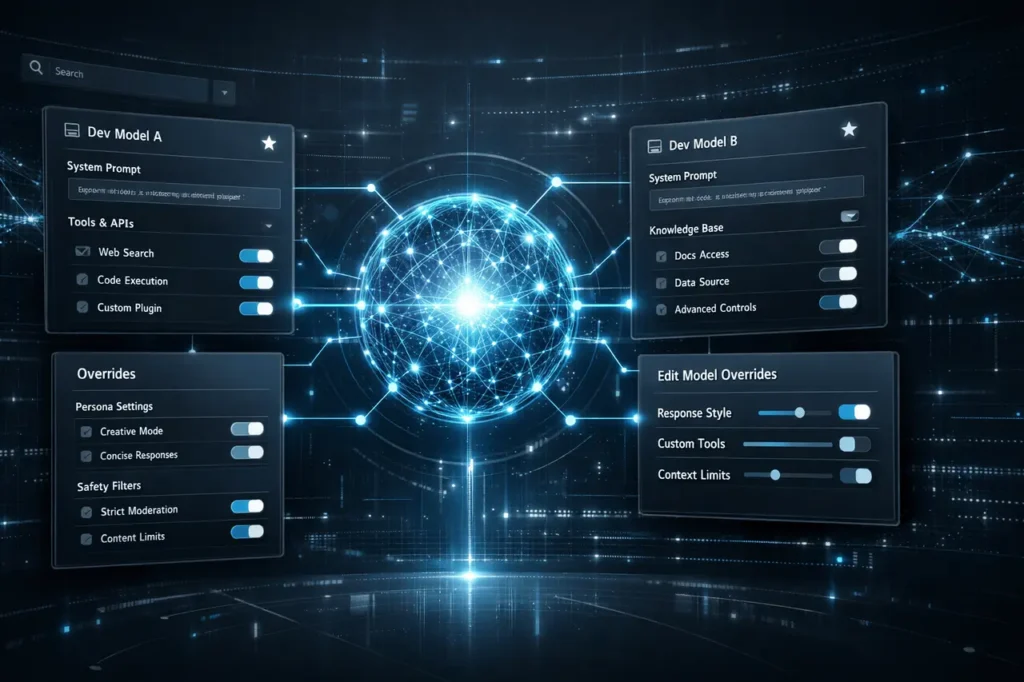
The introduction of xAI Grok Dev Models marks a significant step towards greater AI control and customization. The product is intended for advanced users and for possible enterprise deployments. Dev Models provide the capability to alter the behavior of base models, manage calls to tools, and better organize models.
In addition to standard system prompts, Grok Development Models are designed to assist companies and developers that require AI systems tailored explicitly to workflows, compliance requirements, or internal knowledge areas.
This article explains what Grok Dev Models are, why they are essential, how they work, and the practical benefits they can deliver to companies or technical customers.
What Are xAI Grok Dev Models?
xAI has added a newly created Dev Models section within Grok, expanding the ways models can be set up and controlled.
Grok Dev Models permit users to:
- The base model is overridden. prompt for the system
- Change the tool call parameters and the behavior
- Manage multiple custom model configurations using a special selector
Instead of relying on a single AI configuration, the user can build custom Grok versions designed for specific applications, such as enterprise or development.
Why Grok Dev Models Matter?
Modern AI deployments usually don’t fail because of the model’s quality, but due to inadequate control. Restricted prompts and fixed behavior can hamper the adoption of AI in complex or regulated environments.
Grok Dev Models matter because they:
- Facilitate tighter alignment in business policies
- Allow experimentation without changing the fundamental model
- Increase efficiency in the operation of AI-powered devices
In organizations evaluating AI at scale, this degree of configuration is usually an essential feature rather than an option.
Core Capabilities of Grok Dev Models
System Prompt Overrides
One of its most powerful features is the power to alter the system’s default prompt.
This allows team members to:
- Use uniform tone, rules, or guidelines
- Embed instructions specific to the domain
- Reducing prompt repetition in the layer of application
Instead of injecting instruction into each request, the model can be pre-aligned with the organizational requirements.
Tool Call Customization
Dev Models can also be used to allow customizing tool calls.
This feature can be used to:
- Control what tools the model can call
- Modify the way tools are chosen or prioritize them
- Restrict access to sensitive integrations
For enterprises, this reduces risk and enables AI agents to operate within specific technical constraints.
Dev Models Selector and Search
A brand-new selection of Dev Models is available directly on the models list, increasing the usability and accessibility of the models.
The key features are:
- Search for available models
- Ability to save frequently utilized configurations
- Quick switching between customized models
The transforms Grok, a model-specific interface, into a model-based management system.
Edit Model Overrides Interface
An Edit Model Overrides option centralizes configuration.
With one interface, users can:
- Adjust system prompts
- Modify tool behavior
- Fine-tune the way a specific Dev Model behaves
This eases the process for developers who want to test AI behavior across multiple projects.
How Grok Dev Models Work in Practice
At a higher degree, Grok Dev Models sit between the base Grok model and the final application.
- The basic Grok model is unchanged.
- Dev Models use configurations that override
- Applications work with a customized version
This layering approach provides flexibility without compromising the model’s stability.
Feature Comparison: Standard Grok vs Dev Models
| Feature | Standard Grok | Grok Dev Models |
|---|---|---|
| System prompt control | Fixed | Fully overrideable |
| Tool call management | Limited | Configurable |
| Multiple configurations | No | Yes |
| Model search & favorites | No | Yes |
| Enterprise readiness | Basic | Advanced |
This comparison demonstrates why Dev Models are positioned as an approach to enterprise-wide adoption.
Potential Enterprise Use Cases
Internal Knowledge Assistants
Organizations can create Dev Models aligned with:
- Internal policies
- Knowledge sources that have been approved
- Compliance language
This minimizes the chance of unsatisfactory or incompatible responses.
Developer Tooling and APIs
Dev Models can power:
- Code assistants that adhere to strict style guidelines
- Debugging tools that have predefined workflows
- Documentation Helpers that are tuned to internal frameworks
Each team can operate using a system optimized for its requirements.
Regulated Industry Deployments
In industries like healthcare or finance, AI must operate within a limited space.
Dev Models help by:
- Restricting tool access
- Integrating compliance guidelines on the model-level
- ensuring consistent outputs across all users
Advantages vs Limitations
Key Advantages
- Stronger AI governance
- Reduced prompt engineering overhead
- Customization that can be scaled for teams
Current Limitations
- Advanced features can be restricted to specific user levels
- requires technical expertise for effective configuration
- Not intended for inexperienced users.
As with all developer-focused tools, the value of these increases when you have the proper knowledge.
Practical Considerations Before Adoption
Before implementing Grok Dev Models, teams should think about:
- Who manages model configurations
- How are overrides documented and revised
- Whether governance procedures exist
In the absence of clear ownership, the flexibility could lead to inconsistencies.
My Final Thoughts
The xAI Grok Development Models provide a significant improvement in AI user-friendliness, shifting control away from developers and organizations alike. With the ability to enable system prompts and tool-call customisation, and a structured model management system, Grok moves beyond a single-assistant system to a programmable AI platform.
As AI advancement becomes more widespread, features like Dev Models are likely to become increasingly critical. They provide a sensible balance of flexibility and control, positioning Grok to build more sophisticated, business-ready applications in the coming years.
Frequently Asked Questions
1. What do xAI Grok Dev Models being used to do?
They can be used to build custom versions of Grok with system-wide prompts that can be overridden, as well as tool behavior and model-level settings.
2. Is Grok Dev Models intended for businesses?
It appears that they were created with developer and enterprise applications in mind, specifically when AI management and customisation are needed.
3. Are there multiple Dev Models existing simultaneously?
Yes. Users can control many Dev Models, search for them, and create favorites to make them easier to access.
4. Are Dev Models replacing the base Grok model?
No. They add layers on top of the basic model without changing its fundamental structure.
5. Do you require technical knowledge to utilize Dev Models?
A basic understanding of tools, prompts, and AI behavior is necessary for practical use.
Also Read –
SpaceX xAI Merger Model: Trillion-Dollar Valuation Explained