
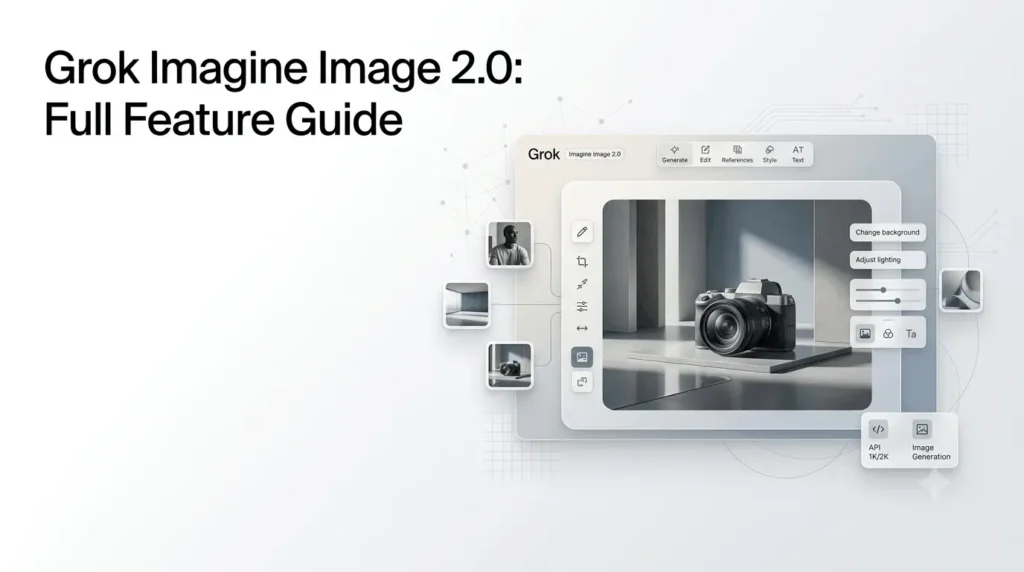
Grok Imagine Image 2.0 is xAI’s latest image-generation and editing model, designed for more precise prompt following, better typography and layout handling, and stronger image editing. It became generally available on August 7, 2026, as the new Quality Mode on Grok’s web and mobile apps, and is also available through the xAI API as grok-imagine-image-2.0.
Unlike a simple text-to-image model, Image 2.0 is built around a broader creative workflow. You can generate images from prompts, edit existing images with natural language, combine multiple reference images, transfer styles, and iterate through multiple edits.
For developers, the API currently supports 1K and 2K output, configurable aspect ratios, multiple images per request, and quality controls. API pricing starts at $0.04 per generated 1K low-quality image, while image inputs are charged separately.
Quick Summary
- Grok Imagine Image 2.0 is xAI’s latest AI image model for high-quality generation and editing.
- It excels at following prompts, accurate text, layouts, image editing, and multi-image references.
- Users can generate images in 1K or 2K resolution with multiple aspect ratios and creative styles.
- The Imagine API offers flexible pricing, quality settings, and support for up to 5 reference images for editing.
- It is useful for content creators, marketers, designers, developers, and businesses.
- While powerful, it still has limitations such as watermarks, safety restrictions, and occasional generation inconsistencies.
What Is Grok Imagine Image 2.0?
Grok Imagine Image 2.0 is xAI’s current dedicated image-generation model for creating and editing visual content.
It is designed for:
- Text-to-image generation
- Natural-language image editing
- Multi-image composition
- Style transformation
- Product imagery
- Marketing graphics
- Headshots
- Icons and game assets
- Typography-heavy designs
- Creative illustrations
- Conversational image workflows
xAI says Image 2.0 was developed with photography, design, illustration, and editing in mind. The company also says the model performs strongly on independent Arena leaderboards, ranking second in both text-to-image generation and image editing as of August 7, 2026. Those rankings are xAI’s reported snapshot rather than a permanent industry ranking.
The model is available through Grok’s consumer products and through the API using the model identifier grok-imagine-image-2.0.
When Was Grok Imagine Image 2.0 Released?
Grok Imagine Image 2.0 was announced and made generally available on August 7, 2026.
On Grok’s consumer products, it launched as the new Quality Mode on Grok Imagine through the web and iOS and Android applications. xAI positioned the release around practical creative work rather than simply improving benchmark scores.
The API version is available under:
grok-imagine-image-2.0The model supports both image generation and editing and is currently documented with 1K and 2K resolutions.
There is also an important API transition coming later in 2026. xAI announced that grok-imagine-image-quality will be retired on November 2, 2026, with requests to that model redirected to Image 2.0 at low quality. Developers are encouraged to migrate directly to grok-imagine-image-2.0.
What Are the Main Features of Grok Imagine Image 2.0?
The biggest improvement is not one isolated specification. It is the combination of generation, editing, typography, layout, and iterative workflows.
1. Precise Prompt Following
Image 2.0 is designed to follow detailed instructions more closely.
This matters when a prompt contains several requirements at once, such as:
- Specific objects
- Positions and relationships
- Lighting conditions
- Camera perspective
- Clothing
- Background details
- Composition
- Text placement
- Visual style
xAI specifically highlights improved instruction following and the ability to plan typography and layouts for dense, multi-part visuals.
Instead of writing a vague prompt such as:
“Create a modern product advertisement.”
you can provide a structured request describing the product, environment, composition, lighting, typography, and layout.
That makes Image 2.0 particularly interesting for marketing graphics and other images where composition matters as much as visual quality.
2. Stronger Typography and Layout
Text generation is one of the areas xAI specifically emphasizes with Image 2.0.
The model is designed to plan typography and layout rather than treating text as an afterthought. xAI says this helps dense multi-part designs hold together and improves the sharpness of small text.
That can be useful for:
- Posters
- Advertisements
- Social media graphics
- Infographics
- Product packaging concepts
- Editorial artwork
- Event graphics
- Promotional banners
However, good typography generation should not be interpreted as a guarantee of perfect spelling or layout on every generation. Generative image models can still make mistakes with complex text, especially when a design contains many small elements.
3. Natural-Language Image Editing
Image editing is a first-class capability in Grok Imagine Image 2.0.
You can provide an existing image and describe the modification you want using natural language.
For example:
- Change the background
- Modify the lighting
- Replace furniture
- Change clothing colors
- Transform the artistic style
- Add or remove objects
- Recompose elements
- Turn a photograph into an illustration
The xAI API accepts a public image URL, a base64-encoded image, or a file reference for editing workflows.
This makes the workflow much more conversational than traditional image-editing software.
Instead of manually selecting an object, masking it, and adjusting several settings, you can describe the intended change and let the model perform the transformation.
4. Multi-Image Editing
One of the more useful features for advanced workflows is multi-image editing.
Image 2.0 can use up to five source images in a single editing request. These can be combined for compositing subjects, transferring styles, or constructing a new scene.
For example, you could provide:
- A person
- A product
- A background
- A lighting reference
- A style reference
Then describe how the elements should be combined.
This can be useful for product campaigns, concept development, character creation, and composite scenes.
5. Style Transfer
Grok Imagine Image 2.0 supports a broad range of visual transformations.
xAI’s documentation demonstrates transformations including:
- Photorealistic imagery
- Oil painting
- Pencil sketch
- Pop art
- Anime
- Watercolor
The important part is that the transformation can be requested using natural language rather than requiring a separate style-transfer workflow.
For creators, this makes Image 2.0 useful when the goal is to preserve the underlying subject while changing its visual treatment.
6. Templates for Common Creative Tasks
xAI also introduced templates alongside Image 2.0.
These templates package common workflows into ready-to-use starting points. Current examples include:
- Photo Edit
- Product Color Change
- Editorial Product Poster
- Merch Maker
The idea is to reduce the amount of prompt engineering required for recurring creative tasks.
For beginners, templates can be an easier starting point than building complex prompts from scratch.
7. Consistency Across Generations and Edits
xAI says Image 2.0 is designed to preserve important elements across generations and edits.
This is particularly useful when working on a visual project that requires repeated modifications.
For example, a creator might generate a character and then progressively change:
- The environment
- Clothing
- Lighting
- Camera angle
- Props
- Art style
The goal is to maintain the underlying identity while changing individual elements.
That does not mean perfect consistency is guaranteed in every generation, but the capability is important for iterative workflows.
How Does Grok Imagine Image 2.0 Work?
At a high level, there are two primary workflows.
Text-to-Image
You provide a written prompt and Image 2.0 generates the requested image.
The API allows you to configure:
- Model
- Prompt
- Aspect ratio
- Resolution
- Quality
- Number of outputs
- Response format
The current API supports 1K and 2K resolutions and a range of aspect ratios, including 1:1, 16:9, 9:16, 4:3, 3:2, 21:9 and other formats.
Image-to-Image Editing
You provide one or more images and describe the desired modification.
For example:
Input: A product photograph
Prompt: “Place this product on a minimalist stone pedestal in a premium studio environment with soft daylight.”
Image 2.0 then creates a modified version based on the source image and instructions.
For more advanced workflows, up to five source images can be supplied for multi-image editing.
Grok Imagine Image 2.0 Resolution and Aspect Ratios
The current API supports two main output resolutions:
| Resolution | Availability |
|---|---|
| 1K | Supported |
| 2K | Supported |
The API also supports configurable aspect ratios.
Some documented options include:
| Aspect Ratio | Useful For |
|---|---|
| 1:1 | Social posts, square graphics |
| 16:9 | YouTube thumbnails, presentations, banners |
| 9:16 | Stories and vertical content |
| 4:3 | Presentations and general imagery |
| 3:2 | Photography |
| 21:9 | Cinematic visuals |
| 5:2 | Wide banners |
The default aspect ratio is auto, allowing the model to choose an appropriate ratio when one is not specified.
What Is the Grok Imagine Image 2.0 API Pricing?
The API uses per-image pricing rather than token-based image-generation pricing.
Current documented output prices are:
| Resolution | Low Quality | Medium Quality |
|---|---|---|
| 1K | $0.04/image | $0.06/image |
| 2K | $0.06/image | $0.08/image |
Image input is currently priced at $0.01 per image.
This means an editing request can incur charges for both the source image and generated output.
For example, a simple 1K low-quality generation costs $0.04 for the output. An edit involving one image input adds the $0.01 image-input charge.
The API also has a documented rate limit of 6 requests per second at the base tier, with higher limits available at higher tiers.
Important API Quality Update
xAI changed the behavior of the quality parameter on August 28, 2026.
The parameter now supports:
lowmediumauto
When omitted, auto is currently used. For image generation, auto currently serves low quality, while image editing currently uses medium quality. Billing is based on the quality actually served.
Developers who need predictable costs can explicitly set quality rather than relying on auto.
Grok Imagine Image 2.0 API vs Consumer Grok
These are related but should not be treated as identical experiences.
| Area | Consumer Grok | Imagine API |
|---|---|---|
| Image generation | Yes | Yes |
| Image editing | Yes | Yes |
| Conversational workflow | Core experience | Developer-controlled |
| Model identifier | Abstracted from user | grok-imagine-image-2.0 |
| Resolution controls | Interface-dependent | 1K and 2K |
| Aspect ratio controls | Interface-dependent | Extensive API controls |
| Per-image pricing | Depends on subscription/access | Usage-based |
| Multi-image editing | Supported in Imagine workflows | Up to 5 source images |
| Integration | Grok web/mobile apps | Applications and developer workflows |
The consumer product is designed for people who want to create images as part of a conversation, while the API is intended for developers who need programmatic image generation and editing.
If you are primarily interested in subscription costs, it is useful to compare the current Grok pricing and plans separately because consumer access and API billing operate differently.
How to Write Better Grok Imagine Image 2.0 Prompts?
You do not need extremely complicated prompts to get good results. What matters more is describing the visual hierarchy clearly.
A useful structure is:
Subject + environment + composition + lighting + camera + style + important details
For example:
A premium black smartwatch on a brushed aluminum pedestal, minimalist studio background, three-quarter product view, soft directional daylight from the left, subtle reflections, shallow depth of field, commercial product photography, clean composition.
This is generally more useful than simply writing:
Make a nice smartwatch image.
Specify the Composition
Tell Grok where important objects should appear.
For example:
- Subject centered
- Product in the foreground
- Person positioned on the right
- Empty space on the left
- Background softly blurred
- Text positioned above the product
This becomes especially useful for advertisements and editorial graphics.
Describe Lighting
Lighting can dramatically change the result.
Useful descriptions include:
- Soft studio lighting
- Natural window light
- Overcast daylight
- Hard directional sunlight
- Warm evening light
- Low-key cinematic lighting
Specify the Visual Style
Instead of relying on a single style keyword, describe the characteristics you want.
For example:
Premium editorial photography, restrained color palette, realistic materials, soft contrast, subtle film grain.
Be Precise With Text
When generating a poster or marketing graphic, place the exact wording in quotation marks and describe its position.
For example:
Create a minimalist technology poster with the headline “Future of AI” centered at the top in clean sans-serif typography.
Even with improved typography, inspect the generated result carefully when the text is important.
What Can You Use Grok Imagine Image 2.0 For?
The model’s combination of generation and editing makes it suitable for a wide range of workflows.
Marketing
Marketers can use it for:
- Product concepts
- Social media graphics
- Advertising concepts
- Campaign visuals
- Promotional banners
- Product color variations
The built-in templates also include marketing-oriented workflows such as editorial product posters and merchandise creation.
Product Visualization
A product photograph can be transformed into different environments or color treatments.
This is useful when testing creative directions before producing final photography.
Social Media
The wide range of aspect ratios makes Image 2.0 useful for different social formats.
You can request square, vertical, widescreen, or banner-style outputs directly through the API.
Creative Design
Designers can use the model for:
- Concept exploration
- Illustrations
- Posters
- Visual references
- Moodboards
- Style exploration
Character and World Building
Image 2.0 can also be used to build a visual world from separate generations.
xAI demonstrates workflows involving a character, locations, and props while attempting to preserve a consistent visual identity between images.
This can be useful for:
- Games
- Comics
- Storyboards
- Advertising campaigns
- Visual storytelling
Grok Imagine Image 2.0 vs Grok Imagine Image 1.0
The newer model should be viewed as a broader creative system rather than simply a resolution upgrade.
| Feature | Grok Imagine Image 1.0 | Grok Imagine Image 2.0 |
|---|---|---|
| Text-to-image | Yes | Yes |
| Image editing | Yes | Yes |
| Advanced editing | More limited | Major focus |
| Typography | Supported | Improved focus |
| Layout planning | More limited | Stronger focus |
| Multi-image editing | Limited | Up to 5 API source images |
| Style transfer | Supported | Expanded workflow |
| 1K output | Yes | Yes |
| 2K output | Yes | Yes |
| Model status | Older model | Current dedicated image model |
The biggest practical change is the emphasis on editing, layout, instruction following, and professional creative workflows. xAI describes Image 2.0 as being built for real creative work rather than only basic image generation.
What Are the Limitations of Grok Imagine Image 2.0?
Despite its improvements, Image 2.0 is still a generative image model and should not be treated as a replacement for every professional design tool.
Complex Text Can Still Fail
Improved typography does not guarantee perfect spelling or layout.
For high-stakes graphics, always check:
- Spelling
- Numbers
- Logos
- Fine print
- Product specifications
- Legal text
Editing Is Not Always Pixel-Perfect
Natural-language editing is convenient, but highly precise professional retouching may still require traditional image-editing software.
Consistency Is Improved, Not Perfect
Image 2.0 is designed to preserve elements across generations and edits, but generative systems can still introduce unwanted changes.
This is particularly important for:
- Faces
- Hands
- Clothing details
- Product geometry
- Small logos
- Complex objects
API Costs Scale With Usage
The per-image price is relatively straightforward, but large production workflows can accumulate costs quickly.
Developers should account for:
- Number of generations
- Resolution
- Quality
- Image inputs
- Failed or repeated generations
- Editing workflows
Because image input is billed separately, repeated editing pipelines should be monitored carefully.
Is Grok Imagine Image 2.0 Free?
The answer depends on how you access it.
On the consumer side, Image 2.0 became the Quality Mode experience within Grok’s web and mobile products. Access and usage depend on the applicable Grok product and subscription limits.
The API is different. It is usage-based rather than simply providing unlimited image generation for a fixed monthly subscription.
The current API output pricing begins at $0.04 per 1K low-quality image, with higher prices for 2K and medium-quality outputs.
Is Grok Imagine Image 2.0 Good for Professional Work?
It can be, particularly for workflows involving generation plus repeated editing.
Its strongest practical areas include:
- Concept development
- Marketing visuals
- Product imagery
- Editorial graphics
- Typography-heavy designs
- Image transformations
- Creative iteration
- Multi-image composition
For final commercial production, however, the model should be treated as part of a workflow rather than automatically being the entire workflow.
Designers may still want tools such as Photoshop, Illustrator, or other specialized software for precise finishing.
For developers, the API is more compelling when image generation needs to become part of an automated application rather than a manual creative process.
Grok Imagine Image 2.0 for Developers
Developers can call the model directly through xAI’s API.
The current model identifier is:
grok-imagine-image-2.0A basic Python request uses the xAI SDK and supplies a prompt and model name.
The API also supports OpenAI-compatible interfaces, JavaScript, REST requests, and other integrations documented by xAI.
The API is particularly useful when you want to:
- Add image generation to an application
- Automate product imagery
- Generate multiple creative variations
- Build an image-editing workflow
- Create AI-powered design tools
- Integrate image generation into an agent
- Process images programmatically
The Imagine API can also be used as part of broader image and video workflows. xAI provides separate endpoints and models for image and video generation.
What Is Happening to the Older Grok Image Quality Models?
This is important for developers maintaining existing integrations.
xAI announced on September 2, 2026 that grok-imagine-image-quality will be retired on November 2, 2026. After that date, requests to the old slug will be served by grok-imagine-image-2.0 with quality set to low.
The older grok-imagine-image-pro model already redirects to the quality model and will therefore follow the same migration path.
The recommended approach is to update applications to explicitly use:
grok-imagine-image-2.0This gives developers direct control over the model and its quality setting instead of relying on a future redirect.
Grok Imagine Image 2.0 vs Other AI Image Generators
Image 2.0 enters a crowded market that includes models such as GPT Image, Nano Banana, Midjourney, FLUX, Ideogram, Recraft, Firefly, and other systems.
The main distinction is its combination of conversational generation, natural-language editing, multi-image composition, typography, and integration with the broader Grok ecosystem.
Rather than choosing a model solely by image quality, consider the workflow you actually need.
| Use Case | Grok Imagine Image 2.0 |
|---|---|
| General image generation | Strong |
| Natural-language editing | Strong |
| Typography | Strong |
| Multi-image composition | Strong |
| Creative styles | Strong |
| Product concepts | Strong |
| Marketing graphics | Strong |
| Developer API | Strong |
| Precise manual retouching | Better with dedicated editing software |
| Traditional vector design | Better with dedicated vector tools |
For creators who already use Grok, the conversational workflow can be one of the biggest advantages.
Tips for Getting Better Results
A few habits can make Image 2.0 more reliable.
Start With the Important Elements
Put the most important visual requirements early in the prompt.
Describe Relationships
Instead of listing objects independently, explain how they interact.
For example:
A silver laptop positioned on a wooden desk, with the display facing the viewer and a coffee cup placed to its right.
This provides more compositional information than:
Laptop, desk, coffee cup.
Use Iterative Editing
You do not always need to regenerate an image from scratch.
A better workflow can be:
- Generate the initial image.
- Identify the largest problem.
- Ask Grok to correct that specific issue.
- Review the result.
- Make another targeted edit.
The API documentation explicitly supports multi-turn editing, where each output can become the input for the next modification.
Keep Complex Requests Structured
For complicated designs, separate the prompt into logical sections:
- Subject
- Composition
- Environment
- Lighting
- Typography
- Style
- Constraints
This makes it easier to identify which part of the prompt needs adjustment if the output is wrong.
Who Should Use Grok Imagine Image 2.0?
Beginners: Good choice if you want conversational image generation without learning complicated editing software.
Creators: Useful for generating concepts, illustrations, transformations, and iterative visual content.
Marketers: Particularly useful for product imagery, promotional graphics, posters, and creative variations.
Designers: Useful for concept development and visual exploration, although professional finishing may still require dedicated design software.
Developers: A strong option when image generation or editing needs to be integrated into an application through an API.
Conclusion
Grok Imagine Image 2.0 is a significant step beyond basic text-to-image generation. Its strongest appeal comes from combining image creation with natural-language editing, multi-image composition, typography, layout control, style transformation, and iterative workflows.
For everyday users, the conversational Grok experience makes experimentation straightforward. For creators and marketers, the editing and design capabilities make it useful for producing and refining visual concepts. Developers get a dedicated API with 1K and 2K output, configurable aspect ratios, quality controls, and usage-based pricing.
The model is not a replacement for every specialized design tool, but Grok Imagine Image 2.0 is becoming a serious option for users who want generation and editing in one workflow. Its continued development and the retirement of older image-quality model endpoints also make it the model developers should target for new Grok image integrations going forward.
Frequently Asked Questions
1. What is Grok Imagine Image 2.0?
Grok Imagine Image 2.0 is xAI’s current image-generation and editing model. It supports text-to-image generation, natural-language editing, multi-image workflows, style transformations, configurable aspect ratios, and 1K or 2K API output.
2. When was Grok Imagine Image 2.0 released?
Grok Imagine Image 2.0 became generally available on August 7, 2026, as the new Quality Mode for Grok Imagine on the web and mobile apps.
3. How much does Grok Imagine Image 2.0 cost?
Through the API, output pricing currently starts at $0.04 per 1K low-quality image. 1K medium costs $0.06, 2K low costs $0.06, and 2K medium costs $0.08 per image. Image inputs cost $0.01 each.
4. Can Grok Imagine Image 2.0 edit images?
Yes. It supports natural-language image editing and can accept up to five source images in a multi-image editing request through the API.
5. Can Grok Imagine Image 2.0 generate text in images?
Yes. xAI specifically highlights improved typography and layout planning, including sharper small text in complex visual designs. However, generated text should still be checked for spelling and accuracy.
6. Is Grok Imagine Image 2.0 available through an API?
Yes. Developers can use the model through the xAI API with the identifier grok-imagine-image-2.0. The API supports image generation and editing with configurable resolution, aspect ratio, quality, and output settings.
Also Read –
Grok Pricing: Plans & Costs Explained
Grok Imagine Video 1.5: Features, Speed, Audio, Limits & Real-World Performance