
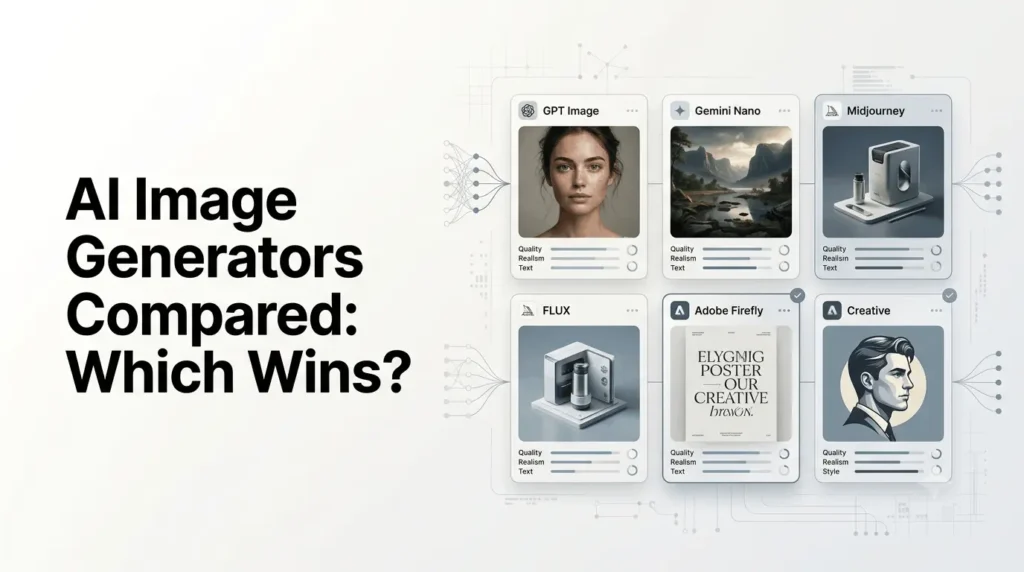
AI Image Generators Compared: ChatGPT Images, Nano Banana 2, Midjourney V8.2, FLUX.2, Ideogram 4.0, Recraft V4.1, Adobe Firefly, Grok Imagine Image 2.0, and Leonardo.Ai all bring different strengths to image creation.
There is no single winner in 2026. GPT Image 2 is a strong all-rounder, Nano Banana 2 excels at editing and consistency, Midjourney V8.2 stands out for creative style, FLUX.2 for realism and control, Ideogram 4.0 for text, and Recraft V4.1 for design and vector work. Firefly is ideal for Adobe users, while Grok and Leonardo.Ai offer strong conversational and multi-model workflows.
AI Image Generators Compared: Quick Verdict
Here is the practical breakdown:
| AI Image Generator | Current Model | Best For | Main Strength |
|---|---|---|---|
| ChatGPT | GPT Image 2 | Overall use | Prompt understanding and versatile creation |
| Gemini | Nano Banana 2 | Editing and fast creation | Speed, fidelity and consistency |
| Midjourney | V8.2 | Artistic images | Aesthetic quality and art direction |
| FLUX | FLUX.2 | Photorealism and control | Flexible generation and developer workflows |
| Ideogram | Ideogram 4.0 | Text and design | Typography and layout control |
| Recraft | V4.1 | Graphic design | Raster + vector workflows |
| Adobe Firefly | Image Model 5 | Commercial workflows | Adobe integration and creative production |
| Grok | Imagine Image 2.0 | Conversational creation | Instruction following and editing |
| Leonardo.Ai | Multiple models | Creative workflows | Multi-model platform and creative tools |
The model names matter because several platforms have changed substantially during 2026. For example, Midjourney released V8.2 in July, Google introduced Nano Banana 2 in February, OpenAI introduced ChatGPT Images 2.0 in April, and Grok Imagine Image 2.0 became generally available in August.
Which Is the Best AI Image Generator in 2026?
If you want one recommendation for general use, GPT Image 2 is among the strongest all-purpose choices, particularly when prompt interpretation, composition, editing, and conversational iteration are more important than having a dedicated artistic workflow.
But that does not make it the automatic winner.
A photographer, designer, marketer, game artist, developer, and social-media creator can have completely different requirements.
A better breakdown is:
- Best overall: ChatGPT / GPT Image 2
- Best for artistic style: Midjourney V8.2
- Best for editing and consistency: Gemini / Nano Banana 2
- Best for photorealistic and controllable workflows: FLUX.2
- Best for text in images: Ideogram 4.0
- Best for vectors and graphic design: Recraft V4.1
- Best for Adobe workflows: Firefly
- Best for conversational image creation: Grok Imagine Image 2.0
- Best multi-model creative platform: Leonardo.Ai
These are use-case recommendations, not a universal benchmark ranking. Different models optimize for different parts of the image-generation process.
What Makes a Good AI Image Generator?
Comparing image generators only by how attractive their sample images look can be misleading.
A useful comparison should consider several factors.
Prompt Following
Can the model actually produce what the prompt asks for?
This becomes important when a prompt contains:
- Multiple subjects
- Specific positions
- Several objects
- Detailed environments
- Written text
- Camera instructions
- Brand requirements
- Specific visual relationships
A model that creates a beautiful but incorrect image is less useful than one that produces a slightly less impressive image that follows the brief.
Image Quality
Look at:
- Detail
- Lighting
- Textures
- Anatomy
- Depth
- Materials
- Color handling
- Photorealism
- Overall composition
Image quality is still important, but it should not be evaluated separately from prompt adherence.
Text Rendering
Text remains one of the biggest differentiators between image models.
For:
- Posters
- Advertisements
- Product packaging
- Infographics
- Social media graphics
- Editorial covers
- Logos
Accurate typography can matter more than cinematic image quality.
This is where specialized tools such as Ideogram can be particularly useful.
Editing
Modern image generation is no longer just about producing a picture from scratch.
A good image model should also let you:
- Change an object
- Replace a background
- Modify clothing
- Add or remove elements
- Preserve a person’s appearance
- Maintain composition
- Create variations
- Refine an existing image
Consistency
If you are producing a campaign, character series, product catalog, or collection of illustrations, consistency becomes critical.
The best model for a single image is not necessarily the best model for producing 50 related images.
Workflow
Finally, consider how the model fits into your workflow.
A model available directly inside a conversational assistant may be more convenient than a dedicated creative platform for some users.
A designer may prefer a tool with advanced controls, while a developer may prioritize an API.
1. ChatGPT Images – Best Overall
OpenAI’s current image-generation ecosystem is powered by GPT Image 2, while ChatGPT provides the user-facing image-generation experience.
OpenAI introduced ChatGPT Images 2.0 in April 2026 and describes it as a new generation of image creation. ChatGPT Images supports both generation and editing, while OpenAI emphasizes iterative workflows where users can refine images through natural-language instructions.
Why ChatGPT stands out?
The biggest advantage is not simply image quality.
It is the combination of:
Prompt understanding + conversational editing + general-purpose image creation.
You can describe what you want, inspect the result, and then tell the system what should change.
That makes the workflow particularly useful for:
- Blog graphics
- Marketing images
- Concept art
- Product concepts
- Social media content
- Illustrations
- Presentation visuals
- Image editing
OpenAI also says ChatGPT Images can handle text within images and can work with uploaded images for editing.
Where ChatGPT is strongest?
Prompt interpretation and general-purpose creation.
It is especially convenient when you do not want to learn a specialized image-generation interface.
Limitations
ChatGPT is not necessarily the best choice for every highly specialized workflow.
If your primary goal is cinematic art direction, professional vector output, or typography-heavy graphic design, another tool may fit better.
Pricing
ChatGPT has a free tier with limited image generation, while paid plans provide expanded access. OpenAI’s current pricing page lists Plus at $20/month and Pro at $200/month, although image-generation availability and limits vary by plan.
2. Google Gemini – Best for Editing and Consistency
Google’s image-generation ecosystem has evolved rapidly, with Nano Banana 2, based on Gemini 3.1 Flash Image, launched in February 2026.
Google describes Nano Banana 2 as combining high-fidelity image generation with faster editing and improved world knowledge.
This makes Gemini particularly interesting for users who frequently create an image and then continue modifying it.
Why Nano Banana 2 stands out?
Its strengths include:
- Fast image generation
- Image editing
- Subject consistency
- Detailed instructions
- Strong contextual understanding
- Integration into Google’s broader ecosystem
For example, you can start with a product image and progressively modify:
- The background
- Lighting
- Product placement
- Clothing
- Environment
- Composition
without rebuilding the entire concept from scratch.
Best for
Nano Banana 2 is particularly useful for:
- Content creators
- Social media
- Marketing concepts
- Product imagery
- Image editing
- Character consistency
- Rapid iteration
Google also continues to integrate image generation into Gemini and other Google surfaces.
Verdict
One of the best choices when editing and consistency matter as much as initial generation.
3. Midjourney V8.2 – Best for Artistic Quality
Midjourney AI remains one of the most recognizable names in AI image generation.
Its current V8.2 model launched on July 24, 2026, with an emphasis on aesthetics, image quality, creativity, and personalization.
Midjourney’s biggest advantage remains its ability to produce visually compelling images with a strong sense of art direction.
Why Midjourney is different
Midjourney is particularly attractive when the goal is:
- Cinematic imagery
- Fashion concepts
- Editorial art
- Fantasy
- Concept art
- Mood boards
- Character design
- Stylized photography
Rather than treating the generator purely as a utility, many creators use Midjourney as an art-direction environment.
V8.2 improvements
Midjourney says V8.2 focuses on more sophisticated and creative outputs while reducing situations that previously resulted in low-quality images. Its personalization system was also improved to better understand individual taste.
Where Midjourney can lose?
If you need extremely precise typography, structured graphic layouts, or production-oriented vector assets, specialized tools can be more appropriate.
Pricing
Midjourney currently offers four subscription tiers:
| Plan | Monthly Price | Annual Equivalent |
|---|---|---|
| Basic | $10 | $8/month |
| Standard | $30 | $24/month |
| Pro | $60 | $48/month |
| Mega | $120 | $96/month |
Annual billing receives a 20% discount. Standard, Pro, and Mega provide unlimited image generations in Relax Mode, while Stealth Mode is available on Pro and Mega.
Verdict
If visual style and artistic direction are your top priorities, Midjourney remains one of the strongest choices.
4. FLUX.2 – Best for Control and Photorealism
FLUX.2 from Black Forest Labs occupies a different part of the market.
Rather than focusing only on a consumer-friendly creative interface, the FLUX ecosystem also emphasizes API access, open-weight models, flexible workflows, and developer use.
Black Forest Labs’ 2026 release notes show continued development across the FLUX.2 family, including FLUX.2 [max], [pro], [flex], and [klein].
Why FLUX matters?
FLUX is particularly interesting for users who want:
- Photorealistic imagery
- Fine control
- Image editing
- API integration
- Local or self-hosted workflows where supported
- Production pipelines
The FLUX.2 [klein] family, for example, was introduced with a focus on very fast inference, including sub-second generation and open-weight options.
Best for
FLUX is a strong option for:
- Developers
- AI application builders
- Product visualization
- Commercial imagery
- Photorealistic concepts
- Custom workflows
Verdict
FLUX.2 is one of the strongest options when you care about control and integration rather than simply generating images inside a consumer app.
5. Ideogram 4.0 – Best for Text and Design
If the image contains a lot of text, Ideogram 4.0 deserves special attention.
Ideogram released version 4.0 in June 2026 as an open-weight image model with a commercial license. The company specifically emphasizes typography, layout control, photorealism, and design-oriented workflows.
Why Ideogram is different?
Ideogram 4.0 supports:
- Multilingual text rendering
- Dense typography
- Layout control
- Bounding-box positioning
- Realistic 2K imagery
- Open weights
- Commercial deployment options
Ideogram specifically designed the model around professional design tasks where text and layout are critical.
Best for
Use Ideogram when creating:
- Posters
- Advertisements
- Social graphics
- Packaging
- Typography-heavy images
- Logos and branding concepts
- Editorial graphics
API pricing
Ideogram’s official model page currently lists API pricing of:
- Turbo: $0.03/image
- Default: $0.06/image
- Quality: $0.10/image
Verdict
For typography-heavy graphics and structured design, Ideogram 4.0 is one of the clearest specialists in this comparison.
6. Recraft V4.1 – Best for Graphic Design and Vectors
Recraft is another tool where the workflow matters as much as the raw image.
Recraft released V4.1 in May 2026, building on V4 with improvements in photorealism, prompt following, illustration, icons, and vectors.
Its biggest differentiator is its focus on professional design output.
What makes Recraft different?
Recraft supports both raster and vector generation.
That matters because a generated SVG can be far more useful to a designer than a flat PNG.
Its V4 family supports production-quality vector generation, while V4.1 adds further improvements across image quality and consistency.
Best for
Recraft is particularly useful for:
- Logos
- Icons
- Brand assets
- Illustrations
- Posters
- Marketing graphics
- Product visuals
- SVG workflows
Pricing
Recraft’s individual Basic plan starts at $12/month when billed monthly, while Pro starts at $20/month. The platform uses credits for generation and editing.
Verdict
For graphic design and vector-oriented work, Recraft can be a better choice than a general-purpose image generator.
7. Adobe Firefly – Best for Adobe Users and Commercial Workflows
Adobe Firefly is less about being a single isolated image model and more about being part of a broader creative ecosystem.
Adobe’s current Firefly platform includes its own models alongside models from other companies. In March 2026, Adobe said Firefly was expanding access to more than 30 models, including Firefly Image Model 5, Google Nano Banana 2, OpenAI image models, and others.
Why Firefly stands out?
If you already use Photoshop, Illustrator, Premiere Pro, or other Adobe products, Firefly can fit naturally into an existing production workflow.
Its strengths include:
- Image generation
- Image editing
- Creative production
- Custom models
- Adobe application integration
- Commercial-oriented workflows
Adobe also offers Firefly plans and credit-based options, with the exact benefits depending on the current plan and promotion.
Best for
Firefly makes particular sense for:
- Designers
- Agencies
- Marketing teams
- Adobe Creative Cloud users
- Enterprise workflows
- Commercial content production
Verdict
Firefly is not necessarily the image-quality winner in every blind comparison, but it can be the workflow winner for professional Adobe users.
8. Grok Imagine Image 2.0 – Best for Conversational Creation
xAI has also become a significant competitor in AI image generation.
Grok Imagine Image 2.0 became generally available in August 2026 as the new Quality Mode on Grok’s web and mobile experiences. xAI says the model focuses on following detailed instructions, typography and layout, and preserving important elements across generations and edits.
Why Grok is interesting?
The experience is particularly conversational.
Instead of thinking in terms of traditional image-generation parameters, users can describe the result and then refine it through additional instructions.
This makes Grok useful for:
- Concept generation
- Social media imagery
- Memes
- Product concepts
- Character variations
- Image editing
- Creative experimentation
Verdict
Grok Imagine Image 2.0 is a strong option for people who prefer conversational image creation and iterative editing.
9. Leonardo.Ai – Best Multi-Model Creative Platform
Leonardo.Ai takes a different approach from tools such as Midjourney.
Instead of building the entire experience around one flagship image model, Leonardo provides access to multiple models and combines them with editing, upscaling, canvas, and other creative tools.
Its current model ecosystem includes Leonardo’s own Lucid models alongside GPT Image 2, Nano Banana 2, FLUX.2, Ideogram 4.0, Recraft, and other models.
Why Leonardo is useful?
This approach is valuable when you do not want to maintain separate accounts for every image model.
You can switch models depending on the project.
For example:
Lucid Origin for general creative work.
GPT Image 2 for polished general-purpose generation.
Nano Banana 2 for editing and consistency.
Ideogram 4.0 for typography.
FLUX.2 for other photorealistic and controllable workflows.
Leonardo also offers image generation, editing, upscaling, video generation, and other creative functions in one platform.
Pricing
Leonardo’s current individual plans include:
| Plan | Monthly Price |
|---|---|
| Free | $0 |
| Essential | $12 |
| Premium | $30 |
| Ultimate | $60 |
The paid tiers provide increasing token allowances, privacy, personal models, and other capabilities.
Verdict
Leonardo is particularly attractive if you want a single creative workspace containing multiple image-generation models.
AI Image Generators Compared by Use Case
The best tool changes significantly depending on the project.
| Use Case | Recommended Tool | Why |
|---|---|---|
| Overall image generation | ChatGPT | Strong general-purpose workflow |
| Artistic images | Midjourney | Strong visual aesthetics |
| Image editing | Gemini | Strong conversational editing |
| Photorealistic work | FLUX.2 | Control and high-fidelity output |
| Text-heavy images | Ideogram | Typography and layout |
| Vector graphics | Recraft | Production-quality SVG workflows |
| Adobe workflow | Firefly | Creative Cloud integration |
| Conversational creation | Grok | Natural-language iteration |
| Multi-model workflow | Leonardo.Ai | Many models in one platform |
| Developer workflows | FLUX.2 / APIs | Integration and control |
| Marketing graphics | Ideogram / Recraft | Text, layout and brand assets |
| Concept art | Midjourney | Art direction and aesthetics |
Which AI Image Generator Has the Best Image Quality?
There is no objective winner across every prompt.
A model may produce the strongest portrait while another handles a complex product advertisement better.
For example:
- Midjourney is particularly strong for aesthetic and cinematic art direction.
- GPT Image 2 is a strong general-purpose option for complex instructions.
- Nano Banana 2 is particularly useful when editing and consistency are important.
- FLUX.2 is strong for photorealistic and controlled workflows.
- Ideogram 4.0 has a major advantage when typography is central.
- Recraft V4.1 is better suited to design and vector production.
This is why simple “best image quality” leaderboards should be treated cautiously.
The best model depends on the prompt and the definition of quality.
Which AI Image Generator Is Best for Text?
Ideogram 4.0 is one of the strongest choices for text-heavy image generation.
Its architecture and training approach are explicitly designed around typography and structured layouts.
Ideogram says V4.0 supports multilingual text, dense typography, and bounding-box layout control for elements such as logos and headlines.
However, GPT Image 2, Nano Banana 2, Grok Imagine Image 2.0, and other newer models have also improved significantly in text rendering.
For a simple social graphic, several models may perform well.
For a complex poster where exact words and positioning are critical, a specialized design-focused model can still provide an advantage.
Which AI Image Generator Is Best for Photorealism?
There is no single uncontested winner, but FLUX.2, GPT Image 2, Nano Banana 2, Midjourney, and Recraft V4.1 are all serious options.
The right choice depends on what “photorealism” means for your project.
For example:
- Product photography requires material accuracy.
- Portraits require anatomy and facial consistency.
- Architecture requires geometry.
- Food photography requires realistic textures.
- Advertising imagery requires both realism and composition.
For commercial product concepts, test the same prompt across multiple models before committing to a subscription.
Which AI Image Generator Is Best for Editing?
Gemini with Nano Banana 2 and ChatGPT are among the strongest choices for conversational editing.
The advantage is that you can describe a change rather than manually rebuild the image.
A useful workflow is:
- Generate the initial image.
- Identify the one element that is wrong.
- Ask the model to change only that element.
- Check whether the rest of the composition was preserved.
- Repeat until the image is ready.
This is especially useful when working with product concepts, characters, marketing graphics, or photographs.
Which AI Image Generator Is Best for Designers?
There is no single answer.
Recraft is particularly attractive for vector and design workflows.
Ideogram is strong for typography and layout.
Adobe Firefly is useful for people already working in Creative Cloud.
Midjourney is strong for visual exploration and art direction.
A professional designer may therefore benefit from using multiple models rather than selecting one platform for everything.
Which AI Image Generator Is Best for Marketers?
For marketing, the priorities are usually different from pure image quality.
You often need:
- Correct text
- Brand consistency
- Product accuracy
- Fast iteration
- Multiple formats
- Editing
- Commercial-use considerations
- Repeatable workflows
That makes Ideogram, Recraft, Firefly, ChatGPT, and Gemini particularly interesting.
For a campaign, you may even use multiple tools:
ChatGPT → campaign concept
Ideogram → typography-heavy creative
Recraft → brand/vector assets
Firefly or Photoshop → production editing
This is often more efficient than forcing one model to perform every task.
AI Image Generator Pricing Compared
Pricing varies considerably because platforms use different models.
Some charge a monthly subscription.
Others use credits.
Some provide API usage.
Others combine multiple models under one subscription.
| Platform | Entry-Level Access | Pricing Model |
|---|---|---|
| ChatGPT | Free | Subscription tiers |
| Gemini | Free access available | Google AI plans / usage limits |
| Midjourney | $10/month | Subscription |
| FLUX.2 | Varies by model/provider | API and hosted options |
| Ideogram | Free/paid access | Subscription + API |
| Recraft | Free credits | Credit subscriptions |
| Firefly | Free/paid options | Credits/subscriptions |
| Grok | Free/paid access | Subscription |
| Leonardo.Ai | Free | Token-based subscriptions |
Midjourney currently starts at $10/month, Recraft at $12/month, and Leonardo at $12/month for its first paid individual tiers.
The cheapest subscription is not automatically the best value.
A better calculation is:
Cost per usable image = subscription cost ÷ number of images you can actually use.
If a model requires 10 attempts to get the desired result while another gets it in two attempts, the nominal subscription price does not tell the whole story.
Free AI Image Generators: Which Ones Are Worth Trying?
Several major platforms provide some form of free access.
ChatGPT
The free ChatGPT tier includes limited image generation.
Gemini
Google provides image-generation access through Gemini, although availability and limits depend on the account and current product configuration.
Recraft
Recraft provides free daily credits. Its documentation currently lists 30 credits per day for free users.
Leonardo.Ai
Leonardo’s free plan currently provides 150 Fast Tokens per day.
Midjourney
Midjourney’s current plans are subscription-based, so it is not the best choice if your priority is a permanently free image-generation workflow.
How to Choose the Right AI Image Generator?
Instead of subscribing to several services immediately, start with your actual workflow.
Step 1: Identify the image type
Ask whether you mainly create:
- Photos
- Illustrations
- Posters
- Product images
- Social graphics
- Logos
- Concept art
- Blog images
- Character designs
Step 2: Identify the difficult part
What usually causes problems?
Poor text? Try Ideogram.
Weak aesthetics? Try Midjourney.
Editing problems? Try Gemini or ChatGPT.
Vector requirements? Try Recraft.
Adobe production workflow? Try Firefly.
Developer integration? Look at FLUX and other APIs.
Step 3: Test identical prompts
Do not compare random showcase images.
Take the same five prompts and run them through each candidate.
Use a test set containing:
- Photorealistic portrait
- Product advertisement
- Text-heavy poster
- Complex multi-object scene
- Image-editing task
This gives you a much more useful picture of which model actually works for you.
A Practical AI Image Generation Workflow
You do not necessarily need one “winner.”
A professional workflow can combine multiple tools.
For example:
Concept
Use ChatGPT or Gemini to develop the visual concept and prompt.
Artistic Exploration
Generate different visual directions with Midjourney.
Typography
Move the strongest concept to Ideogram when accurate text and layout are required.
Brand Assets
Use Recraft for vector elements and production-oriented graphics.
Final Production
Use Photoshop or Firefly for final editing and compositing.
This approach treats AI image generators as specialized creative tools rather than competing replacements for one another.
Common Mistakes When Comparing AI Image Generators
Comparing Different Prompts
This makes the comparison meaningless.
Use the same prompt whenever possible.
Looking Only at the First Generation
One model may produce a mediocre first image but become excellent after editing.
Another may produce a great first image but struggle with revisions.
Test the entire workflow.
Ignoring Text
A beautiful image is not useful if the headline is wrong.
Always test typography if you create marketing or editorial graphics.
Ignoring Editing
Modern image generation increasingly involves refinement rather than one-shot generation.
Test whether the model preserves the elements you want to keep.
Choosing Based Only on Price
A $10 subscription can be more expensive in practice if you spend hours fighting the model.
Ignoring Commercial Requirements
If the image is going into paid advertising, packaging, or a client project, examine the platform’s current terms and licensing before publishing.
AI Image Generators Compared: Final Ranking by Category
Rather than one overall ranking, this is the more useful scorecard:
| Category | Winner |
|---|---|
| Overall versatility | ChatGPT / GPT Image 2 |
| Artistic direction | Midjourney V8.2 |
| Editing | Gemini / Nano Banana 2 |
| Typography | Ideogram 4.0 |
| Vector design | Recraft V4.1 |
| Photorealistic workflows | FLUX.2 |
| Adobe ecosystem | Firefly |
| Conversational generation | Grok Imagine Image 2.0 |
| Multi-model platform | Leonardo.Ai |
| Developer flexibility | FLUX.2 and model APIs |
| Value for experimentation | Gemini / Recraft / Leonardo |
These categories should be viewed as practical recommendations rather than objective benchmark results. The models continue to change quickly, and a future model update can shift the balance.
Conclusion
AI image generators compared in 2026 reveal a more specialized market than the early days of AI art. There is no single model that dominates every category.
Choose ChatGPT for an accessible all-round workflow, Gemini for fast editing and consistency, Midjourney for artistic direction, FLUX.2 for control and photorealistic workflows, Ideogram for typography, Recraft for professional design and vectors, Firefly for Adobe-centric production, Grok for conversational creation, and Leonardo.Ai when you want multiple models inside one creative platform.
The smartest approach is to match the model to the job. Run the same prompts through two or three candidates, compare the actual results, and judge the entire workflow—not just the prettiest first image.
Frequently Asked Questions
1. Which AI image generator is best overall?
For most general users, ChatGPT with GPT Image 2 is one of the strongest all-round choices because it combines image generation, editing, natural-language instructions, and a conversational workflow. However, Midjourney, Gemini, FLUX, and specialized tools can be better for particular jobs.
2. Is Midjourney better than ChatGPT for images?
It depends on the goal. Midjourney is particularly strong for artistic direction, cinematic imagery, and stylized visual work, while ChatGPT is more versatile for conversational generation and editing.
3. Which AI image generator is best for text?
Ideogram 4.0 is a particularly strong option for typography-heavy graphics because it was specifically developed around text rendering and layout control.
4. What is the best free AI image generator?
There is no single winner. ChatGPT, Gemini, Recraft, and Leonardo.Ai all provide some form of free access, but their limits differ. Recraft currently provides 30 free credits per day, while Leonardo lists 150 Fast Tokens per day on its free plan.
5. Which AI image generator is best for commercial use?
The answer depends on the project’s requirements and each provider’s current terms. Adobe Firefly is particularly relevant to commercial creative workflows, while Recraft and Ideogram also provide commercial-oriented options. Always check the current license and usage terms before using generated assets commercially.
6. Should I use one AI image generator or several?
For casual use, one good general-purpose generator is usually enough. Professional creators and marketers can benefit from a multi-tool workflow because different models are optimized for different tasks such as typography, editing, artistic direction, vectors, and photorealism.
Also Read –
Grok Pricing: Plans & Costs Explained
Grok Prompt Frameworks: How Structured Prompts Improve AI Results?
How to Write Effective Prompts for SuperGrok: A Comprehensive Guide