
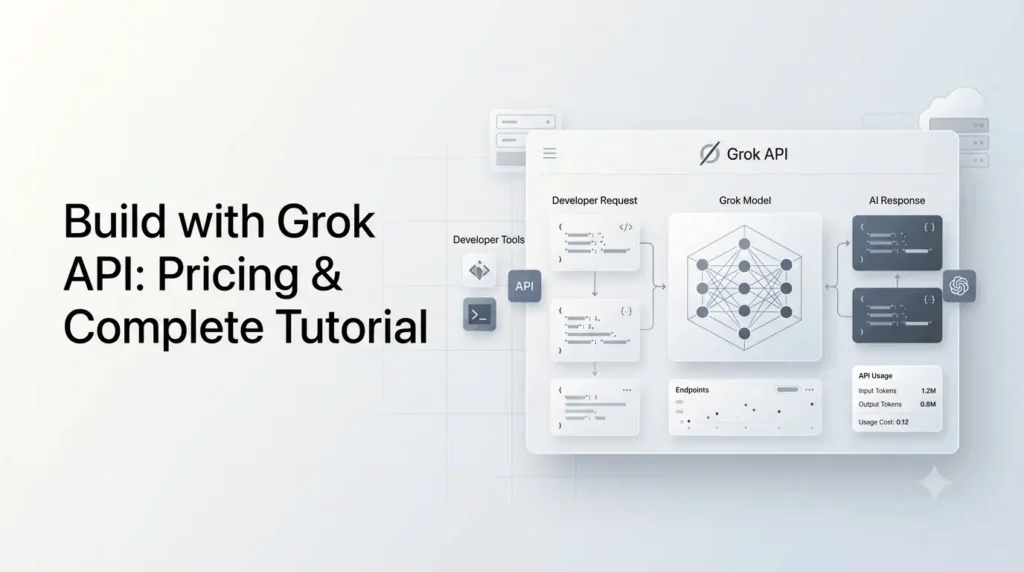
The Grok API gives developers programmatic access to xAI’s Grok models for building chatbots, AI assistants, coding tools, research applications, content workflows, agents, image generators, and other AI-powered products.
The API is usage-based rather than a permanently free API. xAI provides a free Playground for testing models, while API requests consume paid credits. The current flagship, Grok 4.6, costs $2 per 1 million input tokens and $6 per 1 million output tokens for short-context requests.
One important clarification: xAI previously offered $25 in free API credits per month during its 2024 public beta, but that was a historical promotion and should not be confused with the current API pricing model.
This guide explains how the Grok API works, how much it costs, whether you can use it for free, how to get an API key, and how to make your first request with Python, JavaScript, OpenAI-compatible libraries, and REST.
What Is the Grok API?
The Grok API is xAI’s developer platform for accessing Grok models through APIs and SDKs instead of using Grok only through its consumer applications.
Developers can send prompts to Grok from their own software and receive generated responses programmatically. Depending on the model and API features used, applications can also work with images, web search, X search, code execution, files, collections, structured workflows, and other tools.
The API is particularly useful when you want to put Grok inside a product rather than manually interacting with Grok through the web or mobile application.
Typical applications include:
- AI chatbots
- Customer-support assistants
- Research and information tools
- Coding assistants
- Content-generation systems
- AI agents
- Document analysis
- RAG applications
- Real-time web research
- X/Twitter analysis
- Image-generation applications
- Voice applications
- Automated business workflows
xAI also provides an OpenAI compatible API interface. For example, applications using the OpenAI Python SDK can point their client at https://api.x.ai/v1 and authenticate with an xAI API key.
Is the Grok API Free?
No. The Grok API is not currently a permanently free API. API usage is billed according to the model and the amount of processing used.
However, xAI provides a free Playground through the Console, allowing developers to test Grok models before committing to API spending.
This distinction matters because older articles may still mention xAI’s $25 monthly free API credit promotion.
What happened to the $25 free Grok API credits?
When xAI launched its API public beta in November 2024, it announced $25 of free API credits per month through the end of 2024.
That promotion was temporary.
Therefore, if you see a guide claiming that every developer automatically receives $25 of free Grok API credits every month, it is describing the old 2024 public-beta offer rather than the current pricing system.
For current testing, xAI points developers toward the free Console Playground. API usage itself is usage-based.
Grok API Pricing in 2026
Grok API pricing depends on the model, context length, input tokens, output tokens, and in some cases, the specific tool or media operation.
For text models, xAI publishes separate short-context and long-context rates. Long-context pricing applies once a request reaches the model’s stated long-context threshold.
Current Grok text API pricing
| Model | Context | Short-context input / 1M | Cached input / 1M | Short-context output / 1M |
|---|---|---|---|---|
| Grok 4.6 | 500K | $2.00 | $0.50 | $6.00 |
| Grok Build 0.1 | 256K | $1.00 | $0.20 | $2.00 |
| Grok 4.5 | 500K | $2.00 | $0.30 | $6.00 |
| Grok 4.3 | 1M | $1.25 | $0.20 | $2.50 |
| Grok 4.2 | 1M | $1.25 | $0.20 | $2.50 |
These are the currently published prices on xAI’s API pricing documentation. Long-context requests use separate rates once the relevant threshold is reached.
Grok 4.6 pricing
For many new applications, Grok 4.6 is the most important model to understand.
xAI lists:
- 500,000-token context window
- $2 / 1M input tokens
- $0.50 / 1M cached input tokens
- $6 / 1M output tokens
- Higher rates for long-context requests
The model is positioned for coding, agentic tasks, and knowledge work.
What does 1 million tokens mean?
Tokens are pieces of text processed by the model. They are not exactly equivalent to words.
For example, if an application processes:
- 100,000 input tokens
- 20,000 output tokens
Using Grok 4.6 at the short-context rates, the approximate model cost would be:
Input: 100,000 × $2 / 1,000,000 = $0.20
Output: 20,000 × $6 / 1,000,000 = $0.12
Total: approximately $0.32
Actual API costs should be checked from the response usage information because tool calls, reasoning, caching, and other factors can affect the final amount.
Grok API Image Pricing
The Grok API isn’t limited to text.
xAI’s current Imagine API includes image and video generation and editing.
For grok-imagine-image-2.0, xAI currently lists:
| Operation | Current price |
|---|---|
| Image input | $0.01/image |
| 1K Low output | $0.04/image |
| 2K Low output | $0.06/image |
| 1K Medium output | $0.06/image |
| 2K Medium output | $0.08/image |
This makes the API useful for applications that combine text generation with image creation.
For example, you could build a website where a user enters a product description and your backend uses Grok to:
- Generate marketing copy.
- Create an image prompt.
- Generate a product image.
- Return both the text and image to the user.
Grok API Video and Voice Pricing
xAI also publishes pricing for video and voice APIs.
Current published examples include:
| API | Pricing |
|---|---|
| Grok Imagine Video 1.5, 480p | $0.08/sec |
| Grok Imagine Video 1.5, 720p | $0.14/sec |
| Grok Imagine Video 1.5, 1080p | $0.25/sec |
| Speech-to-Speech, Grok Voice Think Fast 2.0 | $0.08/min audio |
| Speech-to-Text | $0.10/hour REST |
| Text-to-Speech | $15 / 1M characters |
These rates are separate from ordinary text-token pricing.
Because media pricing can change independently from text-model pricing, check xAI’s current pricing documentation before estimating production costs.
What Do You Need Before Using the Grok API?
You need three basic things:
- An xAI account.
- An API key.
- API credits or an appropriate billing setup for API usage.
xAI’s current quickstart instructs developers to create an account through the xAI Console, generate an API key, store it as an environment variable, install an SDK, and make the first request.
You don’t need a Grok subscription such as a consumer subscription simply to develop against the API.
The API is a separate developer service with its own billing and credentials.
How to Get a Grok API Key?
The process is straightforward.
Step 1: Create an xAI account
Open the xAI Console and create or sign in to your account.
From the Console, you can manage API keys, billing, usage, and model testing.
Step 2: Create an API key
Open the API Keys section and create a new key.
Treat the API key like a password.
Never publish it inside:
- Front-end JavaScript
- HTML
- GitHub repositories
- Public npm packages
- Mobile application source code
- Screenshots
- Client-side browser requests
Instead, keep it on your server and load it through an environment variable.
Step 3: Store the key securely
For example, on a local development machine:
export XAI_API_KEY="your_api_key"xAI also documents using a .env file for local projects.
A production application should use its hosting provider’s secret or environment-variable system rather than committing credentials to source control.
How to Use the Grok API With Python?
Python is one of the simplest ways to start.
Option 1: Use the xAI SDK
Install the official SDK:
pip install xai-sdkThen create a client:
import os

from xai_sdk import Client
from xai_sdk.chat import user

client = Client(
    api_key=os.getenv("XAI_API_KEY")
)

chat = client.chat.create(
    model="grok-4.6"
)

chat.append(
    user("Explain how an API works to a beginner.")
)

response = chat.sample()

print(response.content)
The current xAI documentation uses this SDK pattern for Grok 4.6.
What this code does
The workflow is simple:
- Reads your API key from the environment.
- Creates an xAI client.
- Selects
grok-4.6. - Adds a user message.
- Sends the request.
- Prints Grok’s response.
Once this works, you can replace the simple prompt with your application’s actual logic.
How to Use Grok API With the OpenAI Python SDK?
One of the most useful features for developers migrating existing applications is xAI’s OpenAI-compatible API.
Install the OpenAI package:
pip install openaiThen configure the client to use xAI:
import os
from openai import OpenAI

client = OpenAI(
    api_key=os.getenv("XAI_API_KEY"),
    base_url="https://api.x.ai/v1",
)

response = client.responses.create(
    model="grok-4.6",
    input=[
        {
            "role": "user",
            "content": "Explain APIs in simple terms."
        }
    ],
)

print(response.output_text)
The key difference is the base_url. Instead of sending the request to OpenAI’s API endpoint, the client sends it to xAI.
xAI’s documentation explicitly provides this OpenAI-compatible approach.
How to Use Grok API With JavaScript?
For Node.js applications, you can use the OpenAI-compatible JavaScript SDK.
Install the package:
npm install openaiThen:
import OpenAI from "openai";

const client = new OpenAI({
  apiKey: process.env.XAI_API_KEY,
  baseURL: "https://api.x.ai/v1",
});

const response = await client.responses.create({
  model: "grok-4.6",
  input: [
    {
      role: "user",
      content: "Give me three ideas for an AI SaaS product."
    }
  ],
});

console.log(response.output_text);
This approach is particularly convenient if you’re building with Node.js, Next.js or another JavaScript-based backend.
How to Use the Grok API With REST?
You don’t have to use an SDK.
You can send an HTTP request directly to the xAI API.
For example:
curl https://api.x.ai/v1/responses \
  -H "Content-Type: application/json" \
  -H "Authorization: Bearer $XAI_API_KEY" \
  -d '{
    "model": "grok-4.6",
    "input": "Explain quantum computing in simple terms."
  }'
This can be useful when working with:
- PHP
- WordPress
- Laravel
- Python
- Node.js
- Java
- Go
- Ruby
- Custom backend systems
As long as your application can send HTTPS requests, you can integrate the API.
Grok API Responses API vs Chat-Style Workflows
xAI’s current API documentation places significant emphasis on the Responses API.
The Responses API supports capabilities such as multi-turn interactions, streaming, tools and agentic workflows. xAI introduced the stateful Responses API in 2025, and its current documentation uses it extensively for tools and model interaction.
For new applications, it makes sense to understand the Responses API rather than building an architecture around older examples that may use retired or deprecated model names.
A simple request looks like:
response = client.responses.create(
    model="grok-4.6",
    input="What are the latest developments in AI?"
)

print(response.output_text)
From there, you can add tools and more sophisticated application logic.
How to Give Grok Web Search?
One of the most useful features for research applications is xAI’s server-side Web Search tool.
It allows Grok to search the web and browse pages for current information. The tool is supported through the xAI SDK and compatible Responses API implementations.
For example:
from openai import OpenAI
import os

client = OpenAI(
    api_key=os.getenv("XAI_API_KEY"),
    base_url="https://api.x.ai/v1",
)

response = client.responses.create(
    model="grok-4.6",
    input=[
        {
            "role": "user",
            "content": "What are the latest AI developments?"
        }
    ],
    tools=[
        {
            "type": "web_search"
        }
    ],
)

print(response)
This changes what you can build.
Instead of creating an application that relies entirely on static model knowledge, you can create workflows designed to retrieve current information.
The Web Search tool can also restrict searches to specific domains or exclude particular domains.
Can Grok Search X Posts Through the API?
Yes.
xAI provides an X Search tool for searching content on X.
The tool supports keyword search, semantic search, user search and thread fetching. It can also analyze images and, in supported workflows, videos encountered in X posts.
For example, an application could ask Grok to investigate:
- What users are saying about a product
- Recent discussions around a topic
- Posts from a particular account
- Conversations around a keyword
- Trends emerging on X
This makes the API particularly interesting for social listening, research and monitoring applications.
Building a Grok RAG Application
Another major capability is document retrieval.
xAI’s Collections system can store documents and allow Grok to search them through the API.
The Collections Search tool is designed for use cases such as:
- Internal knowledge bases
- Customer-support bots
- Financial analysis
- Research
- Compliance
- Legal-document analysis
- Enterprise search
- Personal knowledge management
The system supports formats including PDFs, text files and CSVs.
A typical RAG architecture looks like this:
User → Your application → Grok → Collection search → Relevant documents → Grok response → User
Instead of asking the model to answer entirely from its general knowledge, your application can provide access to a controlled document collection.
For example, a company’s internal chatbot could search its product manuals and support documentation before answering a customer.
Grok API Tools You Can Build Around
The current xAI API ecosystem goes beyond simple text generation.
Depending on the model and API, developers can work with tools including:
| Capability | Example use |
|---|---|
| Web Search | Current information and research |
| X Search | Social-media analysis |
| Code Execution | Calculations and code-based workflows |
| Collections Search | RAG and document retrieval |
| Image Generation | AI image applications |
| Image Understanding | Vision workflows |
| Video Generation | AI video products |
| Voice | Voice-based applications |
| Function Calling | Connecting external services |
xAI’s documentation lists these capabilities across its tools and API ecosystem.
How Much Does a Grok API Request Actually Cost?
A common mistake is to think of the price as a fixed amount per API call.
It isn’t.
Text API costs depend primarily on token consumption and model selection.
Suppose you use Grok 4.6 and process:
- 1,000 input tokens
- 500 output tokens
At the published short-context rates:
Input: $0.002
Output: $0.003
Approximate total: $0.005
The actual cost can vary depending on caching, context length and tools.
xAI also provides per-request cost information through the API response. Its documentation says inference responses include a cost_in_usd_ticks value inside the usage information, representing the actual cost charged for that request after applicable discounts and costs.
That is useful for production applications because your software can monitor actual API expenditure instead of relying only on estimates.
How to Control Grok API Costs?
If you’re building a public application, cost control should be designed into the architecture.
1. Choose the model according to the task
Don’t automatically use the most expensive model for every request.
A simple classification or short-generation task may not require your strongest reasoning model.
2. Limit unnecessary output
If your application only needs a short answer, don’t request unnecessarily long responses.
Output tokens can become a significant portion of the bill.
3. Use caching where appropriate
xAI provides discounted cached-input pricing for supported models.
For Grok 4.6, the published cached-input rate is $0.50 per million tokens compared with $2 per million for normal short-context input.
This can matter when your application repeatedly sends the same large system instructions or context.
4. Monitor actual request costs
The API’s cost information can be logged per request.
You can therefore build an internal dashboard showing:
- Requests per day
- Tokens consumed
- Cost per request
- Cost by user
- Cost by model
- Cost by feature
5. Add application-level limits
For a public SaaS product, consider setting:
- Requests per user
- Daily usage limits
- Maximum prompt length
- Maximum output length
- Model restrictions by subscription tier
These controls help prevent one user from unexpectedly consuming a large amount of API credit.
Grok API Rate Limits
API access is also subject to rate limits.
xAI currently assigns rate-limit tiers such as T0 through T4, with limits varying by model and account tier. For example, the current documentation lists different requests-per-minute and tokens-per-minute limits for Grok 4.6 and Grok Build 0.1.
When a request exceeds the applicable rate limit, the API can return an HTTP 429 response.
xAI recommends using exponential backoff when handling rate-limit errors. A production application should therefore avoid assuming that every request will always succeed immediately.
Example: Handling Rate Limits in Python
A simple retry strategy can look like this:
import time
from openai import OpenAI, RateLimitError
import os

client = OpenAI(
    api_key=os.getenv("XAI_API_KEY"),
    base_url="https://api.x.ai/v1",
)

for attempt in range(5):
    try:
        response = client.responses.create(
            model="grok-4.6",
            input="Explain how AI agents work."
        )

        print(response.output_text)
        break

    except RateLimitError:
        wait_time = 2 ** attempt
        time.sleep(wait_time)
For production systems, retry logic should be combined with appropriate logging, request timeouts and application-level limits.
Grok API vs Grok App: What’s the Difference?
The consumer Grok experience and the developer API serve different purposes.
| Feature | Grok app/web | Grok API |
|---|---|---|
| Designed for | Individual users | Developers |
| Programmatic access | No | Yes |
| Build custom applications | Limited | Yes |
| API key | No | Yes |
| Usage billing | Consumer subscription model | API usage-based |
| Integrate into SaaS | No | Yes |
| Automated workflows | Limited | Yes |
| Developer controls | Limited | Extensive |
A Grok subscription doesn’t mean your application automatically gets unlimited API usage.
If you’re building software, you should evaluate the API’s separate pricing and billing system.
Grok API vs OpenAI API
One reason developers may find the Grok API approachable is its compatibility with OpenAI-style clients.
| Area | Grok API | OpenAI API |
|---|---|---|
| API access | Yes | Yes |
| OpenAI-compatible interface | Yes | Native |
| Python SDK options | xAI SDK and compatible OpenAI SDK | OpenAI SDK |
| Web search | Yes | Yes |
| Image generation | Yes | Yes |
| Tool calling | Yes | Yes |
| RAG/document workflows | Yes | Yes |
| Pricing | xAI model-specific | OpenAI model-specific |
The important point is that compatibility doesn’t mean the platforms are identical.
Model capabilities, pricing, tool names, limits and behavior can differ.
If you’re migrating an existing OpenAI application, the compatible API interface can reduce the amount of code that needs to change, but you should still test prompts and outputs before moving a production workload.
What Happened to Older Grok API Models?
This is an important issue for developers following older tutorials.
xAI’s model lineup has changed significantly over time. Some older model identifiers have been deprecated or retired, and xAI can redirect deprecated model slugs to newer models.
For example, xAI’s migration documentation states that certain retired non-reasoning models can be served through newer models after retirement dates.
That means copying code from an older 2024 or 2025 tutorial can lead to problems.
Before launching a project, check:
- Current model identifier
- Current pricing
- Context window
- Supported tools
- Retirement notices
- Rate limits
The current model identifier for Grok 4.6 is:
grok-4.6xAI’s documentation currently recommends explicitly selecting current models rather than relying on outdated model aliases.
A Note About Grok Image Model Changes
xAI is also actively changing its image API.
xAI has announced that grok-imagine-image-quality will be retired on November 2, 2026.
After that date, requests using the retired slug will be served by grok-imagine-image-2.0 with low quality, while xAI recommends migrating explicitly to grok-imagine-image-2.0.
This is a good example of why production applications should monitor xAI’s release notes instead of assuming an API model will remain unchanged indefinitely.
What Can You Build With the Grok API?
The API can support much more than a basic chatbot.
AI writing assistant
Users enter an idea and your application generates:
- Articles
- Product descriptions
- Emails
- Social posts
- Summaries
Research assistant
Combine Grok with Web Search to create a research workflow that retrieves current information before generating an answer.
Social listening platform
Use X Search to analyze conversations, topics and emerging discussions.
Coding assistant
Use Grok’s coding capabilities to analyze source code, explain errors and assist with development workflows.
Document chatbot
Use Collections Search to let users ask questions about PDFs, manuals, policies or internal documents.
AI image application
Combine text generation with grok-imagine-image-2.0 to build image-generation or editing features.
AI agent
Combine model reasoning with tools such as web search, X search, code execution and external function calls to create an agent capable of completing multi-step tasks.
Is the Grok API Good for Beginners?
Yes, especially if you already understand basic programming and APIs.
You don’t need to build a complicated AI system on day one.
A sensible learning path is:
- Create an xAI account.
- Generate an API key.
- Test Grok in the Playground.
- Make one simple API request.
- Build a small chatbot.
- Learn streaming.
- Add structured outputs or function calling.
- Experiment with Web Search.
- Learn document retrieval.
- Add authentication, usage limits and cost monitoring before going public.
The mistake is trying to build a full autonomous agent before understanding the basic request-response workflow.
Start with one useful feature.
Common Grok API Mistakes to Avoid
Exposing your API key
Never put the API key in browser-side code.
Using old model names
Older tutorials may reference models that are no longer the recommended choice.
Assuming the API is free
The current API is usage-based. The old $25 monthly promotion was a 2024 public-beta offer.
Ignoring output-token costs
A request with a short prompt can still become expensive if your application allows extremely long responses.
Not handling 429 errors
Rate limits are normal for APIs. Production applications should implement retry and backoff logic.
Building without cost monitoring
Track usage before releasing an AI feature to thousands of users.
Assuming consumer Grok access equals API access
The Grok application and developer API have different access and billing models.
Is the Grok API Worth Using?
For developers who specifically want Grok models, the API is a practical option for building production AI applications.
The strongest reasons to consider it include:
- Access to current Grok models
- OpenAI-compatible API patterns
- Large context windows on flagship models
- Web Search
- X Search
- Code execution
- Document retrieval
- Image generation
- Video capabilities
- Voice APIs
- Usage-level cost information
Grok 4.6 is particularly interesting for applications that require reasoning, coding and agentic workflows, while less expensive models can make sense when cost or throughput is more important.
The right choice ultimately depends on the workload rather than the model’s headline capabilities.
Conclusion
The Grok API has evolved from its original public-beta offering into a broader developer platform covering text, reasoning, search, coding, documents, images, video and voice.
The most important pricing point is that the API is not currently a permanently free service. The old $25 monthly free-credit promotion belonged to xAI’s 2024 public beta. Today, developers can use the Console Playground for free testing and pay for actual API consumption.
For a new project, start with grok-4.6, make a basic Responses API request, measure your token usage, and then add tools such as Web Search, X Search or document retrieval as your application requires.
Most importantly, don’t copy an old Grok API tutorial blindly. xAI’s models, pricing and API features are changing quickly. Check the current documentation and release notes before deploying a production integration.
Frequently Asked Questions
1. Is the Grok API free?
No. The current Grok API uses usage-based pricing. xAI provides a free Playground for testing, but API requests are billed according to the selected model and usage.
2. Does Grok API still give $25 free credits?
The $25 monthly credit offer was part of xAI’s 2024 public-beta program and ran through the end of that year. It should not be treated as a current guaranteed monthly API credit.
3. How much does Grok 4.6 API cost?
Grok 4.6 currently costs $2 per 1 million input tokens and $6 per 1 million output tokens for short-context usage. Cached input is listed at $0.50 per million tokens. Long-context requests have higher rates.
4. How do I get a Grok API key?
Create an account through the xAI Console, open the API Keys section, create a key, and store it securely as an environment variable.
5. Can I use the OpenAI SDK with Grok?
Yes. xAI provides an OpenAI-compatible API endpoint at https://api.x.ai/v1, allowing developers to use compatible OpenAI SDK patterns while authenticating with an xAI API key.
6. Can Grok API search the web?
Yes. xAI provides a Web Search tool that allows supported Grok API workflows to search the web and browse pages for current information.
Also Read –
Grok 4.6 AI Guide: Everything About Its Features, Pricing, Benchmarks and Availability
Grok vs ChatGPT: Real-Time Speed Meets Deep Reasoning
How to Use Grok AI for Research: A Complete Guide in 2026 (Use Cases & Examples)