
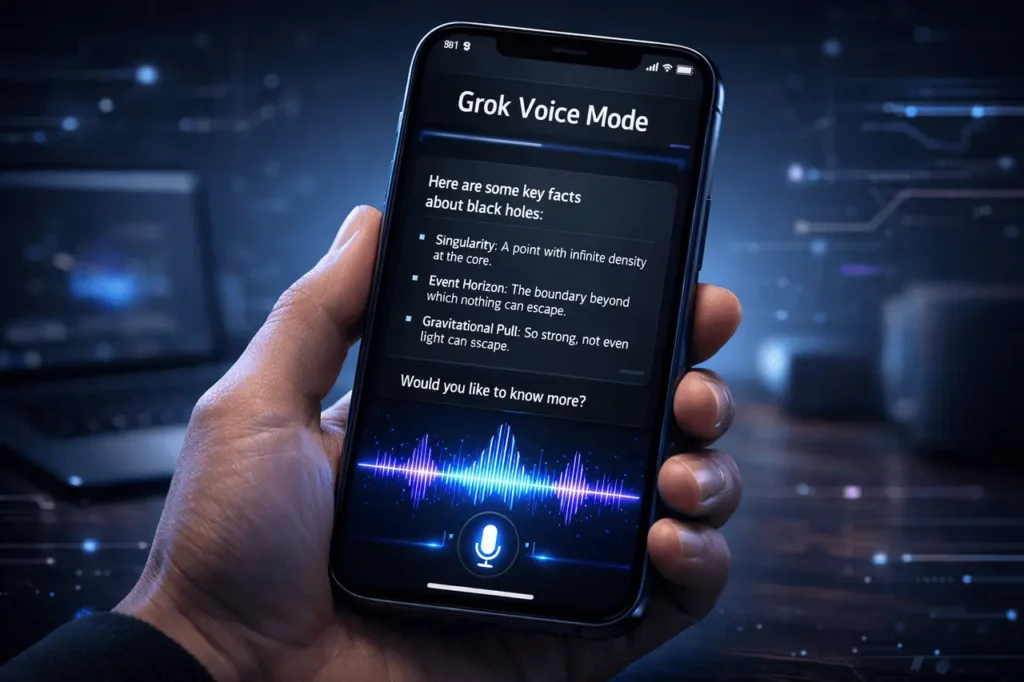
The field of Artificial Intelligence is shifting from text-based prompts to fluid multimodal conversations. Grok Voice Mode represents a major leap forward in this direction by enabling users to speak hands-free with AI that doesn’t compromise the power of the user interface. It bridges the gap between voice commands and richly visual data, meeting the increasing demand for mobile-first, accessible AI tools.
In a time when multitasking has become the norm, the ability to interact with AI while driving or walking without losing information about images, links, and data in real time can be an exciting game-changer. Grok Voice Mode is designed specifically for these situations and ensures a smooth, informative transition from typing to talking.
What is Grok Voice Mode?
Grok Voice Mode is an integrated feature of Grok AI. It is a feature integrated into the Grok AI ecosystem that enables bidirectional communication. Contrary to traditional voice assistants, which typically provide simplified or truncated answers, this mode preserves the full power of analysis and access to real-time information of the traditional Grok Chat interface.
The underlying concept of the technology lies in “visual parity.” This means that even when you’re talking to the AI, the screen is constantly filled with similar high-resolution images, live data snippets, and the formatted text you’d experience during a normal typing session.
The Technology Behind the Voice
The system is built on three main technological pillars:
- Automated Speech Recognition (ASR): Converts spoken language into high-quality text prompts.
- Large Language Model (LLM) Processing: Utilizes the Grok backend to synthesize real-time information and provide a nuanced response.
- NTS: Neural Text to Speech (TTS): Provides a human-like, natural voice response that is in tune with the tone and meaning of the conversation.
Key Features of Grok Voice Mode
The most appealing aspect of Grok Voice Mode lies in its ability to answer difficult queries while offering the user a variety of sensory experiences. Here are the most notable characteristics that define the interface.
Hands-Free Multimodal Experience
“The ‘visually rich’ aspect of the experience is what differentiates it from other AIs. While the AI is speaking with you, it renders:
- Real-time news headlines.
- Images and data visualizations.
- Source links for fact-checking.
- Code snippets, mathematical formulas.
Real-Time Information Retrieval
Since Grok integrates with live data streams, the voice messages aren’t limited to previously trained datasets. Grok can give verbal updates on the latest news, market movements, or other trending topics as they unfold.
Interruption-Capable Dialogue
Modern conversational AI needs the ability to recognize natural language patterns. The user can stop the AI mid-sentence to clarify an issue or redirect the question, making the conversation feel more like a real conversation rather than a command-and-response loop.
Comparison: Grok Voice Mode vs. Standard Voice Assistants
To comprehend the significance of this technology, it’s beneficial to evaluate it against the “Traditional” voice-assistant model (such as basic telephone assistants) and its “Modern” multimodal AI approach.
Feature Comparison Table
| Feature | Traditional Voice Assistants | Grok Voice Mode |
| Data Recency | Limited to static databases | Real-time live data access |
| Visual Interface | Often minimal or “Voice-only” | Visually rich, full-chat parity |
| Contextual Depth | Best for simple tasks (timers, weather) | High (complex analysis, storytelling) |
| Multimodal Support | Rare | Deep integration of text and visuals |
| Tone & Personality | Functional and robotic | Adaptive and expressive |
Practical Applications of Grok Voice Mode
The benefits of a voice-first AI can be found in a variety of personal and professional domains. By removing the barriers of the keyboard, users can use AI assistance across a variety of aspects of their daily lives.
For Professionals on the Move
- Briefings: Listen to a recap of the most recent industry news while you commute.
- Brainstorming: Write down ideas and let the AI transform them into structured lists or a project outline.
- Fact-checking: Verify facts or dates from the past in a presentation or meeting, while not looking away towards the viewers.
For Daily Productivity
- Learning on the go: Use voice mode to get complicated philosophical or scientific concepts explained during household chores.
- Creative Support: Describe an event you would like to imagine; Grok can generate the image and describe its artistic options in front of you.
- Accessibility: Offers an efficient interface for people with motor impairments or who struggle to type.
Technical Considerations and Limitations
Even though Grok Voice Mode is an effective tool, users should be aware of a few practical considerations to make the most of its capabilities.
Connectivity Requirements
As a real-time device that processes audio and real-time data, a reliable internet connection is essential. High latency can delay the “push-to-talk” or “always-on” response time.
Environmental Factors
Background noise can affect ASR accuracy. Although modern noise-cancellation techniques are in place, noisy environments can still cause transcription errors.
Privacy and Data Processing
Processing voice data helps the model understand dialects and accents. Users are advised to review their personal privacy settings regarding the storage of transcripts and voice recordings.
The Future of Conversational AI
The introduction of Grok Voice Mode signals a shift to “Ambient Computing.” It is a time when AI is a constant presence. AI is always on hand and not just an icon on an LCD, but instead as a permanent assistant who can comprehend the world via audio, visual, and even text.
When the model improves, we can anticipate:
- Low Latency: Instantaneous responses that are comparable to human processing speed ($<300msUSD).
- Emotional Intelligence: The ability of the AI to sense user discontent or exuberance through vocal inflections and alter its tone in response.
- Cross-Device Continuity: Start conversations using a mobile device while waiting for the visual data on a computer or smart display.
My Final Thoughts
Grok Voice Mode represents the next stage of interactivity intelligence. It combines the convenience of voice with the acuity of a rich and visually appealing chat experience. It addresses the “information density” problem that has long plagued voice assistants. It doesn’t matter if you want an effortless way to stay informed about current events or a highly creative companion; navigating this multimodal approach ensures you will never need to choose between convenience and information. As AI becomes increasingly integrated into our daily lives, apps such as Grok Voice Mode will serve as the primary link between human intention and digital implementation.
FAQs
1. How do I turn on Grok Voice Mode?
The voice icon in Grok’s Grok chat interface in your mobile application. Clicking this icon activates the microphone and switches the UI to a voice-activated state.
2. Does Grok Voice Mode work in real-time?
Yes. It uses live data streams to provide up-to-date information on news, sports, and financial markets, distinguishing it from AI models trained with earlier cutoff dates.
3. Are there images or hyperlinks while making use of Voice Mode?
Absolutely. One of the main characteristics of this mode is its visually appealing experience. The screen can display images, hyperlinks, and text in a formatted manner, even when the AI responds to the question.
4. Is Grok Voice Mode available in several languages?
Multilingual support is the primary objective of multimodal AI. Although English is the main goal, other dialects and language support are being added to support an international user base.
5. Are there ways to interrupt Grok when it is talking?
Yes, it’s designed to support naturally flowing conversations, allowing users to add questions or corrections while the AI completes its response.
Also Read –
Pingback: Grok Voice Transcribe 2.0 Launches With Better Accuracy