
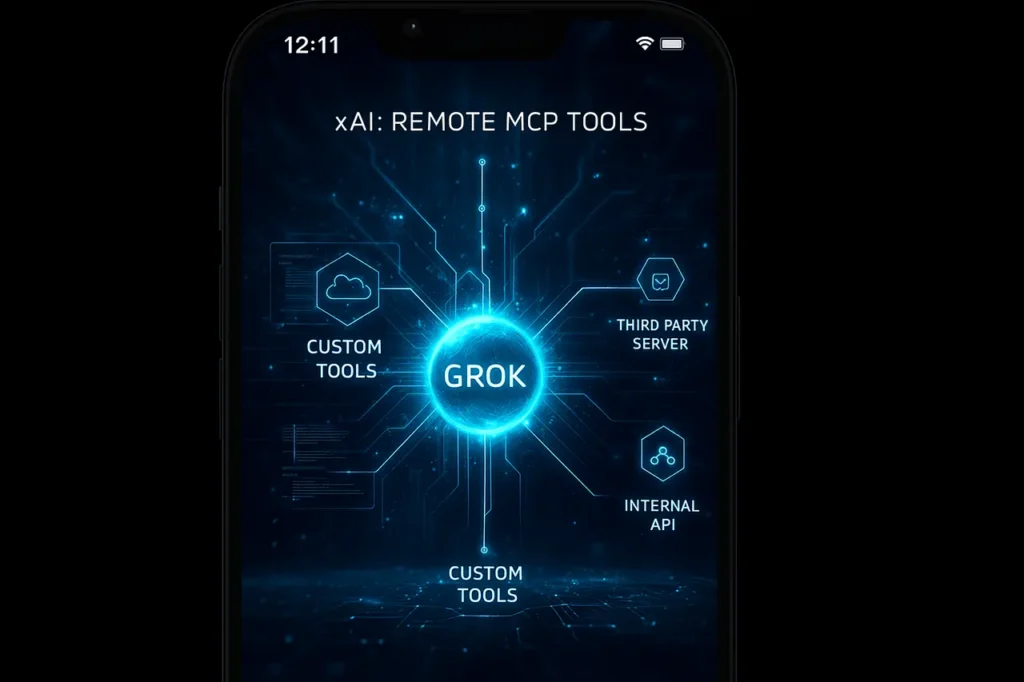
In the rapidly evolving world of AI frameworks for agents, and announcement of xAI Remote MCP Tools represents a significant shift. In the official document, Remote MCP Tools allows its chatbot model, Grok (via the xAI API), to “connect to external MCP (Model Context Protocol) servers, expanding its capabilities using customized tools provided by third-party vendors and your personal implementations.”
In a nutshell: instead of being tied to the toolset built into the AI service, developers can now plug into external “tool-servers” (MCP servers) behind the scenes. The model can treat these servers as primary tools. This model has significant implications for flexibility, modularity, corporate use, customisation, and control.
In this article, we’ll explain the basics of xAI Remote MCP tools, how they fit within the larger MCP ecosystem, the benefits and drawbacks they offer, how they can be implemented using the xAI API, and the possibilities for the near future.
We’ll also provide answers to frequently asked questions and explain how this will work in real-world scenarios.
Background: What Is the Model Context Protocol (MCP)?
To understand remote MCP Tools, it’s helpful first to understand the basic standard, MCP, also known as the Model Context Protocol (MCP).
- MCP is an open standard that defines how agent frameworks and language models interact with data sources, tools, external tool providers, and servers.
- It is the standard format for messages (often JSON-RPC), tool schemas, metadata, the transport protocol (HTTP, SSE, STDIO), and access control.
- With MCP’s support, the model can call external services —such as database queries, APIs, functions, or other domain-specific actions —in an efficient, tool-centric manner.
In practice, when a model must activate a tool (e.g., “translate this text” or “query the database of customers“), the MCP server exposes it as a tool definition. The model makes a formal message to the server. The server processes it, returns the results, and continues talking with the model. This design transforms models from purely turn-taking, generative to empowering agent-based workflows.
From that base, it is now possible to understand how xAI’s Remote-MCP Tools fit into the ecosystem.
xAI Remote MCP Tools: What They Are in xAI’s Context?
According to xAI’s documentation, xAI Remote MCP Tools permit you to connect any URL for an MCP-compliant server externally (plus an optional configuration) and let users use the Grok model (via xAI API) to make use of the tools available to the server.
Key Components
- server_url: The required parameter is the HTTP/S connection of the server of MCP.
- Server_Label, Server_description: optional metadata that helps identify the server in a particular context.
- allowed_tool_names: A list of names for tools you want the model to make use of. If not specified, all tools accessible by the server will be immediately available.
- Authentication, extra_headers: An optional header token or authentication for secure servers.
- Support for multi-servers: You can set up multiple MCP servers within the “tools” array to create a network of specialized tool-servers.
How It Works (High Level)
You submit a chat request to xAI’s API (via SDK or REST). In the tools field, you include an MCP tool configuration. When the model runs, if it determines a tool call is needed (based on its reasoning), it sends that call through the MCP transport to the specified server. The server responds. The model integrates the result and continues the conversation, all transparent to the end-user.
For example:
from xai_sdk import Client
from xai_sdk.chat import user
from xai_sdk.tools import mcp

client = Client(api_key="YOUR_KEY")
chat = client.chat.create(
    model="grok-4-fast",
    tools=[
      mcp(server_url="https://mycustom-mcp.example.com/mcp")
    ],
)
chat.append(user("Perform a financial analysis on Q4 earnings."))
The model will then choose and invoke a tool exposed by the MCP service (say, analyze_earnings), then embed the results.
Why xAI Handles the Connection
xAI integrates connection handling. It streams tool calls, monitors usage, combines tool calls in responses, and more. From the developer’s perspective, it’s as simple as pointing to your server; xAI takes care of the rest.
Why xAI Remote MCP Tools Matter: Benefits & Use Cases?
Here are some key benefits and scenarios in which this is relevant.
Benefits
- Customisation and Extension: Tools may be able to handle general tasks; however, when your application requires specific logic for a particular domain (e.g., genomic data analysis, customer-CRM actions, and proprietary datasets), you can create the MCP server yourself and connect it to.
- Modularity: instead of putting all your models into one model, you create different tools—servers, each with a distinct function. The model is then an instrument that invokes the appropriate tool.
- Enterprise Integration: Most companies have internal systems (ERPs, CRM, supply chain). With Remote MCP Tools, you can set up secure MCP servers internal to your company, expose only authorized tools, and let your model work within your existing ecosystem.
- Scalability: Multi-server support implies that you can extend your tool ecosystem and assign services to specific servers (e.g., Image-analysis server or financial model server) and keep clean domains.
- Tool Discovery and Restrictions: Using allowed_tool_names, it is possible to limit which models can be invoked, which is crucial from security, management, and cost-control viewpoints.
Use Cases
- Specific assistants for domains: a legal-tech assistant powered by Grok and a customized MCP server that exposes “search for legal precedents”, “summarise contract clauses”, and “extract obligations”.
- Workflows that are driven by data: A data-analyst user interface that triggers backend analyses through the MCP server and then returns charts, data, and recommendations.
- Plug-in ecosystems: Third-party developers develop MCP servers and expose tools (e.g. Translate to Hindi” and, imitate supply chain” generate CAD designs); Grok becomes an aggregator.
- Internal workflows of the enterprise: Internal databases, knowledge base, and functions that are accessible via an MCP server. Grok handles the front-end interface for conversation.
- Multiple-agent orchestration: Set up many servers (for research and billing, as well as code generation) and let the model connect to the appropriate server based on the request of the user.
How to Set Up xAI Remote MCP Tools: Complete Step-by-Step Guide
Here’s a helpful walk-through for developers.
Step 1: Prepare Your MCP Server
- Create a server that implements the MCP standard to define tools and exposes JSON-RPC endpoints (HTTP/S as well as SSE streaming) based on those definitions.
- Example tool definitions: name, description, parameters, return schema.
- Secure transport (HTTPS) and authentication, if required. The document emphasizes the use of secure connections.
- (Optional) Label the model and description to aid in modeling the context.
Step 2: Install & Use xAI SDK
- It is required to install the latest version (1.4.0 or later) of the xai-sdk for Remote MCP Tools.
- Install this MCP tool helper from Python
from xai_sdk.tools import mcp
Step 3: Configure the Chat Request
- In your chat creation call: Python
tools=[
   mcp(
     server_url="https://your-mcp.server/mcp",
     server_label="customTools",
     server_description="Business domain tools",
     allowed_tool_names=["search_db", "generate_report"]
   )
 ]
Step 4: Use Streaming Mode (Recommended)
- xAI suggests using streaming mode for agentic tool-calling, so you can monitor tool calls in real time and receive immediate feedback.
- A sample snippet of docs demonstrates how to loop using chunk.tool_calls and display the usage of reasoning tokens.
Step 5: Monitor Usage & Token Costs
- Based on xAI models and pricing documents: For the Remote MCP Tool, you’re not billed for the tool itself, but you are charged for any model tokens used to respond.
- Therefore, an efficient design of the tool’s schema (clear definitions, no tokens) and effective context management are essential.
Step 6: Best Practices
- Give precise information about the metadata ( server_label, server_description) so that the model can understand the purpose of each server.
- Make use of the allowed names for tools to limit the exposure of tools and to reduce overhead for context.
- Ensure your data is secure, authenticated, and protected with header controls, especially in corporate environments.
- Examples of how the tool ought to be used to help the model choose the appropriate tool.
Potential Challenges and Considerations
Although xAI Remote MCP Tools provide a myriad of opportunities, they have specific issues.
Security & Access Control
If you allow the model to communicate with external servers, you need to ensure authentication, limit the rate, and restrict the server to authorized operations. The broader MCP ecosystem has detected potential threats (e.g., malicious software and code execution), so server security is a must.
Tool Schema Design & Context Size
Every tool’s definition becomes an integral part of the model’s context (knowledge about the tools it could use). When your MCP server provides hundreds or dozens of tools, this can make it harder to manage context and degrade performance. Using allowed_tool_names helps mitigate.
Monitoring & Observability
When the model makes calls to external tools, it is essential to maintain an audit trail of which tool was used, the arguments used, and the results. The streaming mode can help with this by sending tool calls in real time.
Cost & Token Efficiency
While tool invocations per se might not be expensive, the tokens used to integrate the tool’s results into the conversation incur a fee. Ensuring that tool results are concise and precise is helpful. Tool calls can also significantly boost reasoning tokens.
Versioning & Compatibility
If your MCP server grows (tool definitions change, schemas evolve), you may need to modify your model’s prompts and permitted tool list, and so on. Multi-server configurations can increase versioning complexity.
Vendor Lock-in and Standards
Although xAI supports MCP tools, ensuring your architecture remains adaptable (should you decide to change your model provider) requires adherence to the open MCP standard and a well-thought-out abstraction design.
Future Outlook: Where This Could Lead
- Ecosystem development: We could see an industry of third-party MCP servers, each with tools specific to a particular domain (e.g., healthcare, legal, finance).
- Agent Orchestration: Models can move between MCP servers during a conversation (as enabled by xAI) to create complex workflows.
- Standardisation: The MCP is being adopted by more service providers (e.g., Anthropic), and interoperability could improve.
- Frameworks for Security: With evolving concerns regarding the Security of official tools for auditing (e.g., MCPSafetyScanner), official tools for auditing are beginning to emerge.
- Automation of Tool Identification: Research frameworks (such as MCP-Zero and ScaleMCP) are investigating ways to help models identify and invoke tools dynamically without requiring explicit listing.
- Edge as well as Decentralised Tools-Servers: For latency-sensitive and privacy-sensitive applications, local-MCP servers can be operated on premises or at the edge, with the model remotely calling these servers.
Final Thoughts
The launch of xAI Remote MCP Tools is an essential step towards a truly modular, flexible, system-based agent AI. By enabling developers to connect external MCP servers and expose custom toolsets to the Grok model, it opens a rich field of possibilities, domain-specific assistants, tool marketplaces, internal workflows, and hybrid multi-agent systems, and raises the bar for what conversational AI agents can do.
However, the power that comes with it also comes with responsibility: you have to design your MCP infrastructure with care, ensuring it is secure, efficient, and well-managed. You must also be conscious of token usage, context sizes, and the bloat of tool definitions. As the MCP infrastructure matures and tools multiply, the top performers will come from those with solid structures, thoughtful UX, and innovative tool semantics.
Suppose you’re developing an artificial intelligence-powered tool, a workflow instrument, or an enterprise integration, and are looking for the flexibility to go beyond canned features. In that case, Remote MCP tools are definitely worth investigating.
Frequently Asked Questions (FAQ)
1. Do I need to build my own MCP server to use Remote MCP Tools with xAI?
Yes, if your goal is to have customized functionality that goes beyond the built-in tools. You could build or use an existing MCP-compatible server, and then enter the URL of your tool in its configuration.
2. Can I connect multiple MCP servers concurrently?
Yes. Multi-server support is available in xAI, which allows you to specify multiple mcp(…) entries in the tool array.
3. Are there additional costs to making use of the Remote MCP Tool?
Based on xAI’s pricing, the company doesn’t charge you any fees for using the tool; however, the model tokens used in response will be charged.
4. How can I limit the tools my model can use from the server?
Make use of the allowed_tool_names parameter to allow specific names of tools; if you do not, all the tools accessible to the server will be accessible.
5. What types of transports are available for this server?
Only streaming HTTP (SSE) and HTTP are currently supported.
6. What if I expose sensitive operations via the MCP server? How can I secure them?
Use HTTPS authorization headers, token-based and OAuth-based authentication, and other authentication mechanisms. Limit the tools the model can access (via allowed_tool_names) and monitor which tools are called.
7. Does using Remote MCP Tools degrade model performance?
It’s not inherently. However, if the tool server exposes multiple instruments (extensive definition schemas) or tool results are extremely large, the context size will increase, potentially impacting latency or cost. A well-designed and restricted design can help.
8. Is MCP supported only by xAI or any other provider?
MCP is an open standard gaining acceptance among AI providers. While this article will focus on the implementation of xAI, the concept is broader.
9. Can I use Remote MCP Tools for consumer apps, or only enterprise?
Both. While enterprise use (internal platforms) is an excellent choice, independent developers could create specialized MCP servers (e.g., a public API for specialized tools) and integrate them with Grok-powered agents.
10. What are the dangers of making use of external MCP servers?
There are risks associated with exposing sensitive operations (if not authorized), an increased attack surface (tool calls can perform actions), the complexity of versioning, and the cost/latency burden. Be sure to plan the MCP server with security and governance in mind.